TikTok Pixel and Events API Tracking Setup

Make TikTok conversion signals reflect completed customer actions.

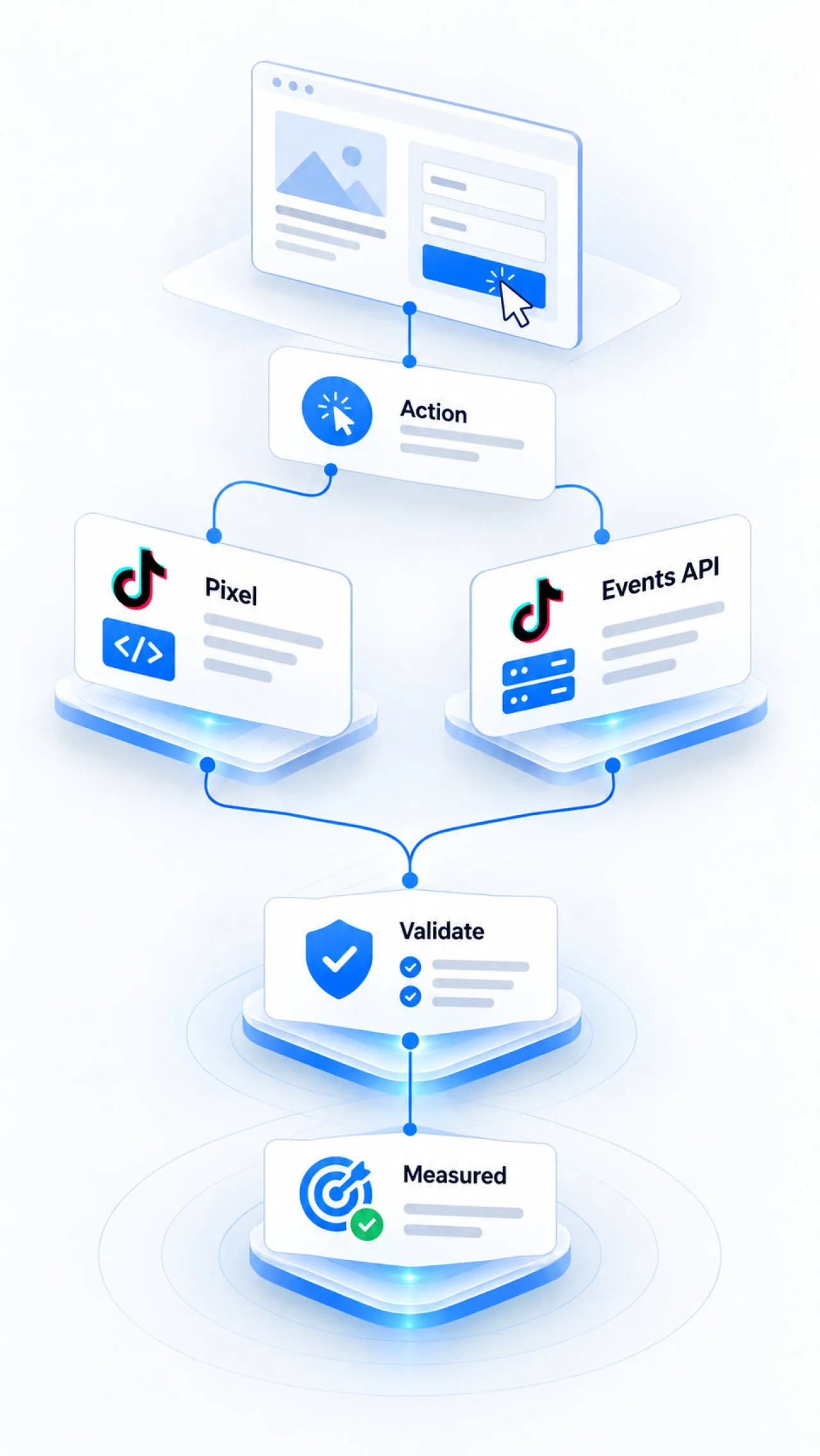
We define the real website action, review TikTok Pixel and a suitable Events API route, configure agreed basic events and a feasible standard integration, then validate how browser and server signals behave.

  • An agreed plan for completed actions, Pixel events and a suitable Events API path
  • Configured Pixel and an existing supported or suitable standard Events API integration when feasible and agreed
  • Validation notes for event flow, overlap, duplicate handling and remaining gaps

Which real action should count?

Describe your website, store or app context; completed form or purchase action; current Pixel and Events API setup; and what is missing or wrong. Mention calls, messaging, native forms or CRM paths that matter. We will agree access later; do not send passwords, access tokens or API secrets here.

You can upload multiple files.

Business hours: Monday–Saturday, 09:00–22:00 (Europe/Warsaw).

Send your request anytime — we’ll reply by email.

Measurement begins with the completed action

  • Define completion

    For a website form, count successful submission, not a click on Submit. For purchases, agree the completed order and relevant value and currency.

  • Connect browser and server

    Review Pixel and choose an existing supported or suitable standard Events API route when technically feasible and agreed.

  • Validate the result

    Check received events and browser/server overlap, then document what testing shows and what remains uncertain.

From business action to checked signal

  1. Map the journey

    Agree the real action, where it occurs and current website, Pixel and Events API configuration.

  2. Configure the agreed paths

    Set up basic relevant Pixel events and a feasible supported or standard Events API integration in scope.

  3. Test and document

    Check event flow and deduplication where browser and server represent the same conversion; record limits and follow-up work.

What an event can and cannot prove

A real completed action, emitted event, event received or processed by TikTok, attributed conversion, optimization signal and business result are different checks. We test the agreed path against the actual action. A website form counts successful completion rather than the Submit click. For ecommerce we agree the Purchase behavior, value and currency and inspect available duplicate or overlapping signals; refund, cancellation, accounting and CRM reconciliation require separate scope.

Pixel and Events API can intentionally send representations of the same conversion. Where browser and server signals represent that same action, we use TikTok's documented matching event name and event_id approach and validate duplicate handling. Distinct non-overlapping events do not need artificial mirrored copies. No perfect deduplication or attribution is promised.

Normal work includes Pixel review, agreed basic website events, selection and configuration of a suitable existing supported or standard Events API path when feasible and agreed, and practical validation. Custom backend/API code or server infrastructure, custom server-side implementation, CRM/offline postback, custom calls, substantial iframe/widget work, third-party subscriptions, hosting and ongoing maintenance are separately estimated. Native TikTok Instant Forms and messaging journeys are not simply website Pixel actions. Events API does not bypass consent, privacy, lawful processing or TikTok policy.

TikTok Pixel and Events API Tracking Setup

Make the event mean something

Tell us which customer action should count and where your current Pixel or Events API data appears missing or duplicated.

Describe your conversion

Aug 18, 2026 • Analytics & Conversion Tracking

Why a Tag Fires in GTM Preview Mode but Not for Real Visitors

Why a Tag Fires in GTM Preview Mode but Not for Real Visitors

A network-first diagnostic workflow for finding why a Google Tag Manager tag fires in Preview Mode but fails for ordinary visitors, covering live versions, debug side effects, forms, consent, cookies, CSP, blockers, navigation timing, and platform processing.