
Published Sep 16, 2026
TikTok Ads + AppsFlyer: Why App Installs Are Missing on Android While iOS Works
TikTok shows iOS installs but Android stays at zero. Trace delivery, app identity, AppsFlyer startup, Advanced SRN, postbacks, permissions, and a controlled test to find the failing stage.
Category: Online advertising · By metricfixer Expert Team
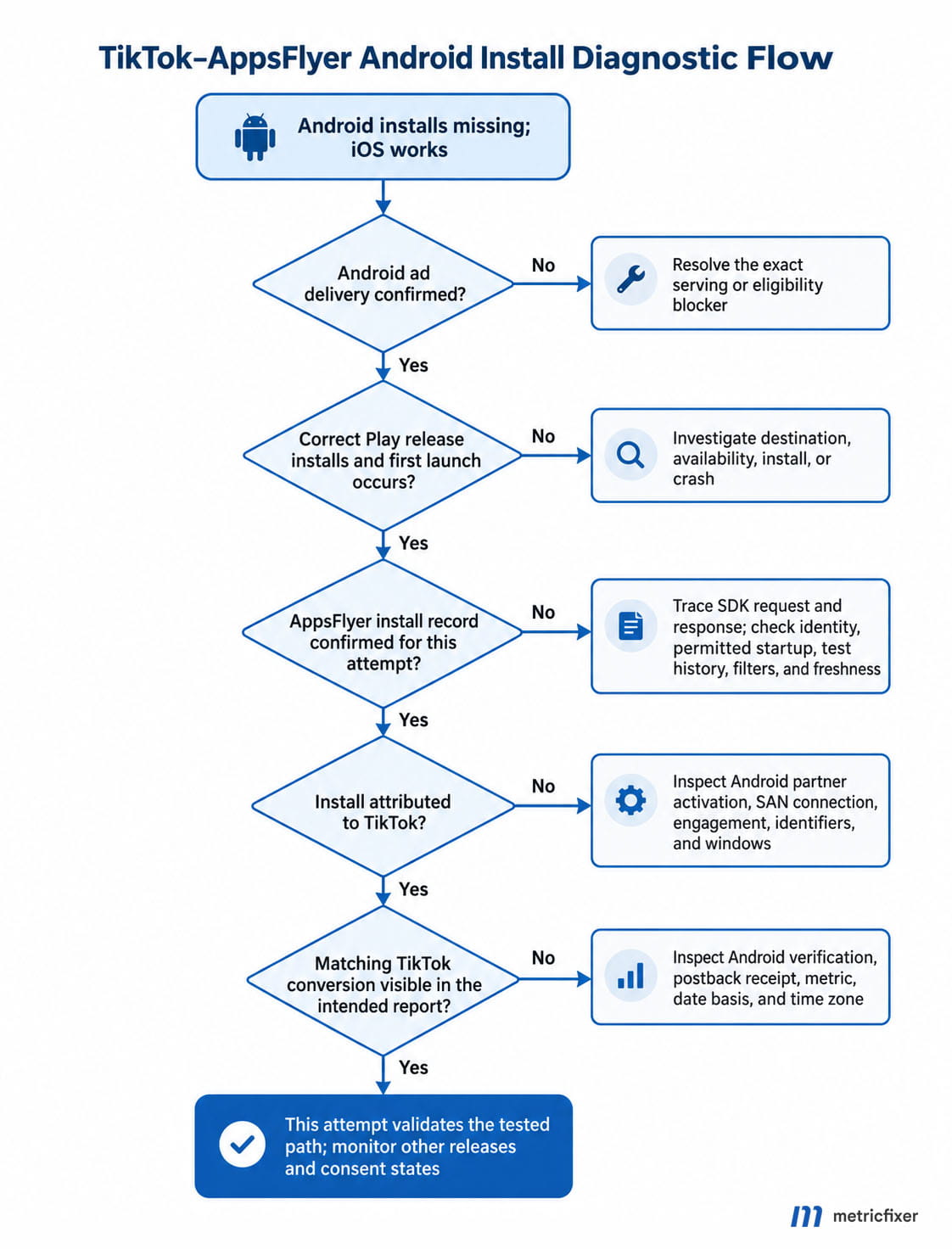
TikTok reports iOS app installs, but Android stays at zero. That symptom does not identify one broken setting. The Android campaign may not be delivering, the released app may not be sending its first launch to AppsFlyer, or the install may be recorded without credit to TikTok. This guide follows the evidence from the ad to the app, then through attribution and partner reporting, so each repair addresses the failure actually observed.
Practical starting point: open the Android app in AppsFlyer and remove the TikTok-only filter. Do any new installs appear, including organic? Then check Android impressions and spend in TikTok Ads Manager. Those two observations determine whether to investigate delivery, app-side collection, or the attribution connection. An iOS result is a useful comparison, not a successful Android test.
First, define where the install is missing
AppsFlyer counts an install when the app is first launched, not merely when its download completes. Its app-store discrepancy guide makes this distinction explicit. A customer who downloads the app but never opens it has not yet produced the same measurement event. Before investigating integrations, confirm that the Android test reached an actual first launch.
| What you can observe | What it establishes | Where to investigate |
|---|---|---|
| No Android impressions or spend in TikTok | No recorded ad delivery in the selected period. | Campaign status, eligibility, scheduling, budget, audience, and destination. |
| A clean install and first launch occur, but AppsFlyer has no corresponding install | The expected collection or classification result has not been confirmed. | Released SDK, app identity, startup, permitted collection, test history, and report scope. |
| AppsFlyer records the install as organic or under another source | The install exists; TikTok attribution is the unresolved question. | Partner activation, SAN connection, qualifying engagement, identifiers, and windows. |
| AppsFlyer attributes the install to TikTok, but TikTok's conversion report stays empty | The AppsFlyer collection and attribution path worked for that install. | TikTok app connection, event receipt, postbacks, and reporting definitions. |
This is an investigation framework, not a list of proven causes in your account. Write down the app, operating system, report, metric, date range, time zone, and filters before changing settings. "Zero TikTok installs in AppsFlyer" and "zero installs anywhere in AppsFlyer" are different incident reports.
1. Confirm that Android ads deliver and reach the intended store page
Inspect the affected Android ad group and individual ads, not just the campaign's top-level status. Record impressions, spend, clicks, the selected optimization result, and any detailed delivery message. TikTok's status definitions distinguish paused, pending, restricted, and non-delivering conditions; a campaign-level label is not a substitute for inspecting the actual ads.
For zero delivery, start with the displayed blocker: approval, schedule, billing, account limits, app eligibility, or targeting. For some delivery but no installs, follow the destination on a compatible Android device in the intended market. Can the user reach the correct Google Play listing, install the advertised release, and open it? Check a deep link's new-user fallback as well as the default store URL.
Do not change attribution windows to repair an unavailable store listing. Equally, do not infer a tracking failure from a small number of clicks with no independently confirmed installations. The campaign may simply not have produced a first launch yet. The useful next observation is a controlled installation, not an arbitrary budget increase.
For the reverse symptom on another platform, metricfixer's guide to Meta iOS campaigns that do not deliver while Android works uses the same delivery-versus-measurement distinction. Its Meta-specific settings are not a TikTok setup recipe.
2. Match the Android identity across the build, stores, and dashboards
Similar names and icons are not enough. Ask the developer for the production Android package and release version, then compare those with the campaign destination and the AppsFlyer app you are inspecting. The Android SDK integration guide requires the build's applicationId to match the app registered in AppsFlyer.
| Identifier | What to verify |
|---|---|
Android package / applicationId | The released package, Google Play listing, and AppsFlyer Android app identify the same application, for example com.example.product. |
| TikTok App ID | The value belongs to this Android app connection in the relevant TikTok ad account, not the iOS connection. |
| TikTok ad account ID | The campaign and app connection belong to the account being investigated. This is not the TikTok App ID. |
| AppsFlyer dev key | The release uses the correct account credential. Do not substitute a package name or TikTok identifier for it, or expose it in public evidence. |
For illustration, the package is the value after id= in this store URL:
https://play.google.com/store/apps/details?id=com.example.productA development variant such as com.example.product.debug is a different identity. A working debug build does not demonstrate that the public Play release is configured correctly. AppsFlyer's Android troubleshooting guide specifically links an install/event response of 404 to an app-ID mismatch and documents separate registration for debug packages.
TikTok App ID verification and AppsFlyer collection are different checks
TikTok's App ID instructions require verification for the MMP connection and require the correct ID for each operating system. An ad-account administrator can retrieve it through the app's Tracking Settings in Events Manager. AppsFlyer's TikTok integration guide, however, describes the field as optional and says it does not affect data inside AppsFlyer. These statements should not be turned into a universal diagnosis that a missing TikTok App ID causes zero AppsFlyer installs.
Resolve the mismatch where it exists: verify the Android connection in TikTok and separately prove AppsFlyer receives Android launches. TikTok says its MMP connection can become verified after receiving an attributed or unattributed event. Consequently, a verified connection does not prove that a particular ad generated an attributed install.
3. Prove AppsFlyer collection before debugging paid attribution
Check the released SDK, not just the dependency list
Ask for evidence from the version users actually install. For the native Android SDK, initialization and startup are separate operations: init prepares the SDK and start starts the sending path. AppsFlyer's startup documentation also warns that deferred startup from an Activity requires the Activity context. React Native, Flutter, Unity, and other wrappers need their own matching integration instructions rather than a copied native snippet.
Capture whether the launch request is sent and its response. A successful AppsFlyerRequestListener result confirms a successful request response; it does not establish TikTok attribution. Missing requests, rejected requests, and accepted-but-unattributed installs require different follow-up work. Disable verbose debug logging before distributing a release, and share diagnostic logs only through approved channels.
One easily overlooked failure is waiting for an account identifier that arrives only after registration. AppsFlyer's Customer User ID documentation warns that waitForCustomerUserId(true) can prevent the install from being sent if the user leaves before that identifier becomes available. Audit the release's waiting-and-release logic, not only whether the developer key is present. Do not remove a required consent gate to make this test pass.
If there is an error, keep the exact code and context. AppsFlyer's troubleshooting reference identifies an empty or incorrect dev key as another failure mode and a missing Google Play services dependency as a possible obstacle to advertising-ID collection. For 403, preserve the response and have the account owner or AppsFlyer check the relevant app/account entitlement; do not assume it means an Android permission is missing. A generic "SDK installed" message is weaker evidence than a timestamped launch request and its actual response.
Check the Android app's main partner activation
In AppsFlyer, select the Android app, open the TikTok partner configuration from the integrations area, inspect the Integration tab, and confirm the intended setting is saved. Do not rely only on TikTok appearing in an Active Integrations list. AppsFlyer's activation documentation explains that another integration type, such as cost reporting, can make the partner appear active while Activate partner is off.
This is why imported spend is not proof of attribution readiness. The main activation, cost connection, and reporting access are separate controls. If an agency cannot inspect or change the required setting, involve the advertiser-side owner instead of assuming the read-only view represents a complete setup.
Keep a snapshot of the original state. Do not repeatedly turn the integration off and on as a reset: the same activation guidance warns that disabling a partner can damage active measurement. Correct an identified problem, save it, and test a new eligible installation.
4. Verify Advanced SRN on both sides, not an old tracking-link recipe
The current AppsFlyer partner is TikTok for Business (Advanced SRN), identified by tiktokglobal_int. The legacy identifier is bytedanceglobal_int. Inspect the actual connection and any warehouse or dashboard filters; a report restricted to the old identifier is not a reliable view of current traffic. See the current integration reference.
TikTok uses the term SAN, while AppsFlyer uses Advanced SRN. For this integration, both refer to the supported self-attributing/self-reporting connection rather than a conventional click-link network. AppsFlyer's SRN explanation describes the essential separation: AppsFlyer detects app activity, considers network engagement claims and its attribution rules, then reports the attribution result.
In TikTok's documented new-app flow, open Tools, Events, connect an App data source, supply the correct store URL, and choose AppsFlyer with the SAN integration. At the MMP-specific URL/token step, AppsFlyer requires no additional configuration. That instruction does not mean the Android SDK, AppsFlyer partner setup, or TikTok App ID verification can be skipped.
Do not manufacture a click URL containing pid=tiktokglobal_int and treat it as the repair. Likewise, a successful generic AppsFlyer test link proves that test route, not the TikTok SAN route. If SAN is unavailable because the app is still associated with an older account, resolve the documented account/migration condition with the asset owner or support team instead of creating duplicate app records.
Advanced SRN also must not be confused with Advanced Data Sharing or Advanced Matching. The TikTok integration's Advanced Data Sharing control is iOS-specific. It is not an Android install switch. For users without an advertising ID, Advanced SRN can use additional permitted measurement methods; neither "no ID means no install can be recorded" nor "Advanced SRN guarantees attribution without an ID" is a sound diagnostic rule.
5. Separate install postbacks from registration and purchase mapping
AppsFlyer's TikTok configuration has a Default postbacks section for installs, separate from In-app event postbacks. Check the install-sharing scope there. Do not create a custom af_install event, rename registration to Install, or send an install on every launch to compensate for an empty acquisition report. Those actions would change the data rather than prove the original installation path.
For later actions, follow the exact event from Android to AppsFlyer before checking its TikTok mapping. AppsFlyer's postback configuration guide distinguishes the source event, partner event, sending scope, conditions, values, and postback window. A mapping does not make the application emit a missing event, and an event visible from iOS does not prove Android emits the same name.
| Observed action | AppsFlyer-side check | TikTok-side check |
|---|---|---|
| First installation and launch | Confirm the install record and acquisition classification. | Inspect the install postback path and attributed conversion report separately. |
| Completed registration | Find the actual emitted event, such as af_complete_registration. | Use the supported Registration mapping when it represents that action. |
| Confirmed purchase | Find the actual purchase event, such as af_purchase, and its intended values. | Use the SAN Purchase mapping and the appropriate value/revenue sharing settings. |
The AppsFlyer names are examples of the documented event structure. TikTok's supported AppsFlyer event table distinguishes legacy and SAN names, including legacy Pay/Purchase versus SAN Purchase. Use the identifiers supported by the current integration rather than copying an old screenshot.
Next, inspect whether the relevant Android event is eligible to be forwarded under the chosen scope and post-install window. An organic baseline may intentionally produce no partner-only postback. Expanding sharing to all sources is a data-sharing decision, not a harmless diagnostic default. If installs are present but the selected purchase event is not, investigate that event path without relabeling it as an install failure.
6. Audit permissions at the correct layer
Dashboard access is not the same as permission to collect data
Check whether the investigator can see the Android app, the correct TikTok ad account, and the relevant app data source. If the operator is an agency, ask the advertiser-side owner to confirm settings that the agency cannot inspect. Absence from one restricted account view is not proof that the underlying event does not exist.
AppsFlyer's partner-permissions documentation describes Ad network permissions as access to data and configuration actions. They are not a replacement for main partner activation. Grant only the access needed for the investigation; granting every permission will not start an Android SDK or turn an organic install into a paid one.
Check the merged Android manifest and advertising-ID availability
For app-side connectivity, check the release manifest and required dependencies against AppsFlyer's Android SDK installation guide, including android.permission.INTERNET and android.permission.ACCESS_NETWORK_STATE. Inspect the merged release manifest, not just the source manifest or a development build.
For advertising-ID access, Google's AdvertisingIdClient reference requires com.google.android.gms.permission.AD_ID for apps targeting API level 33 or later. It is a normal install-time permission, not an ATT-style runtime prompt. An absent permission or a user's advertising-ID limitation can result in an all-zero ID. That describes identifier availability, not whether a network request was sent.
AppsFlyer documents automatic inclusion of this permission from SDK version 6.8.0. Check whether dependency merging supplies it or the app deliberately removes it. Do not add restricted identifiers or defeat user choices just to improve matching. Record the identifier's availability state in the incident report, rather than publishing the identifier itself.
Inspect the Play installation path and the app's own privacy logic
Google's Install Referrer API provides Play referral information and click/install timestamps. Check that the intended release can use the supported referrer path and that the test actually came through Google Play. An APK installed directly from a file can be useful for SDK debugging, but it does not reproduce the customer's entire store journey.
A referrer error is evidence to investigate, not proof that every TikTok attribution method must fail. Similarly, a privacy gate that intentionally withholds optional collection is not automatically a bug. Test the behavior the app promises for each supported consent state. Do not apply iOS privacy workarounds to Android, or disable consent, privacy controls, or partner-sharing restrictions simply to obtain a green status.
7. Compare attribution windows and reporting clocks
Write down the Android ad group's click-through, view-through, and engaged-view settings, then the corresponding AppsFlyer install-attribution settings. TikTok's SAN window guidance explicitly says its Ads Manager settings do not change MMP reporting. Configuring one dashboard is not evidence that the other now uses the same rules.
Check actual options rather than assuming a universal dropdown. TikTok's SAN-specific guidance and its newer general ad-group window documentation list different ranges. For an account audit, the operative evidence is the selected campaign type and the saved values on both sides. Seven-day click and one-day view settings are a documented comparison point, not a mandatory configuration for every business.
Use a timeline. In a hypothetical test, an ad click occurs on Monday and the app first opens on Thursday. A one-day click window cannot cover that delay. Changing a purchase-event postback window would not address the expired install window. Start a new, documented test after a justified change; do not assume it will retrospectively repair older results.
TikTok's MMP reporting guide also explains two separate sources of difference. TikTok self-attributes eligible engagements, whereas MMPs reconcile competing networks. Its standard conversion reporting uses the ad-interaction date; Real-time columns report by event occurrence. Align dates and time zones, and compare the correct columns before treating a same-day discrepancy as a lost install. Even aligned settings do not guarantee identical totals.
8. Run two controlled tests, not repeated unexplained reinstalls
The following protocol is metricfixer's recommended way to isolate the fault. It is not a claim that one successful test validates every Android device or user. Keep the public release, app identity, consent state, and timestamps explicit. Use authorized test activity, not repeated artificial conversions to influence campaign learning.
Prepare the device and evidence
Use a real compatible Android device and record its OS, installed app version, and collection state. Before repeating acquisition tests, follow AppsFlyer's test-device registration instructions. Registration prevents eligible repeated test installs from being treated as ordinary reinstalls. Register only an identifier the app already legitimately collects; a listed device whose identifier is unavailable to the SDK is not a reliable test match. Allow registration to take effect.
Do not assume deleting the app erases the measurement history. Use an appropriately registered device or a genuinely clean device. This protocol tests new acquisition; a retargeting or reinstall investigation needs its own test conditions. AppsFlyer registration also does not create a TikTok ad engagement.
Test A: establish an organic collection baseline
On the prepared device, install the production app from Google Play without a new advertising interaction and open it. Follow the app's normal consent flow. Record the first-open time and check AppsFlyer for the corresponding install, initially without filtering for TikTok. Where available, use SDK Integration Tests and Live Events alongside the developer's launch-response evidence.
AppsFlyer's marketer testing guide recommends an organic test first and allows up to 30 minutes for that install to appear in the app dashboard. Its Live Events flow depends on a supported device identifier. An empty device-filtered viewer therefore requires checking the filter and identifier, not immediately concluding that the SDK is silent.
If the clean first launch is missing, stop buying diagnostic traffic and return to the collection checks. If it appears, preserve that evidence and prepare a separate acquisition attempt. A baseline credited to an earlier engagement can still demonstrate collection; investigate that engagement rather than treating the Organic label as the only passing result. Do not take the already installed baseline app, click an ad, reopen it, and expect a second new-user install.
Test B: follow a genuine TikTok-to-Play acquisition path
Use an authorized TikTok test-delivery method, or a legitimate delivered Android ad, that the platform confirms is suitable for attribution testing. Follow the interaction on the same prepared device, install the intended Play release, and open it within the configured window. A shareable ad preview is not automatically proof of a qualifying live engagement; confirm the test method when that is uncertain.
Record the ad-interaction time, first-open time, campaign/ad-group/ad identifiers, and AppsFlyer's result. Then inspect the matching Android app connection in TikTok Events Manager and the campaign's relevant conversion columns. Keep event receipt and paid attribution as separate observations: an incoming event is not automatically an attributed campaign result.
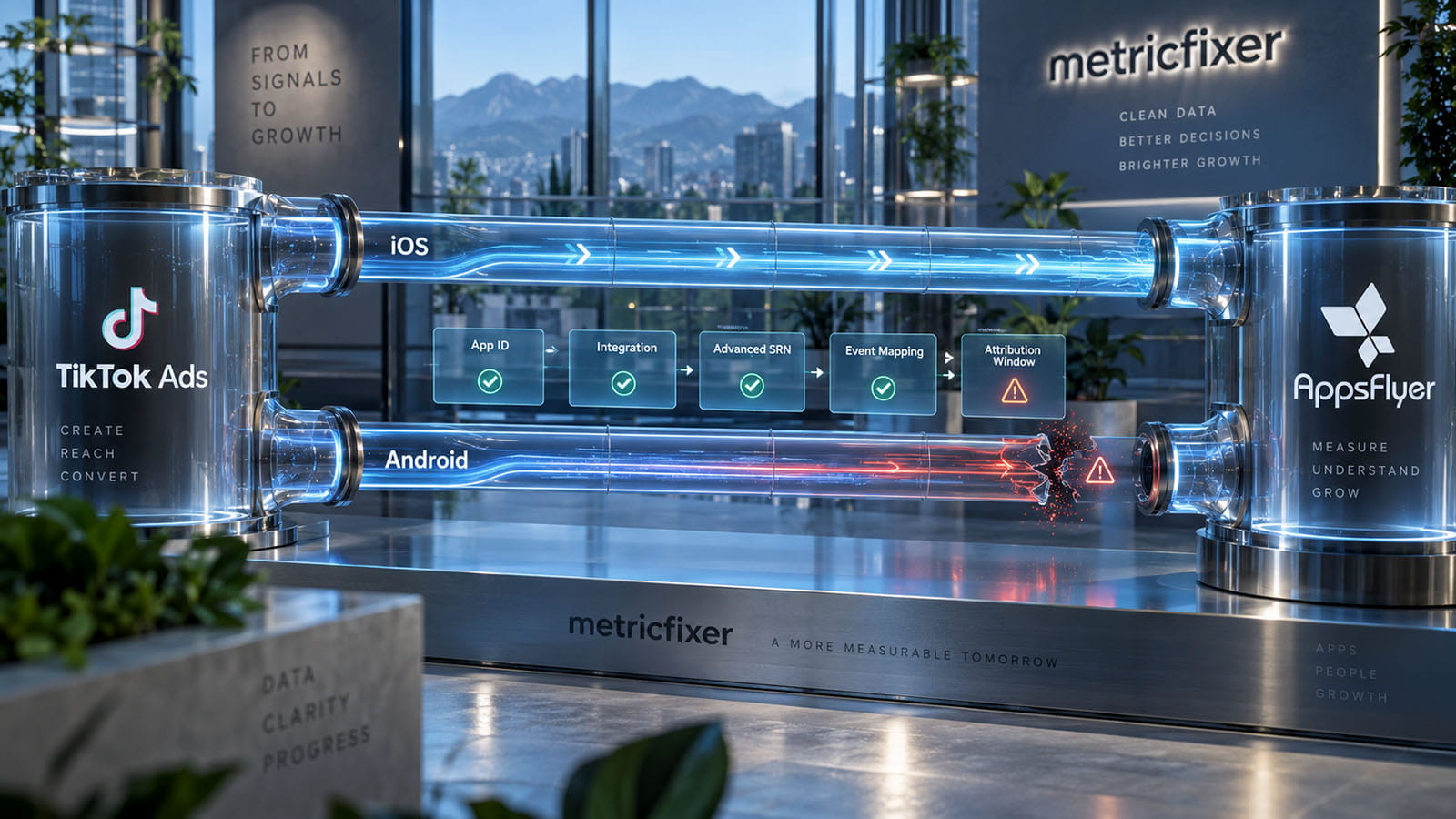
For developer-level evidence, AppsFlyer's conversion-data callback can expose af_status as Organic or Non-organic. Check the reported source as well: non-organic does not necessarily mean TikTok. The documentation notes that conversion data is cached, so repeated callback output is not proof of repeated new installs. Where a callback or field is unavailable, corroborate with permitted dashboard or export data.
Use the freshness schedule for the report being inspected. A device-level response, an aggregate dashboard, an export, and a partner report are not necessarily updated together. Do not import an iOS/SKAN waiting period into an Android SDK incident, or promise that every empty report will fill after a fixed number of hours.
9. Interpret the result without confusing an install with its attribution
| Test result | What to do next |
|---|---|
| No first launch can be demonstrated | Fix the store, installation, crash, or onboarding problem before investigating attribution. |
| First launch occurs, but no accepted AppsFlyer request is demonstrated | Have the developer trace startup, identity, connectivity, waiting states, and permitted collection. |
| A request succeeds, but the expected install record is absent | Check the app/report scope, device history, registration, freshness, and rejection evidence; escalate with the request timeline. |
| The baseline works; the TikTok attempt is organic or credited elsewhere | Investigate the qualifying engagement, SAN connection, attribution rules, and available matching signals. |
| AppsFlyer credits TikTok; TikTok lacks the expected conversion | Investigate Android app verification, partner receipt, postbacks, and metric/date definitions with TikTok and AppsFlyer. |
A reinstall is not automatically another new-user acquisition
AppsFlyer's reinstall guide distinguishes reinstalls during the re-attribution window from new installs and retargeting re-attributions. Looking only at a new-user acquisition report can therefore conceal the outcome you are testing. The current TikTok integration also supports eligible reinstall attribution and postbacks. Inspect the actual conversion type and setting rather than asserting that all reinstalls must disappear or all must count as new users.
Do not rely on outdated TikTok raw-data restrictions
A missing field is not a missing conversion. AppsFlyer's restriction reference, updated in September 2026, records TikTok view-through data changes on 19 May and 25 June 2026 across export and API tools. It now lists original_url as the restricted attribution field for that network-level rule; separate click/impression exports remain restricted. Older advice that all TikTok view-through campaign details are unavailable is not a safe current assumption.
Compare the applicable report, period, account privacy settings, and integration version. Do not label an unexplained empty row "privacy" without identifying the relevant restriction. Conversely, do not remove privacy protections because an aggregate report contains more detail than an authorized user-level export.
Check rejected installs before declaring the dashboards inconsistent
When used, AppsFlyer validation rules and Protect360 can reject installs that TikTok reports. The TikTok discrepancy guide documents this failure category. Inspect the specific rejection evidence and decide whether the traffic violates the intended rule or the rule is misconfigured. Disabling fraud protection just to make totals match is not a measurement repair.
What to send to the developer, AppsFlyer, or TikTok
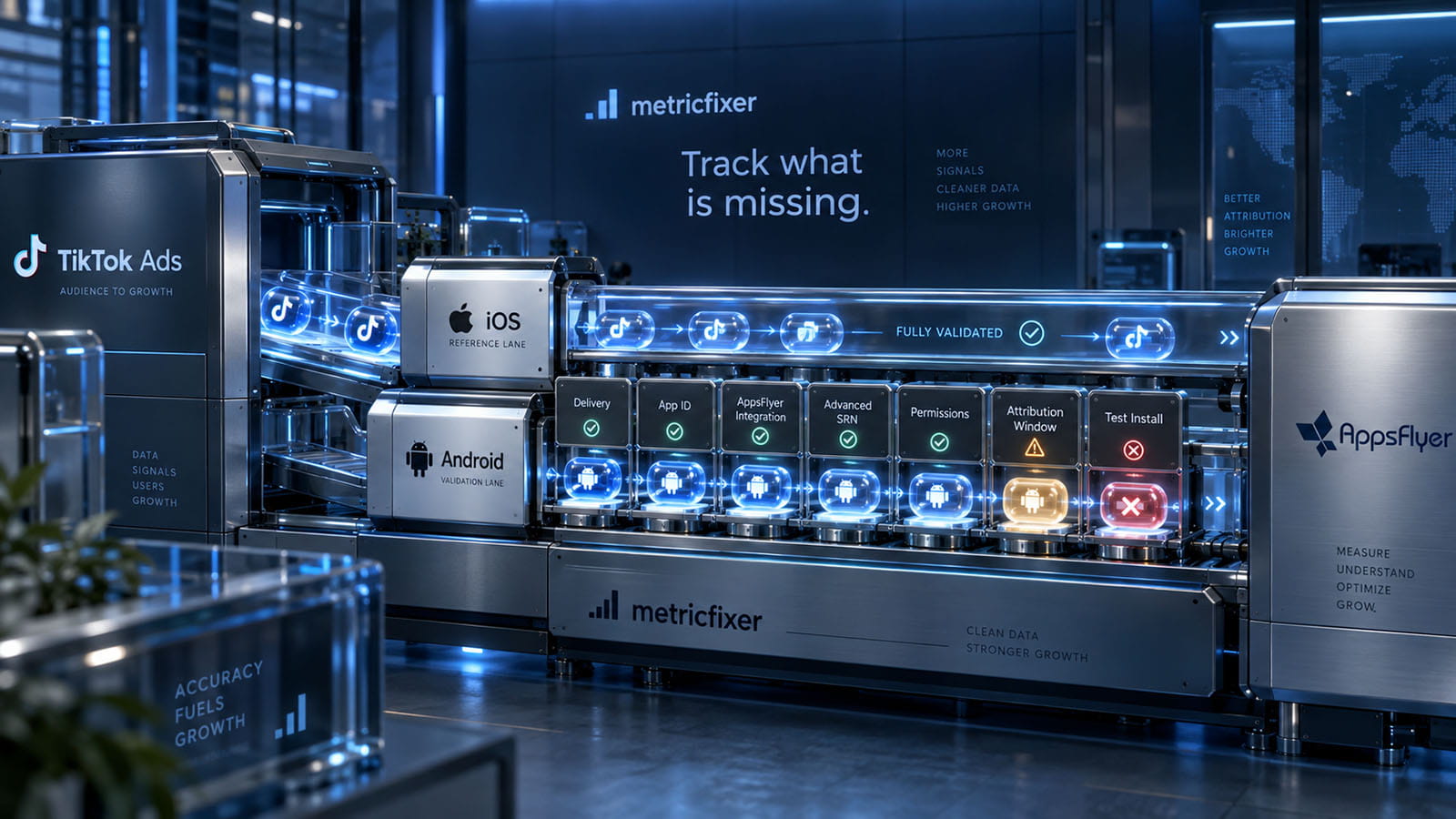
Send one reproducible timeline rather than a folder of unrelated screenshots. Our recommended escalation record contains the following:
- Identity: Android package, public release, SDK/wrapper version, AppsFlyer app, and relevant TikTok app/account/campaign identifiers.
- Delivery and journey: report period and time zone, impressions and spend, exact status message, ad destination, interaction time, and first-open time.
- Collection: launch-response evidence, test-device registration state, consent and advertising-ID availability, and the corresponding AppsFlyer record or documented absence.
- Connection and result: saved Android partner/SAN settings, install-sharing scope, relevant event mapping and windows, AppsFlyer classification, and TikTok receipt/report outcome.
- Change history: the single setting or release change tested, its timestamp, and the new observation. Remove credentials, tokens, and personal data from shared materials.
Route missing app-side collection to the developer first. Route accepted launches with unexplained AppsFlyer classification to AppsFlyer. Route verified delivery or TikTok reporting issues to TikTok with the matching AppsFlyer evidence. Cross-platform cases may need both vendors, but they should be investigating the same installation attempt.
The bottom line: Android installs missing while iOS works is a starting symptom, not a root cause. Establish delivery, match the Android identity, prove the first-launch signal, verify Advanced SRN, and test attribution separately from event forwarding. Repair the first demonstrated failure instead of enabling unrelated settings until a counter moves.
Methodology and sources
This review was checked on 15 September 2026 against official TikTok, AppsFlyer, and Google documentation. Sources are linked beside the relevant claims. The diagnostic sequence, decision tables, and test protocol are metricfixer's editorial synthesis of those documented mechanisms, not a vendor-prescribed universal setup or a reported customer success story.
The review distinguishes TikTok's MMP verification requirement from AppsFlyer's description of its TikTok App ID field. It also uses the dedicated, recently updated raw-data restriction reference rather than repeating older restriction text still present in the integration guide. Window options are described as campaign- and interface-dependent where the vendor pages differ.
No advertising account, application source code, or case-specific production logs were supplied for this investigation. No live campaign was changed and no device installation was performed. Illustrative package names and event names are not customer data. Account permissions, SDK versions, release channels, consent handling, and report availability must be checked in the actual implementation.
This article provides technical and operational information, not a guarantee of ad delivery, attribution accuracy, or commercial results. It is not legal or privacy advice. Do not bypass user choices, expand data sharing, or disable fraud controls merely to make reporting match. Validate changes against the released app, platform policies, and authorized data practices. metricfixer is not affiliated with TikTok, AppsFlyer, or Google. Interfaces and measurement behavior may change after publication.