
Published Aug 30, 2026
How to Reconcile Meta Campaigns With Transaction IDs and Real Revenue
Meta Ads Manager can report purchases and attributed conversion value, but it cannot act as an order ledger. This guide shows how to reconcile Meta campaigns with backend order IDs, Pixel/CAPI event IDs, GA4 transaction IDs, refunds, and real revenue in a BI warehouse.
Category: Online advertising · By metricfixer Expert Team
Meta Ads can report purchases, purchase value, and ROAS, but it is not an order-management system and its standard campaign reports are not a transaction ledger. This guide shows how to reconcile Meta campaigns with real orders by connecting ecommerce backend data, CRM records, Meta Pixel and Conversions API events, GA4 transaction IDs, payment and refund status, and a BI warehouse.
Practical default: treat the ecommerce backend or order/payment system as the source of truth for whether an order exists and how much money the business actually kept. Carry one immutable order key into Meta and GA4, but keep each platform's identifier semantics separate. Use Meta Ads Manager for attributed advertising performance, GA4 for analytics and journey analysis, and the warehouse for order-level reconciliation.
Executive summary
The most common mistake in Meta revenue reconciliation is expecting Ads Manager to behave like a list of ecommerce orders. It does not. Meta's Ads Insights reporting model exposes performance at advertising-object and time grains such as account, campaign, ad set, ad, and day. Conversion metrics such as actions and action values represent outcomes that Meta attributed to advertising under its reporting rules. They are not a row-by-row export of every purchase event received by a dataset.
This remains true even when a Purchase event contains an order_id. Meta's Conversions API accepts transaction context such as order_id, value, and currency, and Meta also recommends a stable event_id when browser Pixel and server Conversions API events are used together. But sending those fields does not make order_id or event_id a standard Ads Manager reporting dimension. Their primary operational value is event quality, deduplication, diagnostics, and your own reconciliation architecture.
GA4 behaves differently. Its ecommerce model defines transaction_id as the unique transaction identifier. For web streams, GA4 uses it to deduplicate repeated purchase events, and the same transaction ID is used to associate refunds with the original transaction. In BigQuery export, ecommerce.transaction_id, purchase revenue, and refund value are available at event level. That makes GA4 much closer to an analyzable transaction event store, although it still should not replace the commerce backend or payment ledger as the financial source of truth.
The strongest production architecture therefore separates three questions:
- Did the business transaction happen? Answered by the ecommerce backend, order management system, payment processor, ERP, or CRM.
- Did measurement systems receive the event correctly? Answered by an internal event-delivery ledger, Meta Events Manager diagnostics, Pixel/CAPI deduplication checks, GA4 event data, and BigQuery.
- Which marketing touch receives credit? Answered separately by Meta's attribution model, GA4's attribution/reporting scopes, and any first-party attribution model in the BI warehouse.
If these layers are mixed together, a team can spend days trying to find an order number inside Ads Manager that was never designed to expose it. If they are separated, the discrepancy becomes measurable: an order can be real but not tracked, tracked but not matched, matched but not attributed, attributed by Meta but credited elsewhere by GA4, or later refunded even though the original Meta purchase signal remains part of historical ad reporting.

Why Ads Manager is not an order registry
Ads Manager answers an advertising question: how did this campaign, ad set, or ad perform under Meta's measurement and attribution rules? A transaction register answers a different question: which orders were created, paid, refunded, cancelled, or charged back, and what is their current financial value?
The distinction is visible in Meta's reporting API. Ads Insights returns advertising metrics such as spend, impressions, clicks, actions, and action values at advertising-object levels. The actions family counts actions attributed to ads, while action_values represents the value of attributed conversions. Meta also exposes reporting controls that affect how actions are assigned in time. These are aggregate advertising metrics, not an event-level table with a guaranteed one-to-one row for every ecommerce transaction.
That creates an important implementation rule: never design an order reconciliation process around the expectation that Meta will return the same order_id that you sent with CAPI as an Ads Insights row key. The standard reporting surface does not provide that join. If you need order-level joins, you must create and preserve them in your own systems.
This is consistent with the event lifecycle described in our earlier Meta Pixel and Conversions API Event Lifecycle review: Events Manager is a data-source health and diagnostics surface, while Ads Manager is an attribution report. The backend, CRM, payment system, or order platform remains the record of what actually happened commercially.
What order_id does — and does not do
Meta's Conversions API supports order_id in transaction data. For a purchase, this is a sensible place to send the immutable business order identifier. It helps preserve transaction context and gives your implementation a consistent event contract.
But order_id does not become a campaign-attribution key. It does not tell Meta which campaign caused the purchase, and it is not a substitute for matching data such as fbc, fbp, permitted customer information, or other supported identifiers. It also does not replace first-party campaign tracking such as UTMs and Meta campaign/ad IDs in landing-page URLs.
The same warning applies to event_id. Meta's event_id exists primarily to identify the event itself and, when Pixel and CAPI both send the same business action, to let Meta recognize the browser and server copies as duplicates. An order number or transaction ID can be used as the basis of event_id, but the field still represents event identity, not campaign identity.
For a deeper treatment of these roles, see Meta Identifiers Explained: fbclid, _fbc, _fbp, event_id, CRM, and Conversions API.
One order can legitimately have four different identifiers
A reliable implementation does not try to force every platform field into one semantic meaning. It starts with one canonical business order key and deliberately maps that key into the fields each platform expects.
| Identifier | Where it belongs | Main job | Can it equal the backend order ID? | Should it be used as campaign attribution? |
|---|---|---|---|---|
order_id |
Ecommerce backend / OMS / CRM / Meta custom_data |
Identify the commercial order | Yes — preferably exactly | No |
event_id / Pixel eventID |
Meta Pixel + Conversions API | Identify one Meta event and deduplicate browser/server copies | Yes, or derive it from the order ID, for example purchase:ORD-104928 |
No |
transaction_id |
GA4 ecommerce | Identify the ecommerce transaction, deduplicate web purchases, and connect refunds | Yes — using the same immutable order ID is usually the cleanest pattern | No, not by itself |
| Campaign/ad identifiers | Landing URL, CRM touch record, warehouse | Identify the Meta campaign, ad set, ad, placement, and acquisition touch | No — these identify marketing objects, not orders | Yes, as evidence for your own first-party attribution model |
The important phrase is one canonical business key, separate field semantics. If the order is ORD-104928, GA4 can use transaction_id=ORD-104928, Meta can receive order_id=ORD-104928, and the Meta deduplication key can be purchase:ORD-104928. Your warehouse can then join all three back to the same order without pretending that Meta's event_id is a campaign ID or that GA4's transaction_id is a financial ledger.
Before reconciling platforms, define what “real revenue” means
Many Meta-versus-CRM disputes are not tracking disputes at all. They are revenue-definition disputes. A checkout can produce several valid monetary values over its lifecycle, and two systems can be technically correct while comparing different ones.
| Revenue basis | Typical definition | Good use | Reconciliation risk |
|---|---|---|---|
| Checkout/order value | Amount shown when the order is submitted | Immediate marketing signal | May include orders that later fail, cancel, or refund |
| Authorized amount | Payment authorization succeeded | Card/payment diagnostics | Authorization may never be captured |
| Captured / paid amount | Money successfully captured | Strong default for confirmed purchase events | Does not yet account for later refunds or chargebacks |
| Net collected revenue | Captured amount minus refunds and chargebacks, with tax/shipping treatment defined explicitly | BI profitability and mature ROAS analysis | Changes after the purchase date |
| Recognized accounting revenue | Revenue recognized under the business's accounting policy | Finance reporting | May be recognized on a different date and under different rules than marketing revenue |
| Contribution value | Revenue minus selected variable costs, COGS, payment fees, or fulfillment costs | Profit-aware bidding and management reporting | Requires a business-specific cost model |
For most ecommerce reconciliation, a useful minimum is to store both gross paid revenue and net collected revenue. The first lets you compare what was sent at purchase time. The second tells the business how much revenue remained after refunds and chargebacks. If finance uses a different recognized-revenue definition, keep that as a separate metric rather than silently replacing one with another.
The key operational rule is simple: do not overwrite history just because the current order state changed. Store the original paid amount, later refund transactions, chargebacks, and the current net amount separately. That makes it possible to explain why a campaign originally received a EUR 149 purchase signal while the business ultimately retained EUR 109.
Reference architecture: backend truth, platform measurement, warehouse reconciliation
The recommended architecture is not “send the order ID everywhere and hope the reports match.” It is a controlled flow in which each system has a defined responsibility.
- Meta ad click: the landing URL carries readable UTMs and stable Meta campaign/ad identifiers; Meta may also append
fbclid. - First-party touch capture: the site stores UTMs, Meta campaign/ad IDs,
fbclid, derived or existingfbc,fbp, timestamps, landing URL, referrer, and consent state before redirects or external checkout can lose them. - Ecommerce backend: the backend creates an immutable
order_id, records payment state, currency, line items, discounts, tax, shipping, captured amount, refunds, and chargebacks. - Meta measurement: Pixel may send the browser purchase, while the backend or trusted server integration sends CAPI. Both copies share the same event name and deduplication identity.
- GA4 measurement: the purchase uses the same business order key as
transaction_id. Refunds are sent later with the sametransaction_id. - Warehouse: order facts, touch history, event-delivery logs, GA4 BigQuery events, Meta campaign dimensions, and Meta Ads Insights aggregates are stored separately and joined at the correct grain.
- BI layer: dashboards compare actual orders and revenue with measurement coverage and with Meta-attributed results without pretending those are the same metric.
Diagram placeholder: Meta campaign-to-order reconciliation architecture — ad click → first-party touch capture → ecommerce backend/order ledger → Pixel/CAPI and GA4 → Meta reporting and GA4 BigQuery → BI warehouse → reconciliation dashboard. Use the accompanying Mermaid source meta_revenue_reconciliation_architecture.mmd.
Implementation pattern: use the order as the business anchor
1. Create the canonical order ID in the backend
The authoritative order identifier should come from the ecommerce backend, OMS, or equivalent business system. Do not generate a new “analytics order ID” independently in GTM, Pixel code, or a browser-only script. Browser-generated IDs can disappear on reload, differ from the real commerce record, or become impossible to reconcile when a payment is retried.
The identifier should be immutable, unique to the order, and free of personal information. A value such as ORD-104928 is appropriate. Email addresses, names, phone numbers, or other customer data should never be embedded in transaction IDs.
2. Define exactly when a Purchase becomes a Purchase
A Purchase event should represent a business state, not a button click. For synchronous card checkout, that may be the moment the backend confirms successful payment. For bank transfer, buy-now-pay-later, fraud review, or asynchronous payment flows, the order can exist before it becomes a confirmed paid purchase.
Choose one rule and use it consistently across Pixel, CAPI, GA4, CRM, and BI. A common strong default is: send the marketing Purchase when the payment state crosses into the business's confirmed-paid state. If your business intentionally optimizes on order creation rather than successful payment, document that explicitly and do not call the resulting value “real paid revenue.”
3. Give Pixel and CAPI the same Meta event identity
When browser Pixel and server CAPI both describe the same purchase, use the same event name and a stable shared ID. Meta's documentation treats eventID on the browser side and event_id on the server side as the deduplication pair. The order number itself can be used, but namespacing the ID by event type makes internal logs clearer when the same order later generates other events.
const orderId = "ORD-104928";
const metaEventId = `purchase:${orderId}`;

fbq(
  "track",
  "Purchase",
  {
    value: 149.00,
    currency: "EUR"
  },
  {
    eventID: metaEventId
  }
);
The paired server event can carry the same event identity plus the business order identifier in transaction data:
{
  "data": [
    {
      "event_name": "Purchase",
      "event_time": 1788037200,
      "event_id": "purchase:ORD-104928",
      "action_source": "website",
      "event_source_url": "https://www.example.com/checkout/complete",
      "user_data": {
        "em": ["SHA256_NORMALIZED_EMAIL"],
        "fbc": "fb.1.1788030000.EXAMPLE_CLICK_ID",
        "fbp": "fb.1.1788000000.1234567890",
        "client_ip_address": "203.0.113.10",
        "client_user_agent": "EXAMPLE_USER_AGENT"
      },
      "custom_data": {
        "currency": "EUR",
        "value": 149.00,
        "order_id": "ORD-104928",
        "content_type": "product",
        "content_ids": ["SKU-1001"]
      }
    }
  ]
}
The Unix timestamp above is illustrative. Production events should use the real business event time. Retries of the same event should keep the same event_id and original event occurrence time rather than creating a new conversion identity for each API attempt.
Meta's current Conversions API documentation should be treated as authoritative for required fields, formatting, hashing rules, supported action sources, and current API behavior.
4. Send the same business order key to GA4 as transaction_id
GA4's ecommerce contract is much closer to the business transaction model. Google recommends a unique transaction ID for each order and uses duplicate transaction IDs to deduplicate repeated purchases in web streams. The same ID is also used when sending refunds.
gtag("event", "purchase", {
  transaction_id: "ORD-104928",
  value: 149.00,
  currency: "EUR",
  items: [
    {
      item_id: "SKU-1001",
      item_name: "Example product",
      price: 149.00,
      quantity: 1
    }
  ]
});
If EUR 40 is later refunded, send a separate GA4 refund event tied to the same transaction:
gtag("event", "refund", {
  transaction_id: "ORD-104928",
  value: 40.00,
  currency: "EUR",
  items: [
    {
      item_id: "SKU-1001",
      price: 40.00,
      quantity: 1
    }
  ]
});
Google documents transaction_id as the ecommerce transaction identifier, recommends it for purchase deduplication, and uses it to associate refunds. GA4's BigQuery export schema exposes ecommerce.transaction_id, ecommerce.purchase_revenue, and ecommerce.refund_value, which makes transaction-level audits practical.
If the confirmed purchase is generated on the backend rather than in the browser, GA4 Measurement Protocol can be used to send the server-side event. For web streams, preserve the correct client_id and, when session attribution matters, the corresponding session_id. Google's current Measurement Protocol guidance says session attribution requires the session ID and timely delivery; a standalone server event without the online session context should not be expected to reconstruct the original traffic source automatically. Measurement Protocol should complement a deliberate GA4 collection architecture, not become an unrelated second event stream.
Build a first-party bridge from the Meta click to the order
An order ID tells you which transaction occurred. It does not tell you which ad generated the visit. To reconcile campaigns with orders independently of Meta's internal attribution, capture acquisition evidence when the visitor arrives and persist it until the order is created.
For website campaigns, a robust first-party touch record can include:
- UTM parameters such as
utm_source,utm_medium,utm_campaign,utm_content, andutm_id; - stable Meta identifiers such as campaign ID, ad set ID, and ad ID passed through dynamic URL parameters;
fbclidfrom the ad click and validfbc/fbpvalues where available and permitted;- landing timestamp, landing URL, referrer, first-party session/customer keys, and consent state;
- a touch sequence rather than only the most recent campaign if multi-touch analysis matters.
A practical Meta URL-parameter template can preserve readable campaign labels and stable join keys at the same time. The exact parameter set should follow your account standard and be QA-tested in the current Ads Manager UI:
utm_source={{site_source_name}}&utm_medium=paid_social&utm_campaign={{campaign.name}}&utm_content={{ad.name}}&utm_id={{campaign.id}}&meta_adset_id={{adset.id}}&meta_ad_id={{ad.id}}For a detailed setup, see our Meta Ads Dynamic URL Parameters for UTM Tracking guide. The important rule for reconciliation is to use IDs for durable joins and names for human-readable dashboards. Campaign and ad names can be edited; IDs are the safer long-term keys.
Persist attribution data before redirects and external checkout
If the user moves from a landing domain to a booking engine, checkout subdomain, payment provider, or another external system, do not assume the original query parameters will survive. Capture the touch server-side or in controlled first-party storage before the transition, then associate it with the cart, checkout, lead, or customer record that later becomes the order.
The best join is not “find the UTM again on the thank-you page.” It is:
ad click → touch_id → cart/checkout_id → order_idThis chain survives redirects, return visits, asynchronous payment, and server-side order finalization much better than copying URL parameters at the final page.
A practical warehouse data model
The warehouse should preserve distinct grains instead of flattening everything into one giant table. The exact platform can be BigQuery, Snowflake, Redshift, Databricks, PostgreSQL, or another analytical store; the design principle is the same.
| Table / entity | Recommended key | Important fields | Purpose |
|---|---|---|---|
orders |
order_id |
Status, created/paid timestamps, currency, gross amount, discounts, tax, shipping, captured amount, refunded amount, chargeback amount, net collected revenue | Commercial source of truth |
order_touches |
touch_id + order_id |
UTMs, Meta campaign/ad set/ad IDs, fbclid, fbc, fbp, GA4 client_id/session_id where used, landing URL, referrer, touch timestamp, attribution weight/model |
First-party campaign-to-order bridge |
event_delivery |
destination + event_id + attempt |
Order ID, event name, occurred_at, sent_at, value, currency, destination dataset/property, HTTP status, response, retry count, implementation version | Prove what your systems attempted to send |
ga4_events |
GA4 event identity + transaction_id |
Event name, event timestamp, ecommerce.transaction_id, purchase revenue, refund value, source/medium/campaign dimensions where available |
Analytics transaction and journey evidence |
meta_campaign_dim |
Campaign/ad set/ad ID | Names, account, status, objective, start/stop dates, naming snapshots | Stable ID-to-name mapping |
meta_ads_insights |
Date + advertising object ID + reporting configuration | Spend, impressions, clicks, actions, action values, attribution/report-time settings | Meta-attributed aggregate performance |
The most important modeling rule is that meta_ads_insights and orders do not share a native transaction key. Do not invent one. Join Meta's aggregate reporting to first-party campaign aggregates by campaign/ad IDs and a defined date grain. Keep the order-level attribution table as your own model.
Run three reconciliations, not one
Reconciliation 1: event coverage
This answers: of the business outcomes that should have been measured, how many measurement events were actually generated and delivered?
For each eligible order, check:
- did the backend reach the status that should trigger
Purchase? - was a CAPI event written to
event_delivery? - was the event accepted by the API transport layer?
- if Pixel also fired, did browser
eventIDand serverevent_idmatch? - did GA4 receive a purchase with the same
transaction_id? - are missing events concentrated by browser, consent state, payment method, checkout version, region, or implementation release?
This is the right reconciliation for diagnosing tracking coverage. Ads Manager should not be used for this step because an eligible business event can be correctly received by Meta and still receive no campaign attribution.
Reconciliation 2: revenue payload
This answers: was the correct monetary value sent, and how does it relate to the business's current revenue state?
Compare the original confirmed-purchase value in the backend with the value sent to Meta and GA4. Then separately compare later refunds, cancellations, and chargebacks. If the purchase event sent EUR 149 and the order later has a EUR 40 refund, both facts should remain visible:
original paid revenue: EUR 149
later refund: EUR 40
current net collected revenue: EUR 109
Do not expect a refund recorded in the payment processor or ERP to retroactively rewrite a previously sent Meta Purchase signal unless your specific integration explicitly implements and validates such behavior. Meta reporting is not a replacement for refund accounting. GA4 has a defined refund event tied to transaction_id, so it can represent refunds when implemented correctly, but the backend still remains the authority for the actual money state.
Reconciliation 3: attribution
This answers: how many of the measured business outcomes does each reporting model credit to Meta?
Compare at least three lenses separately:
- Meta-attributed purchases/value: what Ads Manager or Ads Insights credits to Meta under the selected reporting settings;
- GA4 attribution: what GA4 credits to Meta under the chosen scope and attribution/reporting configuration;
- first-party BI attribution: what your own deterministic or weighted model credits to Meta based on stored click/touch evidence.
These numbers are not expected to be identical. Meta can use its own identity, matching, and attribution signals. GA4 operates with Google Analytics identity and attribution rules. Your warehouse only knows the first-party evidence you captured and the attribution model you chose. A difference between these systems is not proof that one is wrong.
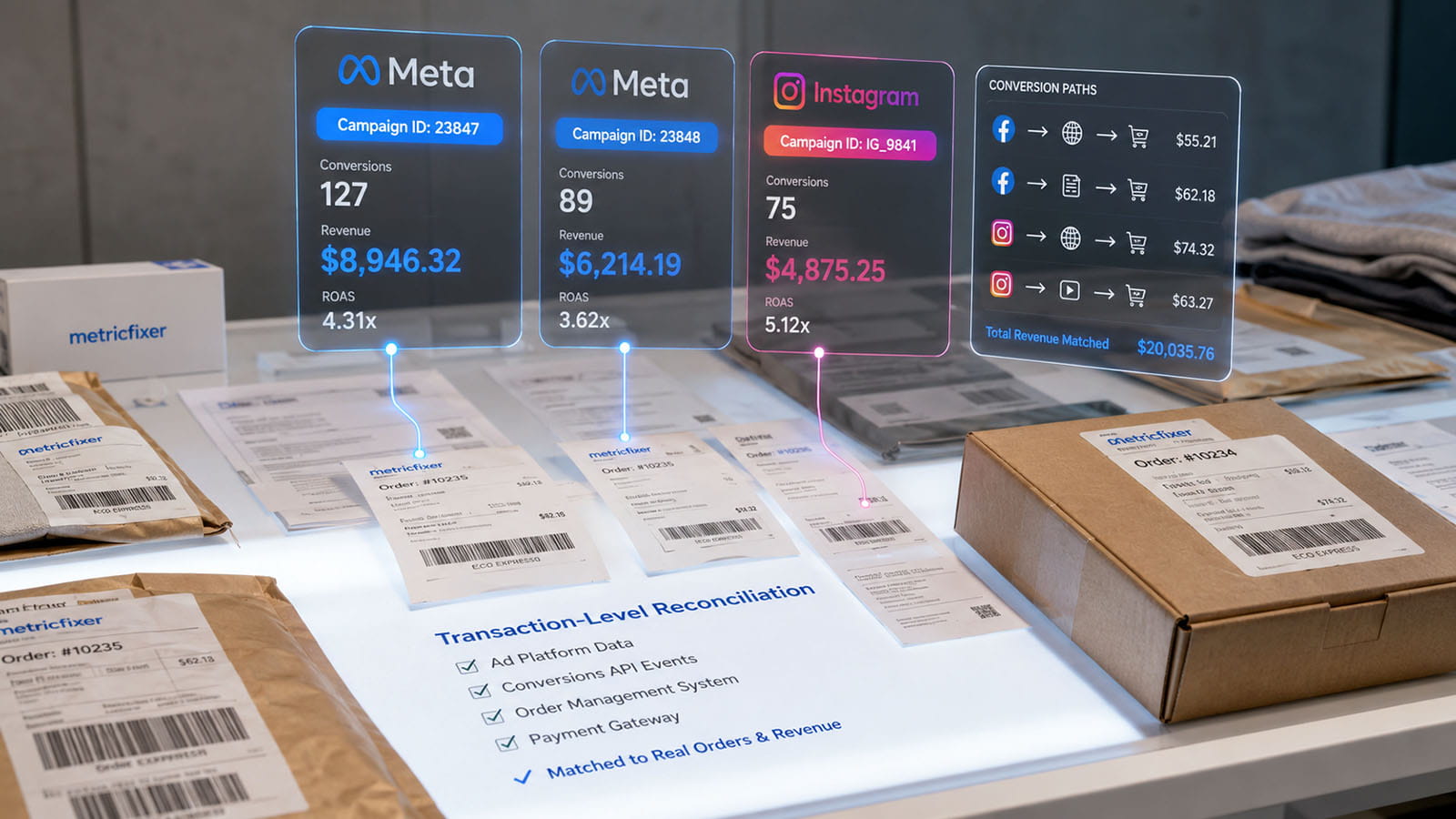
One order, five different numbers
Consider an illustrative order ORD-104928. A customer clicks a Meta ad, pays EUR 149, and receives a EUR 40 partial refund three days later.
| System / metric | Illustrative value | Why it exists |
|---|---|---|
| Backend original captured amount | EUR 149 | The amount successfully paid at purchase time |
| Backend current net collected revenue | EUR 109 | EUR 149 captured minus EUR 40 refunded |
| Meta Purchase payload | EUR 149 | The purchase value sent at the time of the confirmed purchase |
| GA4 purchase/refund event record | EUR 149 purchase + EUR 40 refund | GA4 can represent both ecommerce events under the same transaction_id |
| Ads Manager attributed value | Depends on Meta attribution/reporting | Meta reports aggregate value it credits to ads; it is not the backend's current order balance |
The reconciliation question is therefore not “which number is correct?” It is “which business definition and reporting layer does this number represent?” The backend net amount is the appropriate truth for money retained. The Meta value is useful for ad optimization and Meta-attributed ROAS. GA4 is useful for analytics and ecommerce behavior. None should be silently substituted for another.
Use GA4 BigQuery as a transaction-level analytics cross-check
GA4 BigQuery export is useful because it exposes transaction-level ecommerce fields. The query below is a simplified audit pattern that compares backend orders with GA4 purchase and refund data by the shared order key.
WITH ga4_by_order AS (
  SELECT
    ecommerce.transaction_id AS order_id,
    SUM(
      CASE WHEN event_name = 'purchase'
        THEN COALESCE(ecommerce.purchase_revenue, 0)
        ELSE 0
      END
    ) AS ga4_purchase_revenue,
    SUM(
      CASE WHEN event_name = 'refund'
        THEN COALESCE(ecommerce.refund_value, 0)
        ELSE 0
      END
    ) AS ga4_refund_value
  FROM `project.analytics_123456789.events_*`
  WHERE _TABLE_SUFFIX BETWEEN '20260801' AND '20260831'
    AND event_name IN ('purchase', 'refund')
    AND ecommerce.transaction_id IS NOT NULL
  GROUP BY 1
)
SELECT
  o.order_id,
  o.paid_at,
  o.captured_amount,
  o.refunded_amount,
  o.net_collected_revenue,
  g.ga4_purchase_revenue,
  g.ga4_refund_value,
  o.net_collected_revenue
    - (COALESCE(g.ga4_purchase_revenue, 0) - COALESCE(g.ga4_refund_value, 0))
      AS backend_vs_ga4_net_delta
FROM `warehouse.orders` AS o
LEFT JOIN ga4_by_order AS g
  USING (order_id)
WHERE DATE(o.paid_at) BETWEEN '2026-08-01' AND '2026-08-31';
This query does not prove that GA4's attribution is correct and it does not connect the order to Meta automatically. It answers a narrower question: did GA4's ecommerce event stream contain a transaction and refund history consistent with the backend?
Reconcile Meta at the campaign aggregate grain
Because Ads Insights is aggregate reporting rather than a transaction ledger, the clean comparison is campaign/day to campaign/day after your own order attribution has been calculated.
For example, first create a warehouse table in which each order receives a chosen first-party Meta campaign assignment or attribution weight based on stored touch history. Then aggregate actual net revenue to that same campaign and date grain. Only after that should you join Meta Ads Insights by stable campaign ID.
WITH first_party_meta AS (
  SELECT
    DATE(paid_at) AS conversion_date,
    attributed_meta_campaign_id AS campaign_id,
    COUNT(DISTINCT order_id) AS actual_orders,
    SUM(net_collected_revenue) AS actual_net_revenue
  FROM `warehouse.order_attribution`
  WHERE attributed_channel = 'meta_paid'
  GROUP BY 1, 2
)
SELECT
  f.conversion_date,
  f.campaign_id,
  f.actual_orders,
  f.actual_net_revenue,
  m.spend,
  m.meta_attributed_purchases,
  m.meta_attributed_purchase_value,
  f.actual_net_revenue - m.meta_attributed_purchase_value AS revenue_delta
FROM first_party_meta AS f
LEFT JOIN `warehouse.meta_ads_campaign_day` AS m
  ON m.campaign_id = f.campaign_id
 AND m.report_date = f.conversion_date;
This comparison is intentionally aggregate. It preserves the correct meaning of both datasets: the warehouse provides order-level business truth and your own attribution model; Meta provides Meta's attributed campaign metrics.
Align date semantics before comparing daily totals
Daily comparisons can be misleading even when the underlying event counts are stable. Align:
- the Meta ad account time zone;
- the backend business time zone;
- GA4 property/export timestamp handling;
- whether the comparison is grouped by click/impression date or conversion date;
- late-arriving server events, refunds, and payment updates.
For API-based Meta reporting, the Ads Insights action_report_time setting can affect whether actions are reported against impression or conversion time. If the business reconciliation is grouped by paid_at, using conversion-time reporting is usually the more interpretable comparison. It still will not force Meta attribution to equal your backend model, but it removes one avoidable date mismatch.
Why Meta-attributed revenue and real revenue legitimately differ
| Reason | What happens | Where to diagnose it |
|---|---|---|
| Different attribution models | Meta credits a purchase that GA4 or your BI model assigns to another channel | Ads attribution settings, GA4 scope/model, warehouse touch history |
| View or cross-device attribution | Meta has eligible signals that are not visible in your first-party click log | Meta attribution comparison and campaign reporting |
| Missing first-party campaign parameters | The order is real, but your CRM/BI cannot deterministically connect it to a Meta campaign | Landing URL capture, redirects, checkout persistence |
| Missing or blocked browser analytics | Backend/CAPI records a purchase while GA4 browser collection misses it | Backend vs GA4 transaction audit, consent/browser breakdown |
| Broken Pixel/CAPI deduplication | The same purchase can be sent twice as unrelated events | Shared eventID/event_id, event delivery ledger, Events Manager diagnostics |
| Purchase fired too early | Meta/GA4 record an order that later fails payment | Backend status transition used as trigger |
| Refunds and chargebacks | Backend net revenue falls after the original purchase signal | Payment/refund ledger and GA4 refund implementation |
| Currency mismatch | Values are compared without a common FX rule | Order currency, platform currency, warehouse FX table |
| Time-zone/date mismatch | The same conversion lands on different calendar days | Account/property time zones, event timestamps, report-time setting |
| Order-status filtering | CRM excludes cancelled, fraudulent, test, wholesale, or duplicate orders that measurement systems counted | Documented revenue eligibility rules |
| Late data and model updates | Platform totals change after the original daily snapshot | Reload/restate policy in the BI pipeline |
Which purchase value should be sent to Meta?
There is no universal answer because optimization goals differ, but the value must have a documented business meaning.
For standard ecommerce, the safest default is usually the value of the confirmed purchase at the moment the transaction becomes eligible for the Purchase event. Keep tax, shipping, discounts, gift cards, and other components consistent with the value definition used across your business. If Meta receives one definition while GA4 and the backend use another, ROAS differences are guaranteed even before attribution is considered.
For businesses with high refund or cancellation rates, a more sophisticated strategy may optimize on a later qualified outcome or send downstream CRM/offline events representing higher-quality stages. The Conversions API can receive events from server, CRM, and offline workflows, so the event strategy does not need to end at the browser checkout. But changing the optimization event is a campaign design decision and should not be confused with financial reconciliation.
The warehouse should always retain the final net revenue separately. This lets the business calculate metrics such as:
Meta reported ROAS = Meta-attributed purchase value / Meta spend
First-party gross ROAS = first-party attributed captured revenue / Meta spend
First-party net ROAS = first-party attributed net collected revenue / Meta spend
All three can be useful. They answer different questions.
How to audit one disputed order end to end
When a client asks, “Why is order ORD-104928 not visible in Meta?”, do not start in Ads Manager. Start from the business object and move outward.
- Order: confirm that
ORD-104928exists, its exact status, payment timestamps, currency, captured amount, refunds, and chargebacks. - Touch history: find the cart/customer/order touch chain and verify whether a Meta campaign/ad ID, UTM set,
fbclid,fbc, orfbpwas captured. - CAPI ledger: find
event_id=purchase:ORD-104928, confirm the correct event time, value, currency, destination dataset, response, and retry history. - Browser copy: if Pixel was used, confirm the browser event used the same
eventIDand event name. - Meta receipt/quality: use Events Manager and diagnostics to check source activity and deduplication health. Do not treat this as proof of campaign attribution.
- GA4: query BigQuery for
ecommerce.transaction_id=ORD-104928and check purchase/refund events. - Attribution: inspect Meta reporting only after the event path is understood. Ask whether Meta had an eligible ad interaction and whether the report's date, attribution, and result configuration include the purchase.
- BI: compare Meta-attributed aggregate performance with the first-party campaign assignment and current net order value.
This sequence prevents a common diagnostic error: concluding that an event “failed” simply because Ads Manager did not credit it to a campaign.

Common implementation failures
| Failure pattern | Why it breaks reconciliation | Better pattern |
|---|---|---|
Generate event_id independently in Pixel and CAPI |
Browser/server copies cannot be reliably recognized as the same purchase | Generate one canonical Meta event ID from the backend/business event and share it |
Use event_id as if it were a campaign ID |
Event identity and attribution are different layers | Store campaign/ad IDs separately in the touch record |
Expect Ads Manager to display order_id |
Standard Ads reporting is aggregate and does not expose a transaction-ledger join | Keep the order ledger in your backend/warehouse |
| Fire Purchase on the checkout button | Failed or abandoned payments become fake revenue events | Trigger from a confirmed business state |
| Only store the last UTM value in a cookie | Multi-touch journeys and long sales cycles become impossible to audit | Store touch history with timestamps and a defined attribution model |
| Join orders to Meta by campaign name | Names can be renamed, duplicated, localized, or reused | Join by campaign/ad set/ad IDs and retain names as descriptive attributes |
| Compare Meta attributed value to current net revenue without adjustments | Refunds, chargebacks, and attribution rules create structural differences | Compare original purchase signal and current net revenue as separate metrics |
| Overwrite the original order amount after a refund | You lose the ability to explain what was originally sent to advertising platforms | Store original amount, refund transactions, and current net amount separately |
| Use GA4 as the financial ledger | Analytics collection can be blocked, delayed, duplicated, or configured differently | Use GA4 as an analytics cross-check; use backend/payment data as financial truth |
| Join Meta daily aggregates directly to every order row | Different grains create duplicated spend/value and false precision | Aggregate first-party order attribution to campaign/day first, then compare with Meta |
Implementation checklist
- [ ] Define the canonical backend
order_idand prohibit PII inside it. - [ ] Document the exact order/payment state that makes an order eligible for
Purchase. - [ ] Use one stable Meta deduplication identity across Pixel
eventIDand CAPIevent_id. - [ ] Send the business order key as Meta
order_idwhere relevant. - [ ] Send the same business order key to GA4 as
transaction_id. - [ ] Implement GA4
refundevents with the originaltransaction_idif GA4 revenue should reflect refunds. - [ ] Capture Meta campaign ID, ad set ID, ad ID, UTMs, and click/browser identifiers before redirects or external checkout.
- [ ] Persist touch data from landing → cart/checkout → order rather than relying on the thank-you page.
- [ ] Maintain an event-delivery ledger with payload identity, timestamps, response status, retries, and implementation version.
- [ ] Store orders, touches, GA4 events, Meta Insights, and campaign dimensions as separate warehouse entities with explicit grains.
- [ ] Define gross, captured, refunded, chargeback, net collected, and accounting revenue separately.
- [ ] Normalize time zones, currencies, and conversion-date semantics before daily comparisons.
- [ ] Compare Meta reporting at campaign/ad aggregate grain; do not expect order-level Meta attribution rows.
- [ ] Keep a first-party attribution model separate from Meta attribution and GA4 attribution.
- [ ] Restate recent BI periods when late refunds, chargebacks, or platform reporting updates can materially change results.
Frequently asked questions
Can I pass a transaction or order number to Meta?
Yes. Meta's Conversions API supports transaction context including order_id, and a stable order/transaction identifier can also be used as the basis for event_id. The fields serve different purposes, so keeping both populated where relevant is useful.
Will that order number appear as a row in Ads Manager?
Not in standard Ads Manager/Ads Insights reporting. Meta's reporting model is built around advertising performance and attributed aggregate metrics, not a transaction ledger keyed by the order_id you sent with CAPI.
Can I use event_id to find which Meta campaign caused an order?
No. event_id identifies the event and supports deduplication. Campaign attribution depends on separate interaction, identity, matching, and reporting signals. For your own deterministic campaign-to-order mapping, capture Meta campaign/ad IDs and touch data on the website or in the CRM.
Should Meta event_id and GA4 transaction_id be identical?
They can be related, but they do not need identical formatting. A clean convention is transaction_id=ORD-104928 in GA4 and event_id=purchase:ORD-104928 in Meta, with order_id=ORD-104928 also present in Meta transaction data. This keeps the shared business key visible while preserving event-type semantics.
If GA4 can show transaction IDs, can GA4 become the source of truth?
No. GA4 is a measurement system. It can miss events because of implementation, consent, browser behavior, or collection failures. The ecommerce backend, payment system, OMS, or ERP should determine whether the order was paid and what revenue remains after refunds and chargebacks.
Why can Meta report more revenue than the backend?
Possible reasons include different attribution rules, duplicate purchase events, Purchase firing before payment confirmation, refunds/chargebacks excluded from the comparison, different currencies or time zones, or Meta crediting conversions that your first-party attribution model assigns elsewhere.
Why can the backend show more Meta-originated orders than Ads Manager?
Your first-party UTMs may identify a Meta click even when Meta cannot or does not attribute the eventual purchase under its own rules. Other causes include missing CAPI/Pixel events, poor matching, consent limitations, long conversion delays, report configuration, or campaign/date mismatches.
Can I build exact order-level Meta attribution in my BI warehouse?
You can build an exact first-party order-level model from the touch data you captured, but that model is yours. It should not be presented as a reconstruction of Meta's proprietary attribution logic. Meta Ads Insights remains a separate aggregate attribution dataset.
Methodology and sources
This article is based on a review of Meta's current Conversions API, Pixel deduplication, event parameter, and Marketing API/Ads Insights documentation; Google's GA4 ecommerce, transaction-ID deduplication, refund, revenue-metric, and BigQuery export documentation; and practical implementation material used to cross-check production behavior. Official Meta and Google documentation was weighted most heavily for field semantics and reporting behavior. The warehouse architecture and reconciliation model are implementation recommendations derived from those documented platform boundaries and from common ecommerce analytics practice.
The central distinction in this guide is deliberate: a platform accepting an event is not the same as a platform attributing that event to an ad, and neither is the same as the business receiving and retaining revenue. Exact Meta interface labels, attribution options, API versions, event diagnostics, and reporting behavior can vary by account, campaign type, region, integration method, and future product changes.
- Meta for Developers: Conversions API
- Meta for Developers: Conversions API parameters
- Meta for Developers: Pixel and server event deduplication
- Meta for Developers: Meta Pixel reference
- Meta for Developers: Marketing API Insights
- Meta Facebook Marketing API collection on Postman
- Google Analytics: Minimize duplicate key events with transaction IDs
- Google Analytics: Measure ecommerce purchases and refunds
- Google Analytics: BigQuery Export schema
- Google Analytics: Dimensions and metrics reference
- Google Analytics: Set up ecommerce events
- Google Analytics: Measurement Protocol use cases and session attribution
- Adobe Experience League: Meta Conversions API extension overview
- Jon Loomer: Event Coverage for server and browser events
This article is for analytics, advertising measurement, and technical implementation information only. It is not accounting, tax, privacy, or legal advice. Revenue definitions, refund treatment, consent requirements, and data-retention rules depend on the business, jurisdiction, and system configuration. metricfixer is not affiliated with Meta, Facebook, Instagram, Google, Adobe, Jon Loomer Digital, or other third-party platforms and publishers mentioned here. Platform APIs, interfaces, attribution rules, and reporting behavior may change after publication.