
Published Aug 17, 2026
Meta Identifiers Explained: fbclid, _fbc, _fbp, event_id, CRM, and Conversions API
A practical guide to Meta identifiers: how fbclid becomes _fbc, what _fbp identifies, how event_id deduplicates Pixel and Conversions API events, and how to preserve the right values in a CRM.
Category: Analytics & Conversion Tracking · By metricfixer Expert Team
This guide explains how Meta's main web measurement identifiers work together: fbclid arrives in a landing-page URL, _fbc preserves Meta click context on the advertiser's domain, _fbp identifies a browser on that domain, and event_id tells Meta when a browser event and a server event describe the same business action. It also shows what to store in a CRM, how to preserve the identifiers through redirects and external checkout flows, and what each value cannot prove.
Practical default: use Meta's current Pixel, partner integration, Business SDK, or Parameter Builder Library instead of hand-building cookies. Where your consent and data-governance design permits collection, preserve the exact fbclid, _fbc, and _fbp values available at the relevant touch or event. Generate one stable event_id for one real event instance, pass it to the browser as eventID and to Conversions API as event_id, and reuse it for retries. Never lowercase, hash, splice, recycle, or fabricate fbc or fbp.
Executive summary
Meta's identifiers solve different problems and should not be placed in one generic “tracking ID” column. fbclid is an opaque query parameter attached to an outbound Meta click. _fbc is a first-party cookie value that stores Meta click context for the advertiser's domain; its Conversions API field is named fbc, without the leading underscore. _fbp is a first-party browser identifier on the advertiser's domain; its Conversions API field is fbp. event_id is chosen by the advertiser and identifies one event occurrence for browser/server deduplication.
The closest Meta counterpart to a Google Ads click identifier workflow is not “send fbclid back to the API.” Meta's documented server-event parameter is fbc. A valid fbc normally comes from the existing _fbc cookie or is generated from a real fbclid by Meta's supported tooling. The raw fbclid remains useful in a CRM or landing-touch table, but it should not be inserted unchanged into the CAPI fbc field.
_fbp is not a click ID and does not tell the CRM which campaign acquired a lead. It is a browser-level value that can help Meta match a website event to an advertising identity. It may exist on a direct, organic, email, or search visit when Meta Pixel or compatible first-party logic is allowed to run. Its presence therefore does not prove a Meta ad click.
event_id belongs to a different layer. It does not identify a person, browser, campaign, or click. Meta uses the combination of the event name and the shared event identifier to recognize that, for example, the Pixel Purchase and the CAPI Purchase are two delivery paths for one order. The browser spelling is eventID; the server spelling is event_id. An order number, transaction ID, lead-submission ID, booking ID, or generated UUID can work if the same stable value reaches both paths.
Matching, attribution, and deduplication must be tested separately. fbc, fbp, client details, and permitted customer information contribute to matching and attribution workflows. event_id prevents duplicate counting when the same action is sent by Pixel and CAPI. UTM parameters support readable reporting in GA4, a CRM, and a warehouse. None of these values guarantees that Meta will credit a conversion to a campaign.
The strongest production design stores three layers separately:
- Acquisition touch: landing URL, referrer, UTMs, raw
fbclid, point-in-timefbc/fbp, consent state, and capture time. - Business object: lead ID, opportunity ID, order ID, booking ID, customer ID where lawful, and authoritative status transitions.
- Outbound event: canonical event name, stable
event_id, originalevent_time, destination dataset ID, payload version, attempt history, API response, and deduplication status.
This article continues the identifier architecture introduced in Google Ads Click Identifiers: GCLID, GBRAID, WBRAID, CRM Tracking, and GA4 Measurement Protocol. The underlying lesson is the same: advertising identifiers are attributes of a touch or event, not substitutes for the CRM's own primary keys.
Four identifiers, four different jobs
| Identifier | Where it appears | Who creates it | Main job | What it does not prove |
|---|---|---|---|---|
fbclid |
Landing-page query string | Meta on an eligible outbound click | Carries opaque Meta click context into the destination | That the visit was paid, that a specific campaign should receive credit, or that the visitor is a known customer |
_fbc / fbc |
First-party browser cookie / CAPI user_data |
Meta Pixel, Parameter Builder, a partner integration, or compliant first-party implementation using a real fbclid |
Preserves Meta click context beyond the landing URL and sends it with server events | That the current session still came from Meta, that the click was paid, or that Meta will attribute the event |
_fbp / fbp |
First-party browser cookie / CAPI user_data |
Meta Pixel, Parameter Builder, or compatible integration | Provides a browser identifier for event matching on the advertiser's domain | A Meta account, a person, a CRM customer, a cross-device identity, or a campaign |
event_id |
Pixel event options as eventID; CAPI event body as event_id |
The advertiser or its integration | Identifies one event instance so overlapping browser and server copies can be deduplicated | A click, browser, user, source, campaign, consent state, or successful attribution |
A useful mental model is to ask four different questions:
- Which Meta-originated click reached the site? Look for
fbclidand the resultingfbc. - Which browser produced the website event? Use the legitimate
fbpand other allowed browser context. - Which person can Meta match this event to? Use accurate, permitted customer-information parameters and browser/click signals.
- Are the Pixel and CAPI records the same event? Use the same event name and
event_id.
These four values are the core web stack, not the complete list of Meta identifiers. Conversions API also supports source-specific fields such as ctwa_clid for Click-to-WhatsApp, lead_id for supported lead workflows, and app or business-messaging identifiers. Do not place those values into fbc, fbp, or event_id. The referral/webhook architecture for ctwa_clid is covered in How to Track Click-to-WhatsApp Ads by Campaign, Ad, and Creative Without a Website.
The end-to-end identifier workflow
The flow is deliberately redundant. Pixel can provide immediate browser context; CAPI can provide a backend-confirmed event and survive some browser failures. Redundancy is valuable only when both paths describe the same business action consistently. For the wider processing sequence after receipt, see Meta Pixel and Conversions API Event Lifecycle: From Browser Trigger to Campaign Reporting.
What fbclid is—and what it is not
fbclid is commonly expanded as Facebook Click Identifier. It appears as an opaque URL query parameter when Meta decorates an outbound link. A landing URL may look like this:
https://www.example.com/landing?utm_source=facebook&utm_medium=paid_social&utm_campaign=spring_sale&fbclid=<opaque_meta_value>The value should be treated as an opaque string. Do not decode it, infer campaign IDs from its apparent structure, trim it, lowercase it, or convert it to another character set. Store the exact value, capture time, landing URL context, and your own touch ID. Use a text-capable field rather than a short fixed-width field because identifier length and format can evolve.
It is not a replacement for UTMs
fbclid is meant for Meta's measurement systems, not for readable campaign reporting in GA4 or a CRM. Your own campaign taxonomy should still use consistent parameters such as utm_source, utm_medium, utm_campaign, utm_content, and utm_term where relevant. Dynamic Meta URL parameters can populate campaign, ad set, ad, and placement labels, but those fields remain separate from fbclid.
Do not classify every session containing fbclid as paid social. In real Meta environments, decorated outbound links are not limited to a clean one-to-one “paid ad click” category. The safe reporting rule is: use controlled UTMs and ad-platform metadata to distinguish paid campaigns; use fbclid/fbc as Meta attribution signals.
Capture before redirects or URL cleanup
The first HTTP request is often the most reliable place to observe fbclid. Redirect chains, link shorteners, consent tools, JavaScript routers, payment providers, privacy browsers, and URL-cleaning scripts can remove query parameters before a later page or form sees them. A robust implementation therefore does one of the following:
- preserves the original query string through required redirects;
- captures allowed landing parameters at the edge or application server before redirecting;
- lets Meta's supported browser or server Parameter Builder process the original request;
- stores the point-in-time touch context with the lead or checkout before the user leaves the domain.
URL cleanup can still be useful. fbclid may fragment landing-page reports, create duplicate-looking URLs, leak into copied links, and produce crawl variants if canonical handling is weak. The sequence matters: capture the permitted value first, then normalize the user-visible or analytics URL. Keep canonical tags, internal links, and sitemap URLs free of tracking parameters.
How _fbc turns click context into a reusable value
_fbc is the cookie name normally visible in the browser. fbc is the corresponding Conversions API customer-information parameter. The leading underscore belongs to the browser cookie name, not to the CAPI JSON key.
Meta's current Parameter Builder documentation describes fbc as the Meta click ID stored in the _fbc cookie under the advertiser's domain and says it can be obtained or generated from a real fbclid query parameter. A current library-generated value follows this general pattern:
fb.<subdomain_index>.<creation_time>.<fbclid>.<appendix>You will also encounter established values without the final library appendix, including examples still shown in Meta's API materials:
fb.1.1554763741205.AbCdEfGhIjKlMnOpQrStUvWxYz1234567890The difference is not a reason to “repair” the cookie. Meta's current Parameter Builder adds an appendix to values it processes so Meta can evaluate the library implementation. Existing Pixel, partner, SDK, and legacy values may not all look identical. Treat the complete value as opaque and pass through exactly what the supported integration returns.
Rules that prevent most fbc failures
- Do not send raw
fbclidin the CAPIfbcfield. The documented server field expects the formatted click value. - Do not create
fbcwhen there was no real Meta click identifier. Missing click context is valid; fabricated context is inaccurate data. - Do not hash
fbc. Meta lists it among customer-information parameters that must remain unhashed. - Do not lowercase it. Meta explicitly warns that
_fbcis case-sensitive. - Do not remove a current library appendix or append one yourself. Preserve the full value returned by the integration.
- Do not use it as a CRM primary key. It is an acquisition attribute, not the identity of the lead, customer, or transaction.
Store a point-in-time value, not only “the latest cookie”
A browser may receive more than one Meta-originated click over time. The current _fbc can therefore differ from the value that existed when a lead was submitted or an order started. For auditability, capture the exact value available at the business interaction and attach it to a touch or event record. Do not keep only one mutable fbc field on the customer profile.
This is especially important for long sales cycles. A person can click a Meta ad, submit a form, return through email, and become a qualified lead weeks later. The CRM should preserve the original touch history and the identifiers available at lead creation. When a later outcome is sent, use the actual outcome time as event_time, send promptly, and let Meta apply its own eligibility and attribution rules. Do not backdate the event to the original click or pretend that an old cookie proves the latest source.
What _fbp identifies
_fbp is the browser-cookie name; fbp is the CAPI parameter. Meta's current documentation calls it the Meta browser ID and describes a format such as:
fb.<subdomain_index>.<creation_time>.<random_number>.<appendix>As with fbc, existing values may not carry a Parameter Builder appendix. The correct treatment is still pass-through, not manual normalization.
A browser identifier is not a person identifier
fbp can help Meta connect events that occur in the same browser context, but it should not be interpreted as a durable person-level key. It can change when the user:
- uses another browser, device, browser profile, or in-app webview;
- clears site data or uses private browsing;
- moves to a different registrable domain;
- declines or withdraws the relevant consent;
- uses a browser or extension that limits tracking storage or blocks Meta scripts;
- returns after the cookie has expired or been purged.
The opposite mistake is equally common: the presence of _fbp does not mean the visit came from Facebook or Instagram. Pixel can create or use the browser identifier on ordinary website traffic. It is a matching signal, not a channel label.
Domain scope matters
Cookies are scoped by host/domain rules. Meta's server-side Parameter Builder asks integrations to resolve the effective top-level domain plus one because that choice affects where the cookie can be saved and which subdomains can receive it. A value available on www.example.com may be shareable with checkout.example.com if the cookie is intentionally configured for the parent domain, but it cannot automatically cross to checkout-provider.com.
Do not broaden cookie scope casually. A parent-domain cookie can become visible to more subdomains, which increases operational and security exposure. Choose the narrowest scope that supports the documented customer journey, and test the exact hostnames used in production.
How event_id deduplicates Pixel and Conversions API
event_id is an advertiser-defined identifier for one event occurrence. Meta's server-event documentation says it can be any unique string chosen by the advertiser and recommends it for deduplicating events sent through both a browser or app channel and Conversions API. For a website implementation, the required spelling differs by channel:
- Meta Pixel:
eventIDin the fourth argument offbq('track', ...); - Conversions API:
event_idin the server event body.
Meta evaluates the shared event identifier together with the event name. A browser Purchase with eventID="purchase:8472" can overlap with a server Purchase carrying event_id="purchase:8472". A browser Purchase and a server Lead do not describe the same event type even if their IDs happen to match.
Current implementation guidance commonly describes a 48-hour browser/server deduplication window. Production systems should not design around that boundary. Meta recommends sending server events as close to real time as possible, ideally within an hour, and rejects ordinary CAPI batches containing an event_time more than seven days in the past. A healthy integration normally delivers both copies within seconds or minutes.
Reference browser event
const eventId = "purchase:7f0e96d8-5db3-4da2-a36f-1d8b403f4f0b";

fbq(
  "track",
  "Purchase",
  {
    value: 149.00,
    currency: "EUR"
  },
  {
    eventID: eventId
  }
);
The same value must reach the backend event. Generating one random UUID in the browser and another on the server does not deduplicate anything.
What makes a good event_id
| Business action | Strong source for event_id |
Weak pattern | Why |
|---|---|---|---|
| Paid purchase | Stable order or payment-event UUID, optionally namespaced as purchase:<uuid> |
A random value generated on thank-you-page load | The backend and browser can share an order-level value; page reloads must not create new purchases |
| Accepted lead form | Backend submission ID or newly created lead UUID | Submit-button timestamp | The ID should exist only after validation and successful lead creation |
| Appointment booked | Booking ID plus event type | Calendar-widget click ID | The business action is the confirmed booking, not an interface click |
| CRM qualification | Lead ID plus a stable qualification-transition ID | Reusing the original form event_id |
Lead creation and later qualification are different event occurrences |
| Page or product interaction | UUID generated once and transported to every intended delivery path | Date.now() independently in Pixel and CAPI |
Events without an intrinsic business ID still need one shared random value |
Namespacing is not required by Meta, but it reduces collisions and makes logs easier to read. A value such as purchase:7f0e96d8... is safer operationally than a bare sequential order number. Where exposing an internal identifier is undesirable, create and store a separate opaque event UUID or a deterministic pseudonymous value under your own security design. Whatever method you choose, both delivery paths must use the same complete string.
Meta deduplication is not internal idempotency
A backend must prevent duplicate outbound jobs before they reach Meta. Payment gateways retry webhooks, workers retry failed requests, users refresh confirmation pages, and CRM automations can replay the same transition. Meta deduplication is the last platform-side safeguard; it is not a replacement for a unique constraint or delivery ledger in your own system.
CREATE UNIQUE INDEX outbound_meta_event_once
ON outbound_meta_events (dataset_id, event_name, event_id);
A retry should reuse the original event_id, event_time, business values, and source context. It should increment the attempt counter, not create a new conversion record.
Matching, attribution, and deduplication are separate
| Layer | Main question | Relevant inputs | What success does not guarantee |
|---|---|---|---|
| Receipt and validation | Did Meta accept a structurally usable event? | Dataset ID, event name, time, action source, required website context, valid payload | Identity match, deduplication, campaign attribution, or Ads Manager reporting |
| Matching | Can Meta associate the event with a usable advertising identity? | fbc, fbp, client IP, user agent, permitted hashed customer data, external IDs, source-specific identifiers |
That an eligible ad interaction exists |
| Deduplication | Are the browser and server records two copies of one event? | Same canonical event name and shared eventID/event_id |
Good matching quality or campaign attribution |
| Attribution | Should an accepted event receive credit for an ad interaction under Meta's rules? | Eligible click/view context, matching, campaign configuration, attribution setting, processing rules | Agreement with GA4, the CRM, or another ad platform |
| Internal analytics | How does the business classify the acquisition and customer journey? | UTMs, referrer, landing context, touch history, CRM stages, revenue and cost data | That Meta will use the same model or totals |
This distinction explains several common observations:
- A CAPI event can have a perfect
event_idand still have weak matching becauseevent_idis not a person identifier. - A server event can have strong
fbc,fbp, and customer information but double-count because Pixel and CAPI used different event IDs. - An event can deduplicate and match correctly but remain unattributed because there was no eligible ad interaction.
- Meta can attribute an event while GA4 credits another channel because the platforms use different identity and attribution systems.
Reference Pixel + CAPI payload
The simplified payload below shows where the identifiers belong. It is not a complete consent, security, retry, or error-handling implementation. Website events also need accurate source context, including the original client user agent and appropriate action_source/event_source_url values.
{
  "data": [
    {
      "event_name": "Purchase",
      "event_time": 1760000000,
      "event_id": "purchase:7f0e96d8-5db3-4da2-a36f-1d8b403f4f0b",
      "action_source": "website",
      "event_source_url": "https://www.example.com/checkout/complete",
      "user_data": {
        "em": ["<normalized_sha256_email>"],
        "ph": ["<normalized_sha256_phone>"],
        "client_ip_address": "<original_client_ip>",
        "client_user_agent": "<original_client_user_agent>",
        "fbc": "<exact_fbc_value_if_available>",
        "fbp": "<exact_fbp_value_if_available>"
      },
      "custom_data": {
        "currency": "EUR",
        "value": 149.00,
        "order_id": "8472"
      }
    }
  ]
}
Important placement and formatting rules:
event_idis an event-level field, not a member ofuser_data.fbcandfbpbelong inuser_data.fbc,fbp, client IP, and user agent must not be SHA-256 hashed.- Customer fields that Meta requires in normalized and hashed form must be processed exactly once.
order_idandevent_idmay contain related values, but they serve different fields and should both be populated when relevant.- Omit unavailable optional identifiers rather than sending empty, malformed, copied, or fabricated values.
- Keep access tokens on a secure server. Never expose a CAPI token in browser JavaScript, a tag-manager variable visible to the client, or a public repository.
A reference CRM and warehouse data model
The minimum safe model separates touches, business objects, and outbound events. A single “Facebook ID” field loses timing, source, and purpose.
| Field or entity | Recommended treatment | Why it matters |
|---|---|---|
touch_id |
Internal immutable UUID for each acquisition or return touch | Lets one lead or customer retain several touches without overwriting history |
landing_url and landing_path |
Store under a documented retention and access policy; consider separating a sanitized reporting URL from the raw capture | Preserves context while reducing unnecessary exposure of query identifiers |
fbclid_raw |
Exact case-preserved string from the landing request, nullable | Provides audit evidence of the original Meta-decorated touch |
fbc_at_touch |
Exact value available after supported processing, nullable | Preserves click context available for a later server event |
fbp_at_touch |
Exact browser value available for the interaction, nullable | Supports later event matching without treating it as a customer key |
| UTM fields and ad metadata | Store separately as readable campaign dimensions | Supports CRM and warehouse attribution independent of Meta's opaque identifiers |
lead_id, order_id, booking_id |
Authoritative business keys | Remain the source of truth for whether and when a business outcome occurred |
event_name and event_id |
One canonical name and one stable ID per event instance | Drives browser/server deduplication and internal delivery idempotency |
event_time |
Actual occurrence time, preserved across retries | Prevents a retry from appearing to be a new or later conversion |
consent_state, purpose, region, and timestamp |
Record the decision and policy version applicable at capture/send time | Identifiers should not be separated from the conditions under which they may be processed |
| CAPI delivery ledger | Dataset ID, payload version, attempt number, request time, response status/body, retry state | Distinguishes business truth from transmission and Meta-side processing |
One customer can have many legitimate values
A person can use several devices and browsers, clear storage, revisit through new ads, and submit more than one form. A CRM should therefore expect:
- many
fbpvalues for one customer; - many
fbcorfbclidvalues across touches; - one business object linked to more than one acquisition touch;
- one business object producing several distinct events, each with its own
event_id; - the same event producing two delivery records—browser and server—but only one intended counted conversion.
Do not “merge” different browser identifiers into one master Meta ID. The CRM may link records under its own lawful customer identity, but it should preserve the original source values and timestamps rather than rewriting them.
Implementation patterns that work
Pattern 1: conventional website with Pixel and CAPI
- Resolve consent and data-use conditions before creating or transmitting advertising cookies and events where required.
- Load Meta Pixel or the approved partner integration.
- Let supported tooling read the landing request and manage
_fbc/_fbp. - When a real business action occurs, create one stable
event_idfrom the backend-confirmed object. - Expose that same event ID to the browser event when a Pixel copy is appropriate.
- Send the CAPI copy from the backend with the same event name and ID, point-in-time
fbc/fbp, and accurate client context. - Persist an outbound-event record and reuse the original values for retries.
Pattern 2: lead form and delayed CRM outcome
- Capture the permitted landing touch and browser values before form submission.
- Create the lead in the backend and assign a stable lead/submission ID.
- Send the initial
Leadevent using an event ID derived from that accepted submission—not from the button click. - Store identifiers and campaign parameters with the lead-touch record.
- When the CRM later reaches a documented qualified, booked, or sold state, create a new event instance with its own
event_idand actual transition time. - Send the later event immediately rather than batching it until it becomes too old for CAPI.
- Keep your CRM's qualification and revenue rules as the business source of truth; Meta reporting remains an attributed subset.
Pattern 3: server-first capture with Meta Parameter Builder
Meta now provides open-source client and server Parameter Builder SDKs for JavaScript, PHP, Node.js, Java, Python, and Ruby. The server libraries can process request host, query, cookies, and referrer context, return fbc/fbp, and suggest cookies that the application should set in the response when permitted. This is preferable to copying an old four-part cookie recipe into custom code.
A server-first approach is especially useful when:
- the initial request passes through redirects before client JavaScript runs;
- the browser event is optional but the backend event is authoritative;
- the site uses multiple subdomains and needs deliberate eTLD+1 handling;
- the implementation must preserve the original event source URL and referrer;
- the team wants a maintained library to absorb future formatting changes.
A minimal diagnostic capture example
The following browser code is useful for controlled debugging or for passing already-permitted values to your backend. It intentionally does not create _fbc or _fbp; supported Meta tooling should manage those values.
function readCookie(name) {
  const prefix = `${name}=`;
  const item = document.cookie
    .split(";")
    .map((part) => part.trim())
    .find((part) => part.startsWith(prefix));

  return item ? item.slice(prefix.length) : null;
}

const landingUrl = new URL(window.location.href);

const metaContext = {
  fbclid: landingUrl.searchParams.get("fbclid"),
  fbc: readCookie("_fbc"),
  fbp: readCookie("_fbp"),
  captured_at: new Date().toISOString()
};

// Send only through a consent-aware, authenticated first-party endpoint.
// Do not expose a Meta access token in this browser code.
Run this only within the site's documented consent and security flow. A null value is an expected outcome, not an error that should be “fixed” by inventing an identifier.
Redirects, cross-domain journeys, and external checkout
The identifiers are easiest to preserve while the user remains on one controlled registrable domain. The architecture changes when a journey includes a campaign redirector, separate landing domain, embedded booking system, external payment page, or third-party checkout.
Redirect chains
Every redirect should be tested with a real query string. Common failures include:
- a redirect rule that rebuilds the destination URL without the incoming query;
- a vanity URL or link shortener that allows only selected parameters;
- a framework route that canonicalizes the URL before tracking logic runs;
- a consent platform that deliberately removes advertising parameters;
- a browser that strips known tracking parameters before the final request;
- a server log or CDN configuration that records only the normalized destination and loses the original request.
A first-party server can capture the allowed original request context before issuing the redirect, but that does not remove privacy obligations. The capture itself is processing and must fit the site's legal basis, disclosures, retention policy, and Meta terms.
Subdomains on the same registrable domain
For a flow such as www.example.com → checkout.example.com, test whether the implementation stores cookies at a domain scope available to both hosts. Do not assume this from the cookie name alone. Inspect the cookie's Domain, Path, Secure, and SameSite attributes and verify what each host actually receives.
If security policy requires host-only cookies, move the permitted identifier context through a backend order/session record instead of broadening cookie scope. Backend transport is often easier to audit than exposing a shared browser cookie to every subdomain.
A different registrable domain
A cookie set for example.com cannot be read by payment-provider.com. Do not try to solve this by placing raw identifiers in public redirect URLs unless the provider has a documented, secure, and privacy-reviewed mechanism. The stronger pattern is:
- capture the permitted
fbc,fbp, UTMs, and internal session ID before leaving the site; - store them against a pending order or booking in the backend;
- send the user to the provider with only the provider's required transaction reference;
- receive a signed webhook or query the provider API for authoritative payment status;
- generate or retrieve the stable purchase
event_idfrom the order; - send the CAPI event using the stored customer-journey context.
The complete webhook and idempotency design is covered in How to Reliably Track Purchases When Customers Do Not Return from an External Payment Gateway.
Third-party iframes
A parent page cannot read cookies or form state inside a cross-origin iframe. If a booking or lead action happens inside the iframe, the parent Pixel cannot infer the confirmed outcome from the iframe's DOM. Reliable options are provider callbacks, a documented postMessage contract, API status checks, or server webhooks. See How to Track Conversions Inside a Third-Party Iframe Without Code Access for the limits and fallback patterns.
Consent and data governance
Moving an event from the browser to a server does not make consent, disclosure, or purpose-limitation questions disappear. Meta's Pixel consent documentation places compliance responsibility on the business and provides fbq('consent', 'revoke') and fbq('consent', 'grant') controls for implementations that require affirmative permission. Meta's Parameter Builder documentation likewise says its APIs interact with cookies and can be integrated with an affirmative-consent flow.
A production design should answer these questions explicitly:
- Under which purposes and jurisdictions may the site read or set
_fbc/_fbp? - May the raw
fbclidbe stored before consent, after consent, under another lawful basis, or not at all? - Which customer-information fields may be sent to Meta, and at which funnel stages?
- How is withdrawal propagated to browser tags, server events, CRM workflows, and retained identifiers?
- How long are click and browser identifiers retained in the CRM or warehouse?
- Who can access them, export them, or include them in support logs?
- Which Meta data-processing options or regional controls apply?
Store the consent or data-use decision with the touch and event record. A value detached from its collection time, region, purpose, and policy version is difficult to govern later. Avoid putting identifiers into unrestricted CRM notes, customer-visible URLs, email templates, support screenshots, or BI exports that do not need them.
Hashing is not a consent mechanism. Meta requires some customer fields to be normalized and SHA-256 hashed, while explicitly requiring fbc and fbp to remain unhashed. Whether a field is hashed says nothing by itself about whether the business is permitted to collect and send it.
Browser privacy changes the observed lifecycle
First-party cookie wording does not mean unlimited persistence. Browser privacy systems can shorten script-written storage, purge storage after decorated cross-site navigation, partition state, block Meta resources, or remove tracking parameters. Apple WebKit has documented caps on client-side cookies and other script-writable storage in Intelligent Tracking Prevention scenarios. Brave has documented removal of known tracking query parameters, including Facebook click identifiers. Firefox provides tracking protection, bounce-tracking protection, and tools that remove tracking parameters from copied URLs.
The practical consequences are:
fbclidmay never reach the application even when a Meta link was clicked;- Pixel may not load, so
_fbcor_fbpmay not be written; - a cookie visible in Chrome may disappear sooner or behave differently in Safari, Firefox, Brave, an in-app browser, or a private window;
- server-side capture can preserve an eligible first request but cannot reconstruct a parameter the browser removed before sending the request;
- CAPI can improve transport resilience but cannot lawfully or technically recreate every lost identity signal;
- modeled platform reporting may differ from deterministic CRM touch records.
Do not turn a nominal cookie expiry into an attribution promise. Actual availability depends on browser behavior, user choices, consent, domain configuration, and implementation timing. Test real journeys on representative browsers instead of validating only one desktop Chrome session.
Common implementation failures
| Failure | Likely consequence | Correction |
|---|---|---|
Raw fbclid is sent as fbc |
Malformed or low-quality click parameter | Use the exact _fbc value or Meta's current Parameter Builder to process a real fbclid |
fbc is lowercased, decoded, truncated, or hashed |
The click value no longer matches the value Meta expects | Preserve the full case-sensitive string and do not hash it |
A fake fbc is generated for every visitor |
Inaccurate click context and misleading diagnostics | Send fbc only when legitimate click context exists |
fbp is used as a customer ID |
Different people or devices may be linked incorrectly; one person fragments across browsers | Use internal lawful customer keys and treat fbp as a browser-scoped event signal |
Only one mutable fbc/fbp pair is stored on the contact |
Later visits overwrite the identifiers available at lead creation | Store timestamped touch and event snapshots |
| Pixel and CAPI generate different IDs | One business action can be counted as two events | Generate once and transport the same eventID/event_id |
Only CAPI contains event_id |
No shared deduplication key exists | Pass the same value in the Pixel event's fourth argument when both paths fire |
Browser sends Purchase; server sends purchase or another name |
The pair may be treated as different event definitions | Use one canonical, case-consistent event taxonomy |
| A thank-you page creates a new ID on every load | Refreshes and revisits can become new purchase events | Read the stored order-level event ID; do not generate on page render |
| A CAPI retry creates a new ID or current timestamp | A transport retry looks like a new conversion | Reuse the original event record, ID, and occurrence time |
| Identifiers are captured only on the confirmation page | They can be lost in redirects, payment flows, blockers, or closed tabs | Capture permitted touch context before the user leaves the controlled domain |
| External checkout is expected to share first-party cookies automatically | The provider domain cannot read the advertiser's cookies | Attach context to the backend order and complete tracking from webhook-confirmed state |
event_id is expected to improve Event Match Quality |
Teams optimize the wrong input and still have weak matching | Treat deduplication keys and customer-information match keys as separate quality dimensions |
Presence of fbclid is used to label paid social |
Organic and shared Meta traffic can be misclassified | Use controlled UTMs and ad metadata for channel/campaign reporting |
| CAPI is treated as a consent bypass | Server transmission may violate policy or law even if browser tags are blocked | Apply the same documented purpose, consent, regional, and retention logic to server events |
| Test Events is treated as proof of campaign attribution | A technically received event is assumed to be a reported conversion | Verify receipt, matching, deduplication, campaign configuration, attribution, and CRM reconciliation separately |
A practical QA workflow
- Start with business truth. Create one controlled lead, order, or booking and record its internal ID, state, time, value, and expected event name.
- Inspect the first landing request. Confirm whether
fbclidactually arrives and whether all redirects preserve or intentionally process it. - Inspect browser storage after the allowed setup path. Check
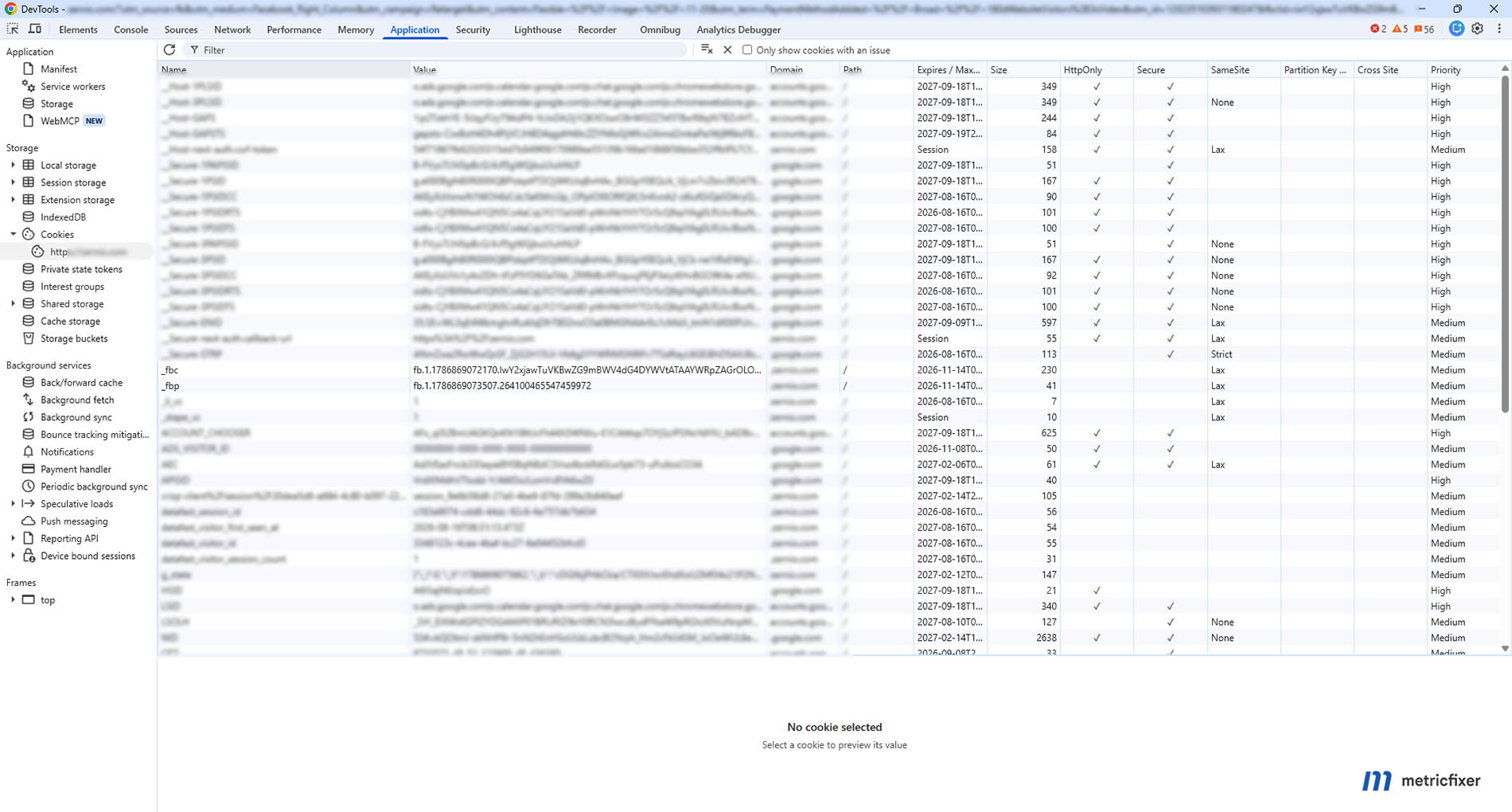
_fbc,_fbp, cookie domain, path, expiry, and browser-specific behavior. Do not use only one browser. - Verify the Pixel event. Use Meta Pixel Helper and the browser Network panel to confirm the event name, Pixel/dataset ID, values, and browser
eventID. - Verify backend capture. Confirm the order or lead record stores the intended point-in-time identifiers and consent state rather than values read from an unrelated later request.
- Compare the CAPI payload. Confirm the same event name and
event_id, accurateevent_time, correctaction_source, exact unhashedfbc/fbp, and correctly processed customer information. - Check transport logs. Save the request attempt, response code, response body, trace information where available, and retry state.
- Use Test Events. Verify that browser and server test events reach the intended dataset and carry the expected values. Remove the test code from production delivery afterward.
- Use production diagnostics. In Events Manager, monitor connection methods, Event Match Quality, event freshness, deduplication key usage, overlap, deduplication rate, and diagnostics over a meaningful traffic period.
- Reconcile counts. Compare authoritative CRM/orders with raw sent events, accepted events, deduplicated events, and attributed Ads Manager results. These totals answer different questions and should not be forced to match one-to-one.
Meta says new CAPI events should normally become verifiable in Events Manager within about 20 minutes, but quality and reporting views can lag and aggregate data. For deduplication, a single test is necessary but not sufficient: keep monitoring live event coverage and overlap after deployment.
How Meta identifiers compare with Google Ads identifiers
| Concept | Google Ads pattern | Meta pattern | Important difference |
|---|---|---|---|
| Raw click parameter in landing URL | gclid, gbraid, or wbraid |
fbclid |
Do not assume fbclid is a paid-only campaign label; use UTMs for your own paid/organic classification |
| Click value sent with a server conversion | The supported Google Ads upload field can accept the relevant click identifier directly | CAPI expects formatted fbc, not bare fbclid |
This is the most important implementation difference |
| Browser identifier | GA4 client_id or other Google product-specific browser context |
fbp |
These are platform-specific and not interchangeable or universal person IDs |
| Event deduplication | Often relies on product-specific transaction/order identifiers and import rules | Same event name plus shared Pixel eventID / CAPI event_id |
event_id is not an attribution click ID |
| Readable campaign taxonomy | UTMs and Google Ads campaign metadata | UTMs and Meta dynamic URL parameters | Opaque platform identifiers should not replace warehouse dimensions |
| CRM primary key | Internal lead/order/opportunity ID | Internal lead/order/opportunity ID | Neither platform's click/browser identifier should become the business primary key |
| Server event timing | Depends on the destination product; Google Ads offline workflows and GA4 Measurement Protocol have different limits | CAPI recommends near-real-time delivery and rejects ordinary events older than its supported transaction window | Do not design one generic “send conversions later” queue for every platform |
The most dangerous analogy is gclid = fbclid = event_id. They are not equivalent. A cleaner cross-platform schema is:
- touch identifiers:
gclid/gbraid/wbraid, rawfbclid, formattedfbc; - browser identifiers: platform-specific client/browser values such as GA4
client_idand Metafbp; - business identifiers: lead, order, transaction, booking, and customer IDs;
- event identifiers: destination-specific deduplication or idempotency keys such as Meta
event_id; - campaign dimensions: UTMs and normalized ad-platform metadata.
Production checklist
- [ ] The landing request preserves or intentionally captures
fbclidbefore any redirect or URL cleanup. - [ ] UTMs, Meta dynamic URL parameters, and
fbclidare stored in separate fields. - [ ] The implementation uses Meta Pixel, a maintained partner integration, Business SDK, or the current Parameter Builder instead of a copied cookie formula.
- [ ]
fbcis sent only when legitimate click context exists. - [ ]
fbcandfbpare stored and sent exactly as received—without hashing, lowercasing, truncation, or manual appendix changes. - [ ] Touch-level snapshots are retained; a later cookie value does not overwrite the original lead/order context.
- [ ]
fbpis not used as a CRM customer ID or paid-traffic flag. - [ ] One real event instance receives one stable
event_id. - [ ] Browser
eventIDand serverevent_idmatch exactly, and event names match exactly. - [ ] Retries reuse the original ID, event time, and business values.
- [ ] The backend has its own idempotency control and outbound-event ledger.
- [ ] External checkout and iframe flows use backend records, callbacks, APIs,
postMessage, or webhooks rather than assuming cookie access. - [ ] Consent, regional data-use rules, withdrawal, retention, and access controls apply to both browser and server paths.
- [ ] CAPI access tokens never reach browser code or public logs.
- [ ] QA covers the original request, cookies, Pixel, server payload, Test Events, Events Manager diagnostics, and CRM reconciliation.
- [ ] Reporting distinguishes received, matched, deduplicated, attributed, and authoritative business totals.
Open questions and limitations
Meta does not expose the internal contents of fbclid as a public campaign-reporting schema. The value should remain opaque. Meta also does not promise that the presence of fbc, fbp, or high Event Match Quality will produce attribution for every event. Matching depends on the complete event context; attribution depends on eligible interactions, settings, policy, and platform processing.
Identifier formats and recommended tooling can change. Meta's current Parameter Builder adds an appendix to supported values, while older Pixel, SDK, and API examples commonly show values without it. This article intentionally recommends pass-through and maintained libraries instead of a permanent hand-written parser.
Browser behavior varies and changes independently of Meta. Cookie lifetime, query-parameter availability, script execution, storage partitioning, and in-app browser behavior cannot be reduced to one universal retention number. Production monitoring should measure identifier coverage by browser, domain, consent state, and funnel stage.
Finally, platform attribution and CRM attribution are different products. The CRM should preserve factual touches and outcomes; Meta determines what its advertising system can match and credit. A technically valid identifier chain improves the evidence available to Meta, but it does not make platform reports a complete customer-journey ledger.
Methodology and sources
This article is based primarily on Meta's current developer documentation for Conversions API, Meta Pixel, server-event parameters, browser/server deduplication, setup verification, cookie consent, and the open-source Parameter Builder Library. The review also compares those specifications with browser-vendor documentation on first-party storage and URL-parameter protections, and with the existing metricfixer guides on Google Ads identifiers, the Meta event lifecycle, payment webhooks, and cross-origin iframes. Documentation and library behavior were reviewed in August 2026.
- Meta Conversions API overview
- Meta Conversions API parameters
- Meta: managing fbp and fbc parameters
- Meta original event data parameters
- Meta: deduplicate Pixel and server events
- Meta: using the Conversions API
- Meta: verifying a Conversions API setup
- Meta Parameter Builder Library
- Meta Parameter Builder get-started guide
- Meta open-source CAPI Parameter Builder repository
- Meta Pixel get-started guide
- Meta Pixel reference
- Meta Pixel consent and GDPR implementation guidance
- Meta Business Help Center: cookie settings for Meta Pixel
- WebKit: Intelligent Tracking Prevention 2.1
- WebKit: Intelligent Tracking Prevention 2.3
- Mozilla: Enhanced Tracking Protection in Firefox
- Brave: removing known tracking parameters from URLs
- MDN: document.cookie and cookie scope
- Analytics Mania: fbclid in GA4 and URL cleanup
- Avinian: practical validation of Meta Pixel and CAPI deduplication
This article is for technical and operational information only and is not legal advice. Cookie, consent, advertising, privacy, and data-retention requirements vary by jurisdiction, purpose, user choice, and implementation. metricfixer is not affiliated with Meta, Facebook, Instagram, WhatsApp, Apple, Mozilla, Brave, MDN, or other third-party platforms and publishers mentioned in the article. Meta APIs, identifier formats, browser behavior, attribution rules, diagnostics, and documentation may change after publication.