
Published Sep 25, 2026
Why TikTok Ads and AppsFlyer Don't Match: A Practical Discrepancy Troubleshooting Guide
When TikTok Ads and AppsFlyer disagree, the cause is not always attribution. Learn how to reconcile spend, installs, purchases, revenue, and ROAS, trace missing or duplicated events, and compare iOS reporting correctly.
Category: Online advertising · By metricfixer Expert Team
TikTok Ads and AppsFlyer can disagree even when an app is measuring events correctly. They can also disagree because cost imports have stopped, purchases are being counted twice, or revenue never reaches the advertising platform. This guide explains how to investigate differences in spend, installs, purchases, revenue, and ROAS without treating every gap as an attribution problem.
Practical takeaway: reconcile one metric and one measurement path at a time. First establish what happened in the app or store, then check what each system received, how it assigned credit, and which dates and monetary values its report uses. Matching dashboard totals is not, by itself, proof of correct tracking.
Contents
Expected differences or broken tracking?
The useful question is not simply, “Which dashboard is right?” It is, “Are these reports answering the same question, using the same evidence?”
TikTok can claim a conversion after an eligible interaction with its advertising. AppsFlyer, a mobile measurement partner, evaluates attribution across the connected sources it can observe. A conversion that qualifies for TikTok's reporting does not necessarily receive TikTok credit in AppsFlyer. AppsFlyer's TikTok discrepancy guidance identifies this distinction between network attribution and cross-network measurement.
That explains a possible difference in credit. It does not explain why a confirmed payment never became an event, why a cost connection stopped importing data, or why a $19.99 purchase arrived as $1,999.
Use the following table to choose the first branch of the investigation. The explanations are hypotheses to test, not reasons to dismiss a discrepancy.
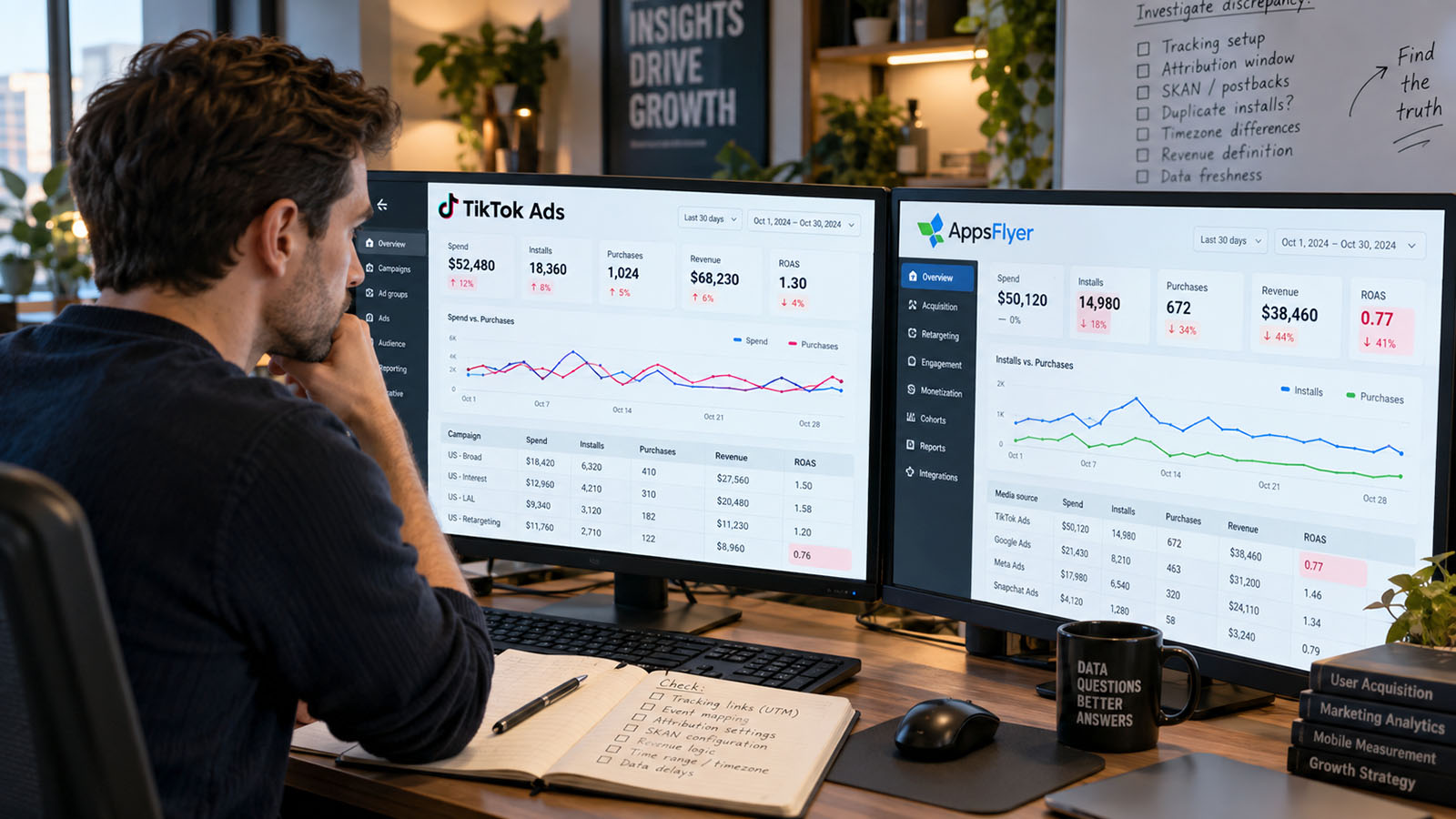
| Symptom | A comparison issue to rule out | A failure to investigate | First evidence |
|---|---|---|---|
| Spend differs | Account scope, currency, fees, reporting day, or allocated cost | Missing imports, overlapping sources, or duplicated cost in a join | Network cost export and cost-connection status |
| Installs differ | Attribution windows, competing sources, first installs versus returning users | First-launch collection or partner integration failure | AppsFlyer installs across all sources, split by OS and app version |
| Purchases differ | Transactions versus buyers, reporting dates, or attribution scope | Missing events, wrong mappings, blocked forwarding, or duplicates | Authorized transaction sample and event records |
| Revenue differs | Gross versus net, refunds, subscriptions, currency, or revenue category | Missing values, incorrect units, or a broken revenue route | Original event value, currency, and store or order record |
| ROAS differs | Different revenue horizons or attribution models | Any error in revenue, cost, or the calculation | Reconstructed numerator and denominator |
Our diagnostic rule: call a difference expected only after identifying a mechanism that explains it. Keep an unexplained remainder visible rather than hiding it inside an assumed “normal discrepancy percentage.”
Define a valid comparison first
Before changing settings, write a short comparison contract. It should describe exactly what the two exports include. A screenshot showing “last seven days” in both systems is not enough.
| Dimension | What to record |
|---|---|
| Population | App and store identity, Android or iOS, advertiser account, campaign IDs, countries, placements, and test-data exclusions |
| Time | Date range, timezone, interaction date versus event date versus install cohort, export timestamp, and cohort maturity |
| Attribution | Click-through, view-through, engaged-view, their actual windows, and user acquisition versus retargeting |
| Measurement stream | Conventional attribution, iOS real-time reporting, SKAdNetwork, or a consolidated AppsFlyer view |
| Event definition | First install or reinstall; purchase event, unique buyer, trial, subscription start, or renewal; counting method |
| Money | Original and reporting currencies, gross or net revenue, refunds, purchase or ad revenue, and cost with or without fees |
TikTok's documented attribution-window controls distinguish click-through attribution (CTA), engaged-view-through attribution (EVTA), and view-through attribution (VTA). Its attribution-window guide describes CTA and EVTA choices of one or seven days, and VTA of off or one day in the relevant setup. Crucially, changing these settings in TikTok does not change AppsFlyer's settings.
Inspect the actual ad group rather than assuming a universal “seven-day click, one-day view” configuration. AppsFlyer's current TikTok integration instructions also state that its click-through lookback applies to engaged views. Independently configured TikTok click and engaged-view windows may therefore not map to separate AppsFlyer controls.
Keep three different limits separate: how long an ad interaction remains eligible for attribution, how long in-app events remain eligible for partner forwarding, and how much post-install revenue a report includes. Aligning the first does not automatically align the other two.
One purchase can appear on three different dates
TikTok's reporting-discrepancy documentation explains that standard conversion reporting uses the ad-interaction date, while conversion-time columns use when the event occurred. The account timezone is another boundary; TikTok says it is set at account creation and cannot be adjusted.
AppsFlyer's Overview LTV dashboard can instead organize results around the users acquired in the selected period. Later purchases belong to those acquisition cohorts. Its Actual metrics in My Dashboards, previously called Activity, measure activity occurring during the selected dates. Not every AppsFlyer report uses the same clock.
Consider an illustrative journey, assuming the relevant attribution rules are satisfied: an ad click on September 1, an install on September 3, and a purchase on September 10. The purchase can appear against September 1 in interaction-date reporting, September 3 in the install cohort, and September 10 in an event-date report. A September 10-only comparison can therefore look incomplete even when the purchase was measured.
Choose the clock that answers the business question. Use event dates to investigate whether yesterday's payments arrived. Use equally mature acquisition cohorts to compare the value generated by newly acquired users. Preserve the original exports before changing report views.
When spend does not match: investigate the cost pipeline
If purchases are present but AppsFlyer spend is missing, start with cost collection, not the app SDK. AppsFlyer's TikTok integration treats cost access separately and requires an ROI360 subscription for cost data. Working install attribution does not establish that cost importing is configured or entitled.
Confirm connection health and advertiser scope
Check the authorized TikTok user, the advertiser IDs connected to that user, permissions, connection errors, and the last successful import. The current Cost API setup guide covers both app-level and account-level configuration where supported. An authenticated connection to the wrong advertiser is not a successful reconciliation.
Export network spend for the exact accounts and campaigns in scope, including campaigns with no installs or purchases. Compare completed reporting days first. For an intraday investigation, retain each extract's timestamp so that a later import is not mistaken for a permanent loss.
The cost aggregation rules describe intraday API updates and later revisions. They also warn that a network's supported timezone can take precedence over the app setting. Daily aggregates cannot be accurately shifted into another timezone without finer-grained data; changing a label does not move the underlying spend.

Remove differences in the meaning of cost
AppsFlyer's cost aggregation documentation describes currency conversion, different collection sources, and allocation of eligible cross-platform campaign costs among apps. Comparing one app's allocation with all-account TikTok spend is not a like-for-like test. It also documents source priority: manual cost imports take precedence over API cost, which takes precedence over attribution-link cost.
The Cost ETL field definitions distinguish original currency and fields such as cost, cost_without_fees, and fees. Where fees are included, decide whether you are comparing media spend alone or the advertiser's broader acquisition expense. Neither definition should be silently substituted for the other.
Do not compare an invoice total, account top-up, or campaign budget with delivered media spend. Similarly, do not change the app's reporting currency just to make two exports look alike: AppsFlyer warns that changing app currency affects historical reporting. Normalize a working copy instead.
Look for duplicated imports and duplicated joins
Historical TikTok migrations deserve a specific check. AppsFlyer's Advanced SRN migration bulletin describes duplicated cost when both bytedanceglobal_int and tiktokglobal_int cost connections overlap, including a five-day historical import when the new connection is enabled. Inspect the affected dates and source IDs; do not re-enable a legacy integration as a general fix.
Your own reporting query can also multiply correct cost. Joining a $100 campaign-day cost row to ten purchase rows and then summing cost produces $1,000. That is a join error, not an attribution difference. Aggregate both datasets to a shared, supported level before joining, use stable IDs rather than names, and retain unmatched rows. A join that keeps only campaigns with conversions can make spend look artificially low.
When installs do not match: separate collection from attribution
AppsFlyer records an install after the app is downloaded and launched; its install timestamp is the first launch, not the store download. Its attribution-model documentation also explains the priority given to eligible clicks over impressions and deterministic over probabilistic methods. A store-download count and an AppsFlyer install count therefore measure different things.
Begin with AppsFlyer's installs across all sources, not just its TikTok row. Our focused guide on TikTok Android installs missing in AppsFlyer while iOS works develops this distinction.
If first launches are missing everywhere, investigate the released app: SDK initialization and start, the app identity and environment, network requests, consent-dependent startup behavior, and release-specific failures. Use the supported SDK test procedure rather than creating a custom event named “install” as a substitute.
If installs exist but TikTok credit differs, investigate attribution: competing eligible sources, interaction types and lookbacks, app mapping, and partner activation. The current Advanced SRN (self-reporting network) setup uses tiktokglobal_int and requires Activate partner. It also exposes TikTok reinstall attribution. Do not assume a reported conversion always represents a person installing the app for the first time.
Keep first installs, reinstalls, re-attributions, and re-engagements separate. AppsFlyer's retargeting guide distinguishes returning to an already installed app from reacquiring a user through a reinstall. Which records appear in a user-acquisition or retargeting view depends on that classification and the configured rules.
Check rejected attribution as well. Protect360 reports expose blocked or corrected records and reasons. Fraud protection can reject an attribution claim without meaning the underlying user never existed. Do not disable validation rules merely to raise the reported count.
Finally, zero impressions and zero spend belong to a delivery investigation, not an install-reconciliation exercise. The same separation is useful in our related Meta iOS campaign no-delivery guide: a working integration on another operating system does not prove that the affected campaign is delivering or measuring correctly.
When purchases do not match: trace receipt, forwarding, and credit
An install proves little about purchase implementation. Treat each purchase as a separate measurement path, beginning with an authorized store or order record rather than a dashboard total.
A useful investigation path: confirmed business transaction → event emitted through the intended app or server route → event received by AppsFlyer → permitted partner delivery → receipt in TikTok → eligibility in the selected attributed report.
Separate branch: delivered media spend → cost import → comparable cost rows. The presence of this branch does not validate the transaction path.
This is an investigation framework, not a promise that every product exposes a user-level log at every step. Use the diagnostics available for the actual integration.
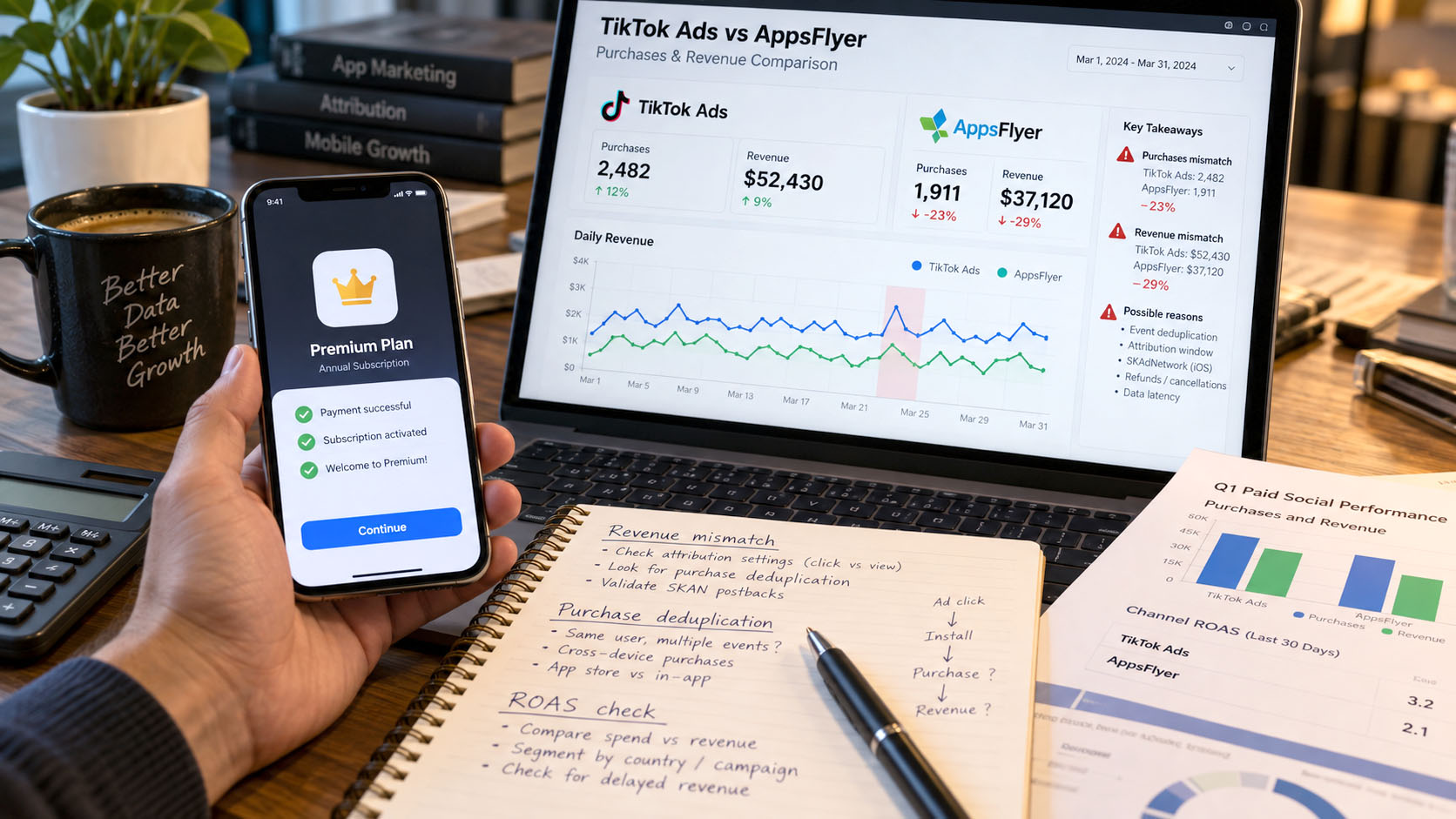
Check the event's meaning before its name
A payment authorization, successful settlement, trial start, subscription start, renewal, and paywall view are not interchangeable business actions. Define which action should create a purchase. Then inspect the emitted event and its mapping.
TikTok's AppsFlyer event list distinguishes Purchase from StartTrial and Subscribe, and distinguishes current integration labels from legacy labels. Use the event supported by the current integration selector. Mapping an event does not make the app emit it, and several local event names mapped to Purchase can unintentionally broaden the count.
Also distinguish transactions from buyers. One customer making three purchases can mean three purchase events but one unique purchaser. TikTok's app Events Manager documentation describes counting-method and event-status information. Where available, Once versus Every changes how many events count per ad interaction. Check the specific counter's scope, including preview activity; an event being received is not proof that the selected campaign received credit.
Find the first missing stage
If the transaction is absent from AppsFlyer across all sources, inspect app and server logs, release versions, validation results, and the actual event payload. For server-to-server events, AppsFlyer's S2S documentation requires the relevant appsflyer_id; a CRM customer ID is not a substitute. Preserve the intended event time and verify receipt in the correct app rather than treating an HTTP response alone as end-to-end evidence.
If AppsFlyer has the event but TikTok does not receive it, inspect the partner event configuration: mapping, permitted user-source scope, conditions, postback window, and value-sharing options. An event can remain in AppsFlyer while being ineligible for forwarding. Sharing events from additional sources is a data-sharing decision, not permission to credit every event to TikTok.
If TikTok receives the event but the campaign report does not count it, return to attribution eligibility, report dates, event selection, and measurement stream. Re-sending the purchase to force campaign credit risks creating another problem.
Distinguish duplicate events from double attribution
Inventory every purchase sender: manual SDK logging, server events, store-revenue automation, and any direct TikTok integration. TikTok explicitly supports a hybrid MMP and App Events SDK setup. The second SDK is not automatically an error, but automatic purchase logging and parallel manual routes need deliberate configuration.
A transaction ID makes an audit possible; it does not establish that every pair of routes automatically deduplicates. TikTok's Pixel and Events API deduplication guide concerns web events. Do not assume its recipe establishes native-app deduplication across an MMP, an app SDK, and your backend.
Separately, AppsFlyer can attribute a re-engagement purchase in both acquisition and retargeting contexts. Its double-attribution guidance explains the use of unified reporting and is_primary_attribution. Adding two attribution views can overstate business revenue without any duplicated SDK event.
A date-specific check: legacy receipt validation in September 2026
A sudden purchase loss around September 7, 2026 deserves a targeted code check. AppsFlyer's legacy Receipt validation bulletin sets that date as the service's full sunset. It states that calls using the legacy validateAndLogInAppPurchase signature stop receiving validation responses and that af_purchase events generated through that method stop reaching dashboards, raw data, and partner postbacks.
This is not a shutdown of every AppsFlyer purchase event. It concerns the legacy validation path. The bulletin says the effect applies regardless of SDK version: upgrading the SDK alone does not replace the old method in shipped code.
Verify the method signature, supported replacement, store onboarding, deployed app versions, and user adoption of the release. A dashboard change cannot update an old binary already installed on a user's device. When diagnosing a September drop, correlate it with the affected validation route rather than assuming a TikTok attribution change.
When revenue does not match: follow the value, not just the purchase
A purchase count can be correct while revenue is missing or wrong. Start by comparing a small authorized sample of transaction values, before aggregating by campaign.
Verify the revenue field, units, and currency
AppsFlyer's event-structure reference distinguishes af_revenue from product-price fields. Supplying af_price alone is not equivalent to declaring event revenue. For a manually logged af_purchase, illustrative event values might be:
{
  "af_revenue": 19.99,
  "af_currency": "USD",
  "af_order_id": "order_example_001"
}
This is an example of event values, not a complete SDK call or S2S request. Do not add another manual revenue event when a validated or automatic route already owns the same purchase. The order ID is an audit key, not a universal deduplication switch.
Check major versus minor units, quantities, discounts, and decimal formatting against the original transaction. A factor-of-100 error is a value-transformation problem, not an attribution window. AppsFlyer's in-app event overview documents currency handling, including USD as the default when event currency is not supplied. Always send or verify the correct currency explicitly for the chosen route.
Check what value reaches TikTok
In AppsFlyer's postback settings, sending event values and sending revenue are distinct choices. A configuration excluding revenue can explain purchases in TikTok with missing purchase value. Verify the outgoing configuration and available delivery diagnostics rather than assuming AppsFlyer's revenue total is what TikTok received.
Separate a migration from a revenue bug
The new receipt-validation route uses store-returned gross revenue rather than a custom amount supplied by the app. AppsFlyer's setup and migration instructions explain this change. A migration from manually adjusted net values can increase reported revenue without increasing actual sales.
The migration also separates af_purchase, af_ars_trial_started, and af_ars_subscription_started. Recheck mappings and report filters after rollout: watching only the old purchase event can hide newly classified subscription activity.
The same documentation separates production from sandbox events. A sandbox purchase can use af_purchase_sandbox_sdk, with zero financial revenue and its test amount in af_sandbox_revenue. That is not evidence that production purchase values are broken. Verify the test environment before changing revenue code.
Define refunds, subscriptions, and ad revenue
Decide whether the comparison covers initial purchases, renewals, refunds, or net proceeds after store deductions. ROI360 Store Revenue supports a broader purchase and subscription lifecycle, including store notifications and generated events. Introducing it alongside an existing manual revenue sender can also duplicate measurement if ownership is not redesigned.
A trial is not paid revenue. A renewal need not share the original purchase's event name or forwarding configuration. A refund recorded in your financial system does not prove that the same correction has reached every advertising report. Maintain an explicit reconciliation for these categories and validate downstream handling of negative or refund events.
Finally, distinguish money earned from showing ads inside the app from money spent advertising the app. AppsFlyer's ad-revenue attribution guide covers that separate monetization stream. Total app revenue combining purchases and ad monetization cannot be compared directly with a TikTok purchase-value column.
When ROAS differs: rebuild the calculation
Return on ad spend is a ratio, not an independent tracking signal. It inherits every difference in its revenue numerator and spend denominator.
ROAS = revenue included in the selected definition ÷ advertising cost included in the selected definition.
Before comparing two ROAS values, reconstruct both from exported revenue and cost. Label attribution method, revenue category, currency, cohort or event-date basis, observation horizon, and fee treatment. A value of 1.5x is 150%; a percentage-format difference is not a performance difference.
For acquisition analysis, AppsFlyer's LTV view follows revenue generated by acquired users. Yesterday's cohort has not had the same opportunity to generate revenue as last month's cohort. Compare equally mature D7 or D30 cohorts, and verify how each report defines its day boundaries. Do not compare open-ended cohort revenue with a shorter conversion window as if the two were interchangeable.
For an event-date revenue-to-spend ratio, remember that today's purchases may come from users acquired long before today's spend. That ratio can be operationally useful, but it is not automatically the return on today's acquisition cohort.
Aggregate with total comparable revenue divided by total comparable spend, not the average of campaign ROAS values. A campaign with $10 spend should not carry the same weight as one with $10,000 spend. If cost is absent or zero, flag the ratio as unavailable or undefined rather than treating it as a reliable zero or infinity.
Choose each report for its purpose: TikTok's view for understanding platform-reported optimization outcomes, a consistently configured cross-channel view for acquisition comparisons, and store or order records for financial reconciliation. None of those attribution reports alone establishes how many purchases would not have happened without the advertising.
iOS: identify the measurement stream before comparing it
The advice “TikTok iOS reporting is only SKAN” is no longer a safe general rule. TikTok's iOS real-time conversion reporting documentation, updated in August 2026, lists AppsFlyer as generally available, subject to app eligibility. It also states that eligible campaigns can disable SKAN attribution, in which case SKAN data is absent from both TikTok and MMP reporting for that setup. AppsFlyer configuration requires Advanced Data Sharing (ADS).
Therefore, record whether the campaign uses iOS real-time reporting, SKAdNetwork, or both. “Real-time” here identifies a reporting capability; selecting a by conversion time column is a separate choice about which date receives the event. A missing SKAN report is not proof of broken postbacks when SKAN was deliberately disabled.
Compare like with like inside SKAdNetwork
Apple's SKAdNetwork documentation describes a privacy-preserving attribution mechanism with conversion values and delayed postbacks. These are not ordinary transaction receipts. Privacy thresholds and the information available in a postback limit what can be reconstructed at campaign or event level.
For eligible SKAN 4 flows, Apple's multiple-window documentation specifies a randomized 24-48-hour delay for the first postback after its window ends or is locked, and 24-144 hours for later postbacks. These device-side delays are not a promise about when a TikTok or AppsFlyer dashboard will finish processing the data.
For a SKAN discrepancy, inspect the schema version, conversion-value ownership, event and revenue mappings, campaign scope, and collection time. AppsFlyer's TikTok SKAN interoperation guide includes specific revenue-mapping instructions. Its use of af_skad_revenue mapped to Purchase concerns schemas measuring overall revenue; it is not a blanket replacement for the app's normal purchase event.
Where TikTok's SDK and an MMP coexist, establish one owner for SKAN conversion-value updates. TikTok's hybrid integration guidance explains the SKAN configuration needed when the MMP controls those updates. Do not let an unplanned second implementation change the schema's meaning.
Do not add overlapping iOS totals
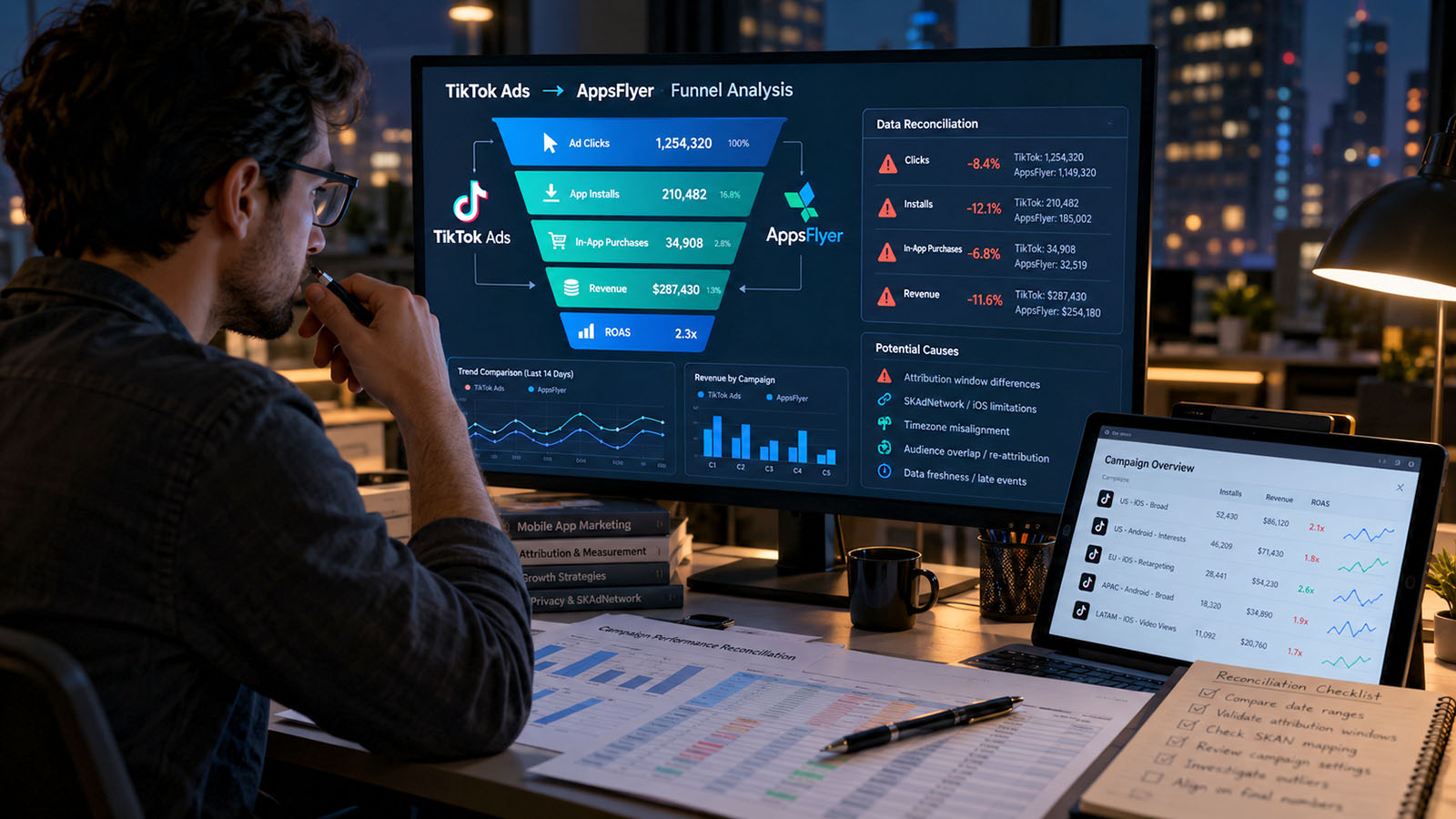
AppsFlyer's Single Source of Truth (SSOT) consolidates overlapping attribution data. Regular attribution, SKAN, and SSOT are not three independent groups of users to add together. Record whether SSOT is enabled and which modeled or aggregated components a report includes before comparing its total with TikTok.
Do not promise a transaction-by-transaction match for an aggregate privacy-preserving stream. Equally, do not use privacy as a catch-all explanation for a demonstrably malformed purchase value. Apple's privacy and data-use requirements remain boundaries for the investigation: bypassing user choices or fingerprinting devices is not a legitimate reconciliation technique.
Check current restrictions, not an old export assumption
Raw-data availability and aggregate measurement are different questions. A missing raw field does not automatically mean a missing attributed conversion.
AppsFlyer's identifier-restriction documentation, updated September 10, 2026, describes a material TikTok change. Pull API, Data Locker, and Raw Data Export changed on May 19, followed by Push API and Get Conversion Data on June 25. Under the documented TikTok view-through restriction, only original_url remains empty; the previous blanket restriction on campaign, ad set, and ad fields is no longer the current rule for those exports.
However, this does not make every dataset unrestricted. The same document retains restrictions on raw TikTok click and impression reports through Data Locker, and separate privacy settings can still limit data. Record the export mechanism, relevant dates, and applicable privacy controls before concluding that a field should exist. Do not claim a complete user-level reconciliation when the available evidence supports only an aggregate comparison.
Worked example: lower revenue, apparently better ROAS
The following numbers are illustrative, not a client case or a discrepancy benchmark. Assume an Android comparison with aligned dates, currency, campaign scope, and purchase-event definition. The attribution methods remain separately labeled.
| Metric | TikTok report | Initial AppsFlyer extract | AppsFlyer after cost correction |
|---|---|---|---|
| Spend | $1,000 | $800 | $1,000 |
| Attributed purchase events | 120 | 100 | 100 |
| Attributed purchase revenue | $2,400 | $2,000 | $2,000 |
| ROAS | 2.40x | 2.50x | 2.00x |
Suppose the investigation finds a missing $200 campaign-day cost row in the AppsFlyer extract. Restoring that row changes its ROAS from 2.50x to 2.00x without changing a single purchase. The apparent advantage was caused by an incomplete denominator.
The remaining 20-purchase and $400 revenue differences still need an explanation. They may relate to attribution eligibility or a real event-path failure. The table cannot establish which. Only classify them as expected after checking the relevant evidence; do not add invented transactions or apply a balancing multiplier to make the totals agree.
The reverse warning is equally important: two similar ROAS values can conceal offsetting mistakes in both spend and revenue. Reconcile the components even when the ratio looks reassuring.
A practical investigation workflow
1. Preserve a baseline and locate the change
Save the original exports, column names, filters, timezone, settings, and extraction time. Split results by OS, app version, advertiser account, campaign, and event route where available. Identify whether the discrepancy is gradual, limited to recent dates, or starts abruptly after a release, permission change, integration migration, or reporting change.
Compare both the absolute difference and a clearly defined relative difference. For example, “AppsFlyer minus TikTok, divided by TikTok” has a named denominator; an unlabeled “20% discrepancy” does not. Treat a zero reference value separately. Use the pattern to prioritize investigation, not as proof of a cause.
2. Reconcile independent totals before attribution rows
First verify delivered cost against imported cost at a common level. Then compare the relevant business transactions with AppsFlyer event receipt, separating tests, refunds, renewals, and duplicates. Only then compare attribution. A business ledger covering every customer cannot be directly balanced against one channel's attributed purchases.
Keep null or restricted attribution rows visible. Do not silently drop them from a query, rename them organic, or assume that they belong to TikTok. A usable reconciliation should show matched records, legitimately unavailable detail, and the unresolved remainder.
3. Test the failing stage, not every setting at once
Use a small authorized test set. For each case, preserve the non-sensitive transaction reference, original event time, app version, intended event name, amount, currency, and available receipt or rejection evidence. Keep credentials, purchase tokens, and unnecessary customer identifiers out of support attachments.
Make one relevant change and repeat the same test. A correction to future collection does not, by itself, recreate historical events that were never received. Confirm any supported replay, retention, or cost re-import mechanism before promising historical recovery, and protect against duplicate revenue during retries.
4. Close with an explanation, not forced equality
A useful support packet identifies the exact app and advertiser, campaign IDs, affected dates, report definitions, event path, current configuration, recent changes, and a few traceable examples. Separate evidence from hypotheses and ask a stage-specific question: “Why is this recorded event ineligible for delivery?” is more actionable than “Why are your numbers wrong?”
Close the investigation when known defects have passed the agreed tests, expected differences have documented causes, and remaining uncertainty has a named limitation or owner. Establish a baseline for that particular configuration and monitor deviations from it. Do not turn a historical gap into a universal tolerance for every app and campaign.
Frequently asked questions
Is a 10% or 20% TikTok versus AppsFlyer discrepancy normal?
There is no defensible universal acceptance percentage in this guide. A small unexplained loss can indicate a real failure, while a larger gap can result from clearly different report definitions. Evaluate the cause, stability, and business impact rather than the percentage alone.
Can installs match while purchases or revenue are wrong?
Yes. First-launch collection, purchase emission, partner forwarding, and monetary values are separate checkpoints. Agreement at the install stage does not validate the later stages.
Should we change attribution windows until the totals match?
No. Choose windows that fit the measurement policy and document unavoidable differences. Changing settings to reproduce a target total can hide missing events or make comparisons with earlier periods misleading.
Which ROAS should we use for budget decisions?
Use an explicitly defined, consistently applied view with comparable cost, revenue, and cohort maturity. Keep platform-reported ROAS available for understanding optimization, but reconcile its inputs before treating it as a cross-channel or financial result.
The bottom line: the goal is not to make TikTok and AppsFlyer display the same number at any cost. It is to know which differences come from definitions, which come from missing or duplicated data, and which remain unobservable under the measurement method in use.
Methodology and sources
This documentation-based review was prepared on September 25, 2026. It uses TikTok for Business Help Center articles, AppsFlyer Knowledge Base and developer documentation, and Apple's developer and privacy documentation. Sources are linked beside the relevant claims rather than repeated in a technical bibliography. The two related metricfixer articles provide continuity with the earlier delivery and install-troubleshooting topics.
Where broad troubleshooting pages contain older generalizations, this review gives precedence to the newer, feature-specific documentation for iOS real-time reporting, receipt-validation migration, and raw-data restrictions. Availability, fields, and permissions still need verification in the affected account and app version.
No live advertiser account, production app, transaction database, or client export was accessed for this article. The diagnostic framework, suggested tests, and numerical example are editorial analysis, not a reproduced platform incident, a measured discrepancy benchmark, or a claim that every report supports user-level reconciliation.
This article is for technical and operational information only. It is not legal advice, a financial audit, or a guarantee of advertising performance. metricfixer is not affiliated with TikTok, ByteDance, AppsFlyer, Apple, or Google. Product behavior, access conditions, reporting definitions, and platform policies may change. Use only data and sharing configurations permitted by applicable requirements and platform terms. Attributed revenue does not, by itself, establish incremental revenue or business profitability.