Microsoft UET Conversion Tracking Setup

Measure completed actions in Microsoft Advertising without mistaking every click for a conversion.

We define the actions that should count, configure the appropriate Microsoft Advertising UET signals and conversion goals, and test the agreed success and failure paths. Complex integrations are identified and scoped separately.

  • Agreed conversion definitions
  • Configured and tested UET measurement
  • Validation evidence and material limits

Tell us what should count as a conversion

Describe the completed action and what is missing or incorrect today. We review the technical path and estimate the scope before implementation.

You can upload multiple files.

Business hours: Monday–Saturday, 09:00–22:00 (Europe/Warsaw).

Send your request anytime — we’ll reply by email.

What you get

  • Completed actions, not just clicks

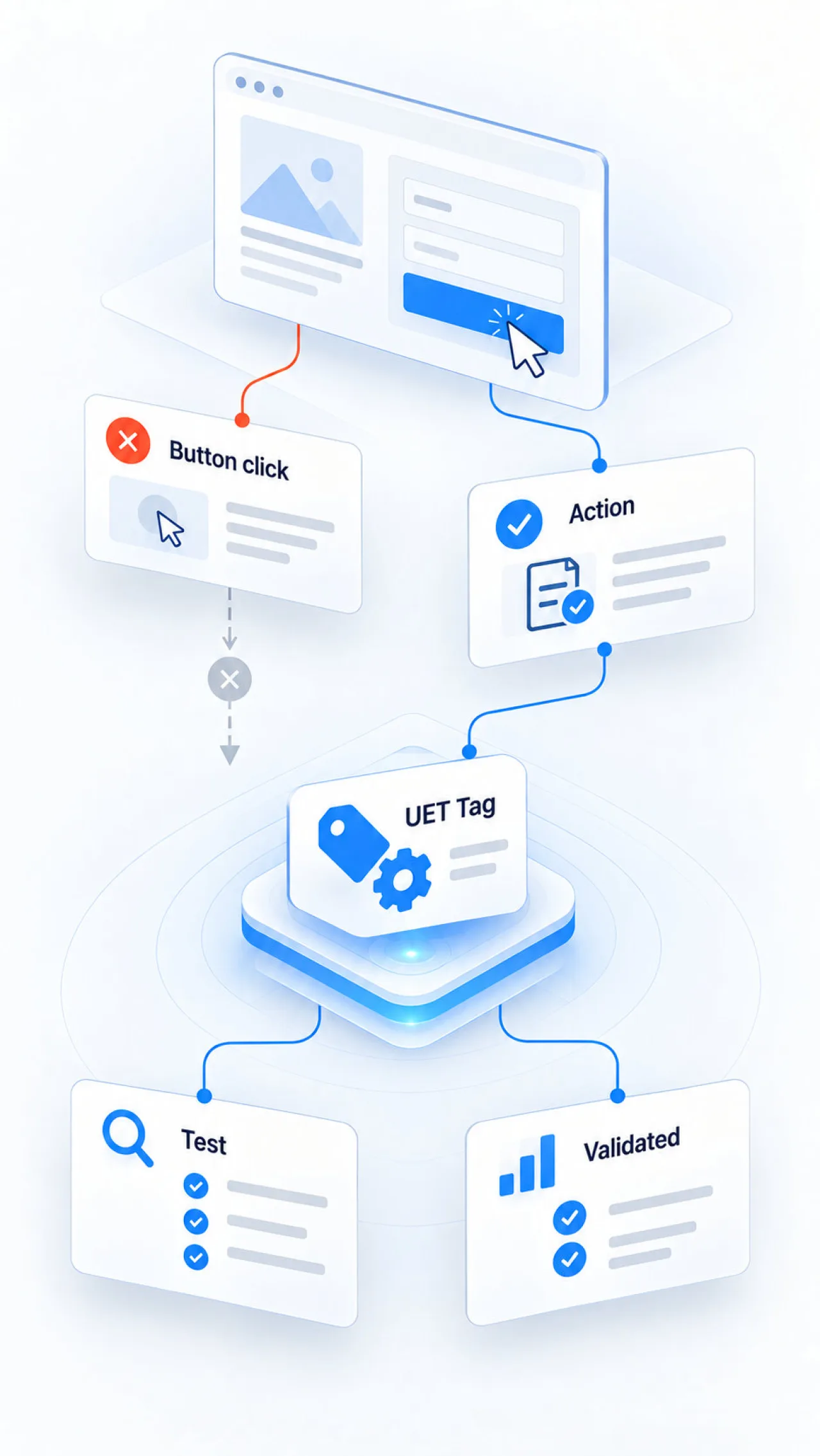
    We agree what represents a useful completed action before configuration. For a contact form, that normally means a successful submission rather than simply clicking the submit button.

  • UET and conversion goals configured together

    We configure the agreed Microsoft Advertising measurement path so the relevant event signal and conversion goal reflect the business action you actually want to measure.

  • Tested behavior and clear limitations

    We validate the agreed success and failure paths and document what was configured, what was tested, and any material technical, browser, consent, or platform limitations.

Before we configure anything

  1. Agree the events and test cases

    Tell us which completed actions matter and what is missing or incorrect in current tracking. We confirm the exact event list and expected behavior.

  2. Confirm signals, access, and complexity

    We identify the current UET setup, website or tag-management path, relevant Microsoft Advertising access, consent behavior, and whether calls, CRM, widgets, iframes, or another path require separate integration.

  3. Configure, validate, and document

    We implement the agreed measurement, test the relevant success and failure paths, and record the practical result and material limitations.

What this service covers

Conversion measurement should reflect an agreed completed action rather than an incidental click. For forms, we normally configure the signal around a successful submission. Other journeys are defined according to the business action that should count.

Microsoft Universal Event Tracking records website activity, while conversion goals define which agreed actions should be treated as conversions. The technical route depends on the current site and measurement setup.

The starting scope includes agreed basic conversion events. Complex call tracking, CRM or offline conversion integration, iframe tracking, server-side or Conversions API work, complex widgets or messaging flows, and broader analytics implementations may require separate scope.

Google Analytics configuration is not automatically included in this Microsoft Advertising UET service. Analytics or tag-management access may be needed for a particular implementation, but access does not turn those systems into included deliverables.

Browser behavior, consent choices, platform behavior, and data availability can affect which signals are observable and how they are reported. We document the practical validation and material limitations rather than promising complete or identical measurement in every environment.

This service configures Microsoft Advertising conversion measurement. It is not an account audit, full campaign launch, or ongoing campaign-management service.

<redacted>

Ready to fix Microsoft Advertising conversion tracking?

Tell us what should count as a conversion and what is missing or incorrect today. We will review the technical path and confirm the next step.

Discuss UET conversion tracking

Aug 18, 2026 • Analytics & Conversion Tracking

Why a Tag Fires in GTM Preview Mode but Not for Real Visitors

Why a Tag Fires in GTM Preview Mode but Not for Real Visitors

A network-first diagnostic workflow for finding why a Google Tag Manager tag fires in Preview Mode but fails for ordinary visitors, covering live versions, debug side effects, forms, consent, cookies, CSP, blockers, navigation timing, and platform processing.