
Published Oct 6, 2026
How to Recover a TikTok for Business Account When You Cannot Access Your Email, Phone, or 2FA Method
Lost access to the email, phone number or authenticator behind your TikTok for Business login? Learn the official recovery routes, how to prepare ownership evidence, and how to protect business access while support reviews the case.
Category: Online advertising · By metricfixer Expert Team
Losing the email address, phone number, or authenticator behind a TikTok for Business login is not an ordinary password problem. This guide explains the official recovery routes, how to prepare evidence of ownership and authority, and how to protect business operations while TikTok reviews your request.
Start here: preserve any safe, authorized access that still works, identify exactly which account and verification method are affected, and prepare a reachable company contact. When you cannot complete the required checks, move to official support rather than repeating password resets. Suspected unauthorized activity needs immediate security escalation.
Contents
What emergency recovery can restore
A familiar situation starts with a small organizational change: an employee leaves, a company mailbox is closed, or a phone is replaced. The advertising account still exists, but the person trying to manage it can no longer receive the code needed to get in.
At that point, the task is no longer simply to choose a new password. It is to establish who is entitled to recover the existing access and which security settings TikTok can help change.
TikTok explicitly addresses unavailable registered contact details in its identity-verification troubleshooting guidance: contact your account manager from your company email address, or use the linked help form. This is a documented assistance route, not a promise that supplying a new email address will immediately unlock an account.
In the preliminary guidance of its account-linking troubleshooting article, TikTok also describes verifying ownership before binding a phone number or email to a locked-out TikTok for Business account for password recovery. The important order is verification first, an approved account change second. That passage does not establish a universal document checklist or a guaranteed reset of every two-step verification method.
Keep three outcomes separate: recovering the old user login, giving an authorized person access to business assets, and resolving a security incident. One outcome does not automatically deliver the other two.
For ordinary sign-in problems and password-reset troubleshooting, use the companion TikTok Ads Manager login recovery guide. This article begins where the required verification channels are unavailable or the account needs an ownership review.
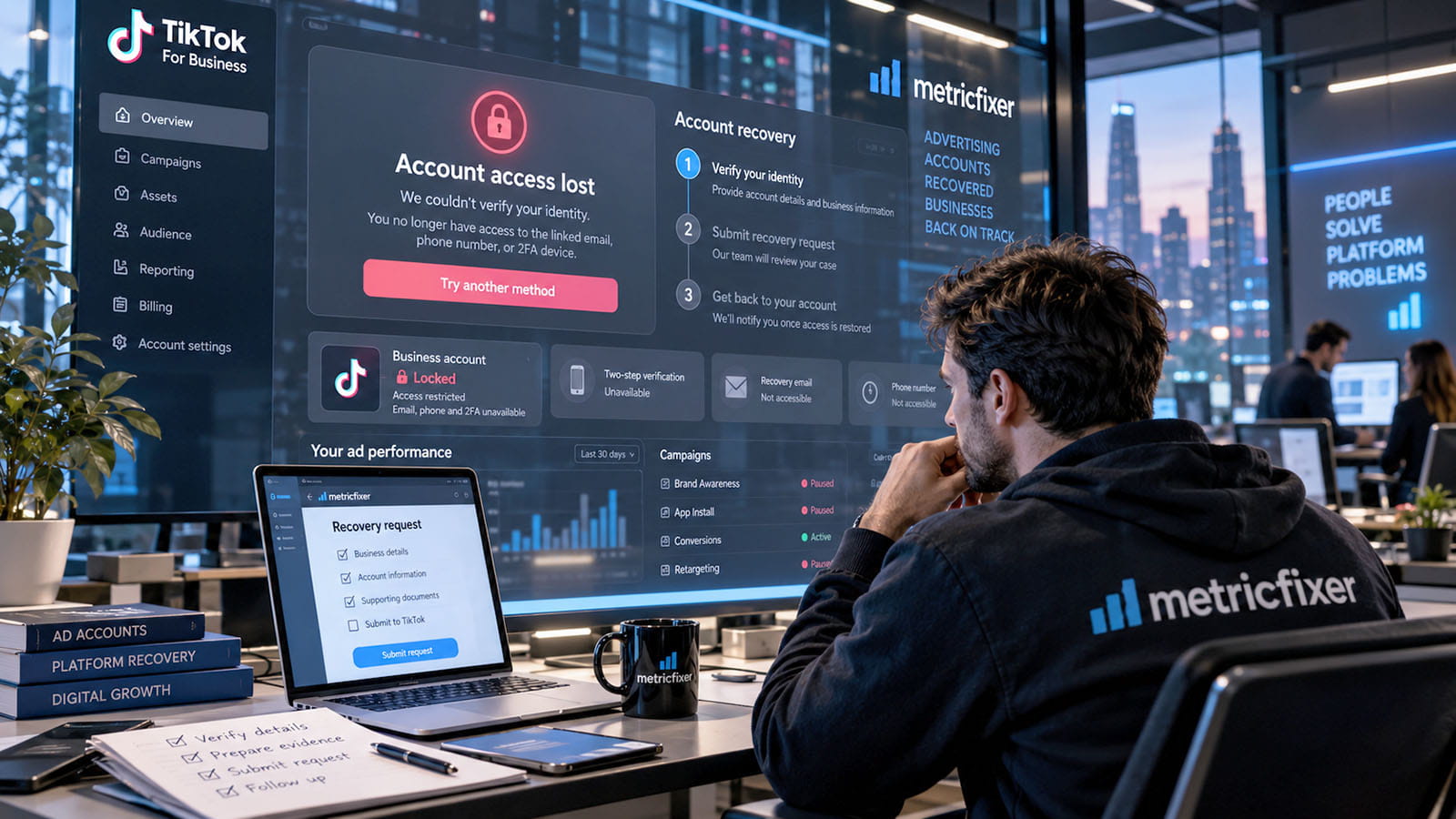
Identify the account and remaining access
Before contacting support, replace the phrase “our TikTok account” with a precise description. Your TikTok for Business user login is the identity used to enter business tools. An ad account is the advertising resource you need to manage. A Business Center organizes members, permissions, accounts, and assets. An organic TikTok profile is another account again, even when it is linked to the advertising setup.
TikTok's Business Center permission model separates membership from access to assigned resources. Its account-linking instructions likewise treat TikTok and TikTok for Business as distinct accounts. Being able to open the brand's profile does not, by itself, prove that the affected business login works.
The following table is an editorial triage guide. It selects the next question to investigate; it does not promise that a particular recovery route will be available.
| What still works? | What to check next | Important limit |
|---|---|---|
| Password and another previously configured verification method | Use the alternative method offered in the legitimate sign-in flow. | A working authenticator is not a replacement for a forgotten password or another required check. |
| A safe, signed-in browser session | Record account details and inspect the supported settings and support options. | Being signed in does not guarantee permission to change registered contacts or security settings. |
| Only an already linked sign-in account | Check whether its official sign-in route reaches the existing business identity. | Do not create or unlink accounts while assuming their access will transfer automatically. |
| Another authorized Business Center administrator | Consider restoring the necessary business permissions through that administrator. | This can restore operational access without recovering the old user's credentials. |
| No usable login or verification route | Prepare a support case with a reachable contact and evidence. | Recovery depends on TikTok's review and the steps it authorizes. |
| Unexpected contact changes, unknown users, or unexplained activity | Report suspected compromise and coordinate containment. | Do not treat a potential takeover as a routine lost-phone request. |
TikTok's current two-step verification setup guidance allows one or more methods and recommends configuring more than one. An alternative helps only when it was actually configured and remains usable. This guide does not assume that every account has backup codes, a spare factor, or an emergency bypass.
Stabilize the situation before making changes
Preserve useful access, not a potentially compromised environment
As an operational precaution, avoid logging out, clearing site data, or reinstalling the browser on the only trusted device that still has a usable session. First record the affected account identifiers, the displayed contact details, and the exact point where verification fails. Keep the original evidence securely and prepare redacted copies for discussion.
TikTok documents authorized devices as a way to avoid a repeat sign-in verification code on the same device and browser after successful verification. That is useful context, not evidence that a remembered browser can authorize every subsequent security change.
If the device or session may be compromised, do not preserve it at the expense of security. Use a clean device and involve the person responsible for your organization's security response. Do not export cookies or session tokens to move access between people or devices.
Check whether the original channel can be restored legitimately
In parallel with the TikTok case, ask your own IT administrator or communications provider whether they can restore an organization-controlled mailbox or number through their normal authorized process. This is a practical suggestion, not a TikTok recovery feature. It may restore a missing verification channel, but it does not settle every account-access problem.
A former employee's personal mailbox or private telephone number is not company infrastructure simply because it was used for advertising. Do not impersonate that person or seek access to their private accounts. Document the business relationship and request an appropriate business-access resolution instead.
Escalate suspected compromise immediately
TikTok's account-security guidance directs managed clients to their account manager and other advertisers to customer support when compromise is suspected. It also describes protective suspension and investigation. Report unknown changes, affected accounts, and the timing of suspicious activity clearly; do not promise your team that a password change alone resolves the incident.
Where authorized people still have access, coordinate a review of campaigns, spending, members, and connected assets. Record any containment actions and who approved them. Access recovery and an investigation into unauthorized charges should remain distinguishable requests.
Choose an official support route
Use an established account-manager relationship
If your business already has a TikTok account manager, contact that person through a previously verified relationship, using an accessible company email. Identify the affected business login and assets, explain which registered channels are unavailable, and state what help you are requesting. An account manager is an escalation route, not a substitute for ownership checks.
A person offering paid “inside access” is not equivalent to an assigned TikTok representative. Do not buy a supposed recovery shortcut or treat an unsolicited message as proof of affiliation.
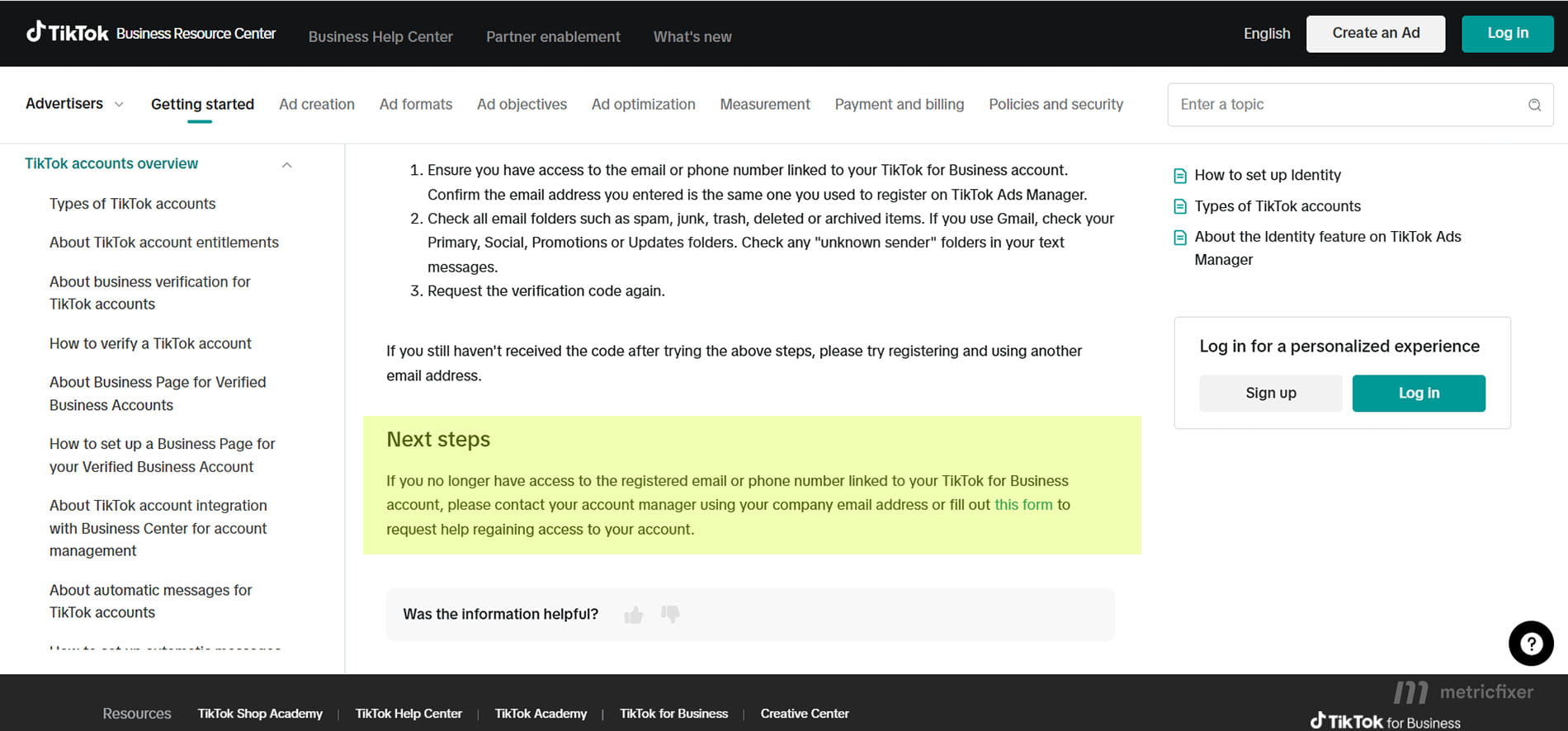
Use the documented route for users who cannot log in
TikTok's customer-support article has a separate section for people unable to log in, linking to the Feedback and Help contact form. Start from that official article so you can follow the current entry point rather than an old third-party tutorial.
Use a reply address you can actually access. Choose the closest truthful category offered by the live form and explain the unavailable verification methods in the description. Do not select an unrelated suspension or age-appeal category merely because it exposes an upload field.
If the link returns you to sign-in, record the destination and blocker. Try the current Help Center entry in a separate browser profile without disturbing a surviving session. An existing authorized administrator or known account manager may provide another official contact route. A redirected or inaccessible form is still an unresolved contact problem, not a successful recovery submission.
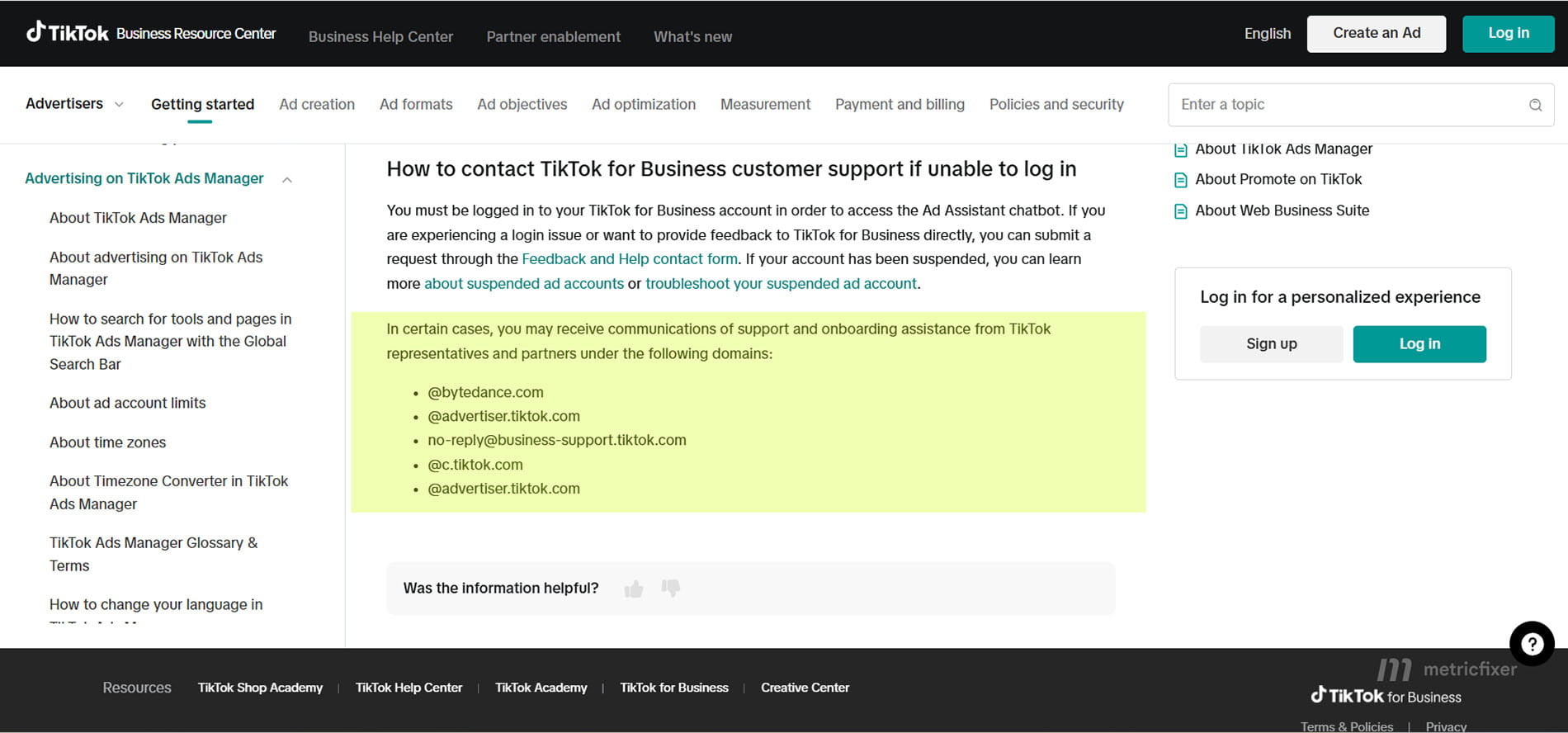
Use signed-in support when legitimate access survives
The same support guidance describes opening Ad Assistant, selecting Get support or I need more help, and using Manage Tickets to follow existing cases. Ad Assistant requires a signed-in TikTok for Business account. If another administrator submits the case, they should identify themselves and their authority rather than write as the locked-out user.
Ask for a case reference and a monitored reply channel. Do not assume that entering a different contact email has changed the registered login email.
Proposed recovery workflow: identify the affected login and assets → preserve safe access and collect truthful records → establish an official support contact → complete the requested ownership and authority checks → follow only the changes TikTok authorizes → test both login and intended business access. A blocked contact route, pending review, rejected request, or failed final test remains unresolved.
[DIAGRAM 1 PLACEHOLDER] Emergency recovery: verification before access.
Prepare ownership and authority evidence
A useful recovery case connects four things: the person making the request, the organization they represent, the affected account or assets, and the change they are entitled to request. A large folder of unrelated screenshots is less helpful than a short explanation supported by consistent records.
The following is metricfixer's preparation framework, not TikTok's published mandatory recovery checklist. Prepare the records that genuinely exist, then provide the subset requested through a verified support channel. Do not create missing evidence, guess identifiers, or describe an agency relationship as ownership.
| Evidence to prepare | What it can help explain | What it does not establish on its own |
|---|---|---|
| Affected business login and registered contacts | The original email or phone, known linked sign-in identity, and exactly which channel is unavailable. | Knowing an email address does not prove authority to take over that user identity. |
| Ad account and Business Center identifiers | The precise resources involved, with account names as supporting context. | An account ID identifies an asset; it is not an ownership credential. |
| Requester role and written authorization | Whether the request comes from the account holder, a company representative, or an authorized agency. | Employment or an agency contract does not automatically authorize every requested account change. |
| Company and relationship records | The legal entity, trading name, relevant domain, and the relationship between the business, payer, and account operator. | A registration document proves facts about an entity, not sole control of every account using its brand. |
| Relevant billing and historical correspondence | Invoice references, dates, amounts and currency, previous account emails, or a known support history. | Paying an invoice is not conclusive evidence of exclusive ownership or permission to replace a login. |
| Incident timeline and redacted screenshots | The last known successful access, the date access was lost, the exact prompt, and observed changes. | A screenshot shows a state or event; it does not authenticate the requester. |
| Reachable contact and proposed replacement details | Where support can reply and which organization-controlled contact is proposed for an approved change. | Control of a new inbox does not link it automatically to the old account. |
For identifiers, TikTok explains where to find ad account and Business Center IDs in the interface and URL. An authorized colleague may be able to retrieve them. Otherwise, check your own saved account records and historical correspondence. Mark unavailable information as unknown rather than substituting a campaign ID, pixel ID, or profile handle.
For billing, prepare a narrowly relevant record rather than a complete bank history. Do not place full payment-card details or security codes in a support narrative. If support requests a particular billing identifier, confirm the request and provide only what is needed through the specified secure channel.
Make the request's scope explicit
A former agency may have paid invoices while the client owned the Business Center. A founder may own the company while an employee owns the affected personal login. A shared trading name may differ from the legal billing entity. Explain these relationships rather than presenting them as contradictions for support to discover.
The proposed remedy must fit the authority you can substantiate. “Please help an authorized company representative regain access to these business assets” is not the same request as “Please transfer another person's user account to me.”
Understand what identity verification means
The word “verification” can describe several different processes. Confusing them can send a recovery request into the wrong queue or encourage unnecessary disclosure of sensitive documents.
Sign-in verification checks the person attempting access through a configured channel. TikTok's identity-troubleshooting article describes an email or phone code at sign-in. Completing that check is different from asking support to evaluate ownership when the channel itself is inaccessible.
Support-assisted ownership review concerns the recovery request. The public recovery guidance reviewed for this article does not provide a universal list of required identity documents, a fixed evidence-scoring rule, or a promise that one invoice or passport is sufficient. Ask support which records apply to your case and how to submit them securely.
Business or advertiser verification is a separate process. TikTok publishes business-verification instructions and country-specific document lists. Those materials explain an advertiser-verification workflow; they are not a universal emergency-login recovery checklist. A verified business status also does not remove the need to authenticate an individual login.
The same caution applies to age appeals and profile verification. Do not copy a photo-ID requirement from an age-related appeal into every account-recovery request. An instruction attached to one procedure is not automatically a requirement for another.
Protect documents and never hand over authentication secrets
TikTok's anti-phishing guidance states that it will not ask for your password or multifactor code. Enter legitimate verification codes yourself in the official flow; do not send them to a person claiming to handle recovery. Do not share authenticator setup secrets, session cookies, or recovery credentials with an intermediary.
As a practical safeguard, ask for the specific purpose and secure upload route before sending government ID or a full company document. Keep originals, and confirm whether redaction is permitted for the requested procedure. Do not alter facts, obscure required fields, or add a watermark contrary to the official upload instructions.
Verify unusual requests through an independently reached official channel or a previously established contact. A convincing logo, familiar display name, or forwarded email thread is not enough.
Write a recovery request support can investigate
The opening sentence should identify the failure, not merely say that login is broken. For example: “The registered company mailbox has been deactivated, the registered phone is unavailable, and we cannot complete the required verification.” State separately whether the password is known, whether an authenticator still works, and whether another administrator retains access.
Keep these three addresses distinct: the registered login email, the reachable support reply email, and any proposed replacement login email. They may differ. Treating them as one field can leave everyone unclear about which account is affected and where approval is being requested.
Use the template below as a preparation aid. Replace the placeholders with accurate details, remove irrelevant lines, and attach only material appropriate for the verified support channel. It is not a claim about the form's current field names.
Subject: TikTok for Business access recovery - unavailable verification methods - [ad account ID]

Hello TikTok for Business Support,

I am requesting assistance with access to an existing TikTok for Business setup.

Requester name and role: [name, role]
Organization / legal entity: [legal name]
Basis of authority: [account holder / authorized company representative / authorized agency; explain]

Affected TikTok for Business login: [registered email or phone]
Ad account name and ID: [details or unknown]
Business Center name and ID: [details, not applicable, or unknown]
Related organic TikTok account: [handle only if relevant]

Registered email access: [available / unavailable; reason]
Registered phone access: [available / unavailable; reason]
Authenticator access: [available / unavailable / not configured / unknown]
Password status: [known / forgotten; do not include the password]
Other legitimate access: [safe session, linked sign-in, another admin, or none]

Last successful access: [date, time and time zone, or approximate]
Access lost / issue first observed: [date and explanation]
Exact error or verification blocker: [message and affected screen]
Possible unauthorized changes: [observations, none observed, or unknown]
Business impact: [specific affected work or security concern]

Requested assistance: [precise recovery or business-access change requested]
Reachable support reply email: [accessible company address]
Proposed replacement contact, if needed: [address or phone; subject to approval]

Relevant records available: [IDs, authorization, invoices, correspondence, redacted screenshots]
Previous case reference: [reference or none]

Please confirm the required evidence, the secure submission method, and the
remaining verification steps for this case. Please send updates to the
reachable reply address above; the registered contact may be inaccessible.

Thank you.
A focused request makes the missing step visible. For example, “I received the password-reset email, but login still requires an authenticator I no longer control” identifies a remaining second-step problem. It does not imply that the previous reset failed or that support has already approved removal of the factor.
Restore business access separately from the old login
The business may not need to recover a former employee's login to resume work. If another legitimate Business Center administrator retains sufficient access, the safer organizational route may be to grant the necessary resources to an appropriate, separately controlled user identity.
TikTok documents adding members to Business Center and assigning account and asset permissions. The latter is an administrator action, and TikTok notes that an identity check may be required when saving assignments. A remaining session is therefore useful only to the extent that the administrator can complete the actual checks.
In practice, agree which person should receive access, use their own appropriate business identity, assign only the required accounts and assets, and verify that the intended work is possible. Record this as business access restored, not the old login recovered. Do not assume an invitation also transfers ownership, resets another user's password, or removes their two-step verification.
Finance access deserves its own check: Business Center has specific finance permissions. Being able to view campaigns does not establish that someone can retrieve invoices or manage payments.
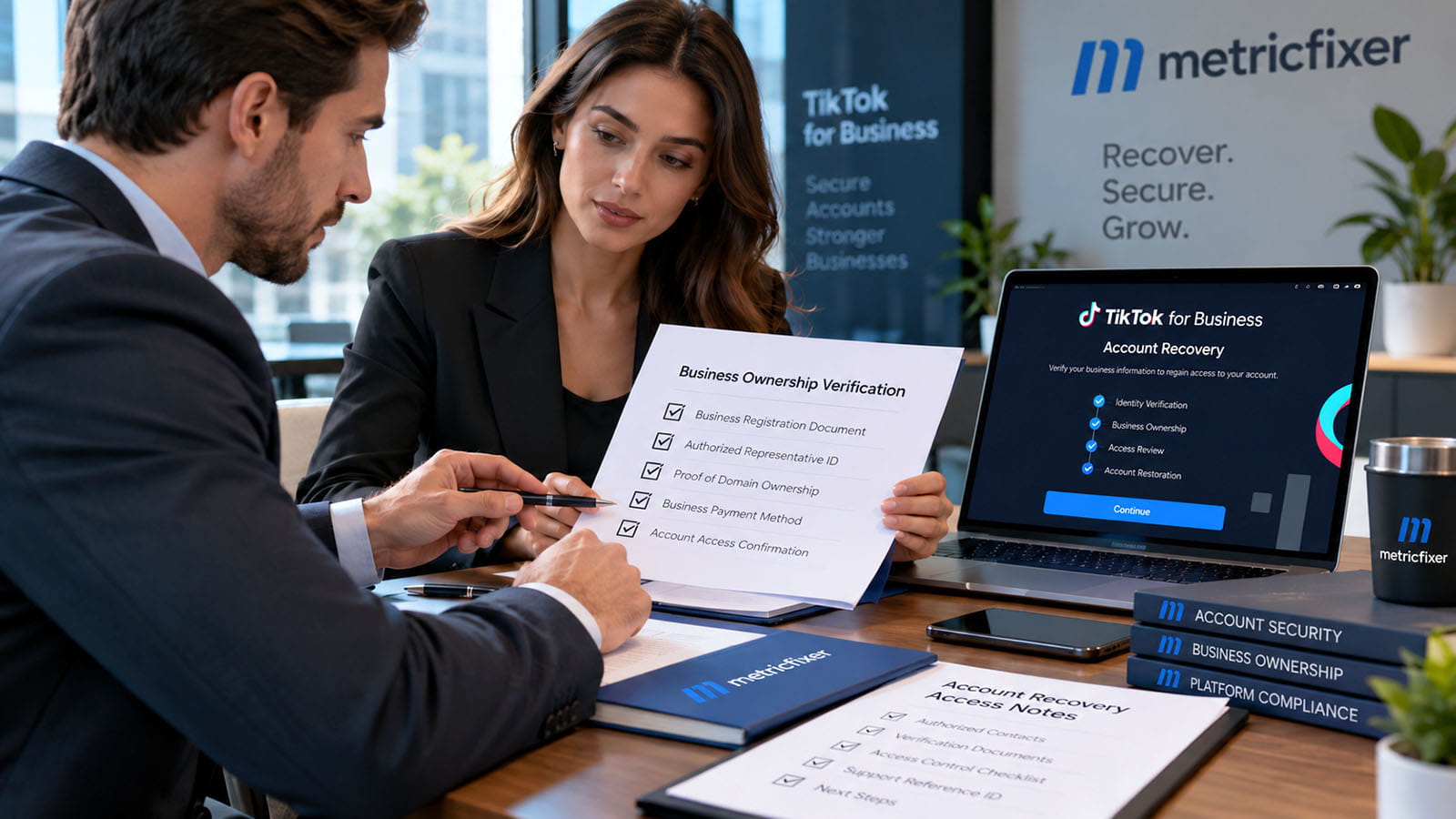
Do not solve one lockout by weakening everyone's security
TikTok documents a Business Center two-step verification policy separately from a user's account-security settings. Do not treat disabling a center-wide requirement as a documented universal reset of the locked-out person's verification method. Prefer an appropriately verified recovery or permission change over removing protection broadly.
If no authorized administrator can complete the required action, include that blocker in the support case. For a dispute involving former staff or an agency, state the relationship accurately and request the correct business-access process. This guide is not a method for taking over somebody else's personal account.
Creating a replacement ad account is also not the same operation as recovering access to the existing one. Do not assume that historical campaigns, balances, permissions, or connected assets will appear under a new registration. Nor should a new account be used to sidestep a suspension or other enforcement decision.
Manage follow-up and unresolved cases
Choose one person to coordinate the recovery case and maintain a simple log: case reference, submission date, reply channel, requested evidence, documents supplied, and the next outstanding action. These are metricfixer's case-management recommendations, not a published TikTok ticket-priority formula.
When support asks for more information, respond to the actual gap. If an invoice uses a different legal name, explain the relationship. If a requested record is unavailable, say so and ask what alternative evidence can be considered. Repeating the original message without addressing the question does not clarify ownership.
Where the interface permits, continue the existing case rather than opening disconnected copies. When another official channel is necessary, include the original case reference and explain the escalation. Keep claims and proposed replacement contacts consistent across correspondence.
A confirmation that a request was received is not a recovery approval. A password reset is not proof that second-step verification has been resolved. A support agent's request for documents is not confirmation that the documents will be sufficient.
The recovery materials reviewed here do not publish a universal completion deadline. Do not borrow a business-verification estimate or another TikTok product's support target and present it as a guaranteed recovery time. Plan for business continuity according to the access your team actually has.
If the request remains pending or is not approved, ask which issue prevents progress and whether an official review or alternative business-access route is available. Do not assume an appeal mechanism exists in every case. Preserve the outcome and avoid repeatedly submitting the same unsupported claim.
If you can sign in but discover that an ad account is suspended, record that as a separate restriction. TikTok's support guidance distinguishes login assistance from suspended-account troubleshooting. Successful authentication does not settle an enforcement decision.
Verify recovery and secure the account
Define completion through observable results, not a reassuring email. Test a fresh sign-in from a clean session while preserving any necessary safe fallback. Confirm that the intended user can access the correct Business Center and ad accounts, with the permissions required for their role.
Then verify the specific change that was approved: the registered email or phone, the available verification methods, or the new asset assignment. A support reply address is not sufficient evidence that the login address changed. If another check still blocks access, report the exact remaining step in the same case.
TikTok's User Settings instructions require verification of the current email or phone when changing those registered contacts. Its instructions for turning off a verification method describe a signed-in process that requires the password. Follow the checks actually presented; do not interpret an open settings page as permission to bypass them.
After the approved recovery changes, configure and test more than one supported verification method where the account allows it. Keep the associated email, phone, and authenticator under appropriate control. Avoid making every fallback depend on the same person or device.
Rebuild access so that the same organizational failure is less likely to recur. TikTok's Business Center security guidance recommends at least two administrators while limiting unnecessary admin access, checking who controls administrator sign-in methods, and avoiding shared passwords. A second administrator should be a real independent access path, not another identity dependent on the same unavailable person.
Review old members, partners, devices, and relevant integrations. Coordinate removals with the security and business owners rather than deleting everything indiscriminately. TikTok's member-removal instructions include an identity check and explain that removal ends the member's access to that Business Center and its assigned resources.
For ordinary staff offboarding, verify the replacement access before retiring the old business access. For suspected compromise, prioritize containment; do not postpone necessary security actions merely to preserve a convenient fallback. Keep that distinction in the handover record.
Emergency recovery checklist
Use this as a handover checklist for the person coordinating the case. It is a recommended working sequence, not TikTok's internal review process.
- Identify: record the affected business login, ad account IDs, Business Center ID, and unavailable methods. Mark unknowns honestly.
- Stabilize: preserve safe authorized access, capture the actual blocker, and escalate suspected compromise immediately.
- Choose a route: use a known account manager, the official signed-out support entry, or legitimate signed-in support.
- Prepare evidence: connect the requester, organization, assets, and authority for the requested change. Do not send authentication secrets.
- Separate contacts: distinguish the registered login, reachable support reply address, and proposed replacement contact.
- Coordinate: track the case and requested evidence while evaluating any legitimate administrator-led continuity option.
- Validate: test fresh login and intended resource access. Keep pending, rejected, blocked, and partially resolved outcomes explicit.
- Harden: review verification methods, independent administrator access, permissions, and the offboarding process.
The practical goal is not to defeat verification. It is to present a truthful, well-scoped recovery request and establish access that the business can maintain safely afterward.
For help reviewing the access setup or organizing the technical information behind a recovery case, contact metricfixer. Describe the blocker and the access that remains; do not include passwords, live verification codes, or unsolicited identity documents. TikTok retains control over its recovery and verification decisions.
Methodology and sources
This article is based on a review of TikTok for Business Help Center materials available on 5 October 2026. Sources are linked beside the relevant explanations rather than repeated as a technical bibliography.
The central sources are TikTok's identity-verification troubleshooting guidance, customer-support instructions, and the ownership-recovery passage in its account-linking troubleshooting article. Supporting materials cover user settings, verification methods, authorized devices, Business Center roles and asset assignments, account security, phishing, and business verification. Their individual update dates differ; the existence of this recovery route is not presented as a newly announced October 2026 feature.
Documented behavior and editorial recommendations are separate. The evidence table, support template, recovery workflow, case-management advice, and completion checklist are metricfixer's proposed operational practices. They are not TikTok's mandatory evidence list, internal decision tree, service-level commitment, or guarantee of approval. The research did not involve submitting a recovery case, testing a locked account, or establishing recovery success rates.
Interface limitation: automated inspection of published support links encountered sign-in redirection and did not establish the final form fields, upload requirements, or successful signed-out submission. The article therefore links to the official entry guidance and retains a blocked-contact outcome. Screenshots must document the interface actually visible when captured.
Public documentation does not settle every combination of missing factors, disputed authority, account configuration, or security restrictions. Follow the verified instructions issued for the actual case and distinguish a review still in progress from recovered access.
This article is for technical and operational information only and is not legal advice or an account-recovery guarantee. metricfixer is not affiliated with TikTok or ByteDance and cannot override their security checks, ownership decisions, or account restrictions. Recovery requirements, support routes, and interfaces may change. Use only truthful records and authorized access; submit sensitive information only through a verified, appropriate channel.