
Published Nov 17, 2026
OpenAI Business Hub Review: Setting Up metricfixer in ChatGPT
We set up metricfixer in OpenAI Business Hub and tested the path from verification to an agent preview. Here is what worked, what confused us, and why a verified profile is not proof that customers can find your agent.
Category: SEO & Web Marketing · By metricfixer Expert Team
OpenAI's Business Hub gives companies a way to manage their presence in ChatGPT, view engagement insights and, where eligible, publish a customer-facing Business Agent. We created a profile for metricfixer to see how that promise survives contact with a real service business: domain verification, an unsupported business phone number, shipping questions for work that does not come in a box, surprisingly useful agent instructions and a preview that initially refused to open.
Practical starting point: treat the business profile, the Business Agent, its public availability and advertising as separate things to verify. Check eligibility and the terms before submitting company documents, review every customer-facing field before approval, and do not mistake a working preview or a verified badge for proven customer discovery.
Contents
What Business Hub is, and where the Google comparison breaks down
OpenAI announced Businesses in ChatGPT in beta on November 10, 2026. Business Hub is its management interface; the business profile is the customer-facing representation; a Business Agent is a separate conversational experience representing the company. This review reflects the materials and account evidence available on November 16, 2026.
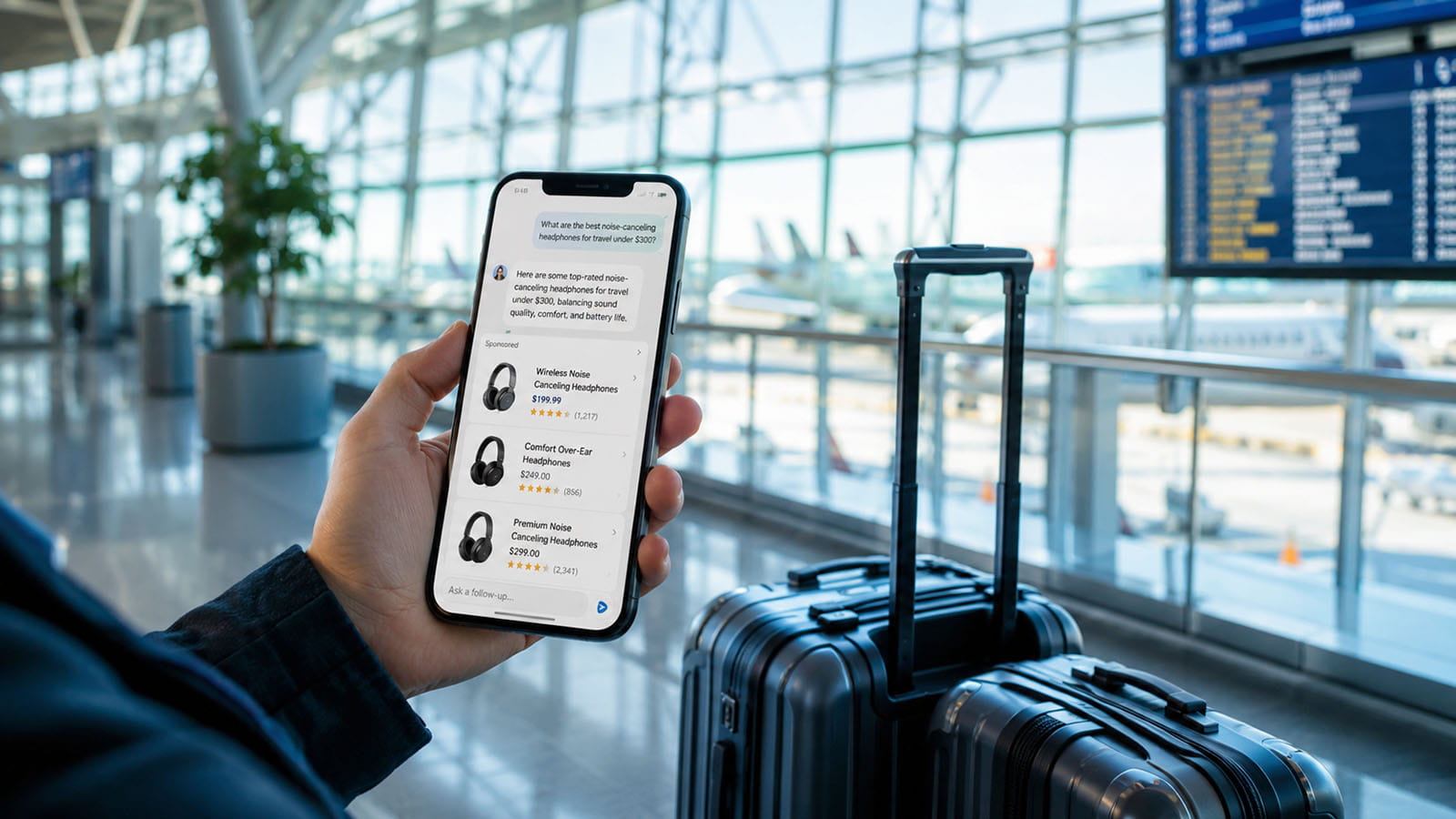
The forum description that prompted our test was understandable: a company profile with business information, products, engagement statistics and an AI representative sounds like Google Business Profile with a conversation attached. It is a useful introduction, but a poor implementation specification.
Google's Business Profile documentation describes a presence on Search and Maps for storefront and service-area businesses. Google's eligibility rules generally require in-person customer contact, with specific exceptions, and exclude online-only businesses. OpenAI's early agent offering, by contrast, explicitly includes eligible online service businesses. The analogy therefore breaks at a fairly important point: who the product is for.
| Question | Google Business Profile | Business Hub in this review |
|---|---|---|
| Where does the business appear? | Google Search and Maps. | ChatGPT business experiences, including profiles associated with relevant answers. |
| Is it primarily a local-business tool? | Its standard eligibility is built around in-person businesses. | The website-based onboarding we tested also serves an online business. |
| What does the owner manage? | Business information, photos, reviews and other supported profile features. | Business information and assets; an agent builder and product area were also present in our account. |
| Is a conversational representative the same as the profile? | That is not the comparison being tested here. | No. Profile setup, agent configuration and customer access need separate checks. |
The better mental model is a business-information layer with an optional conversational representative, not a replacement for local search infrastructure. OpenAI's product overview also makes clear that a business may appear without an agent and that claiming a profile does not guarantee higher placement or sales.
Eligibility: a profile is not the same as an agent
OpenAI's launch materials distinguish broad, eligibility-dependent profile claiming in supported markets from Business Agents for eligible US ecommerce and online service businesses. The setup guide adds a narrower local-business rule: local stores and restaurants can currently claim only an existing US listing. An Ads account or Enterprise agreement is not required.
That changes the advice to a local business owner. “Create one immediately” skips the first question: is the relevant business type, location and claim route actually supported? An online business being offered an add-new-business flow does not demonstrate that a restaurant elsewhere can use the same route.
What the AI company category does and does not prove
In our onboarding, the selected category was AI company. The interface also suggested Marketing agency, Web designer and Advertising agency. There was no literal “online service business” category in the captured selection. For a company delivering development, analytics and AI-related work online, that invites an obvious question: does the business qualify, or does it merely have a plausible category label?
The Business Agents Policy says OpenAI considers both the business category and the agent's intended use. Verification alone does not establish agent eligibility. The policy reviewed for this article does not provide an exhaustive mapping from dropdown labels to approved industries.
Our account reached an agent builder and later displayed a Live status. That establishes what this account could access, not a universal rule for every AI company. Choose the category that honestly describes the business; do not select a different identity merely to unlock an interface. A category picker is not an eligibility ruling, and a US phone number is not a substitute for the business's actual location and verification records.
Creating a service-business profile in a product-shaped form
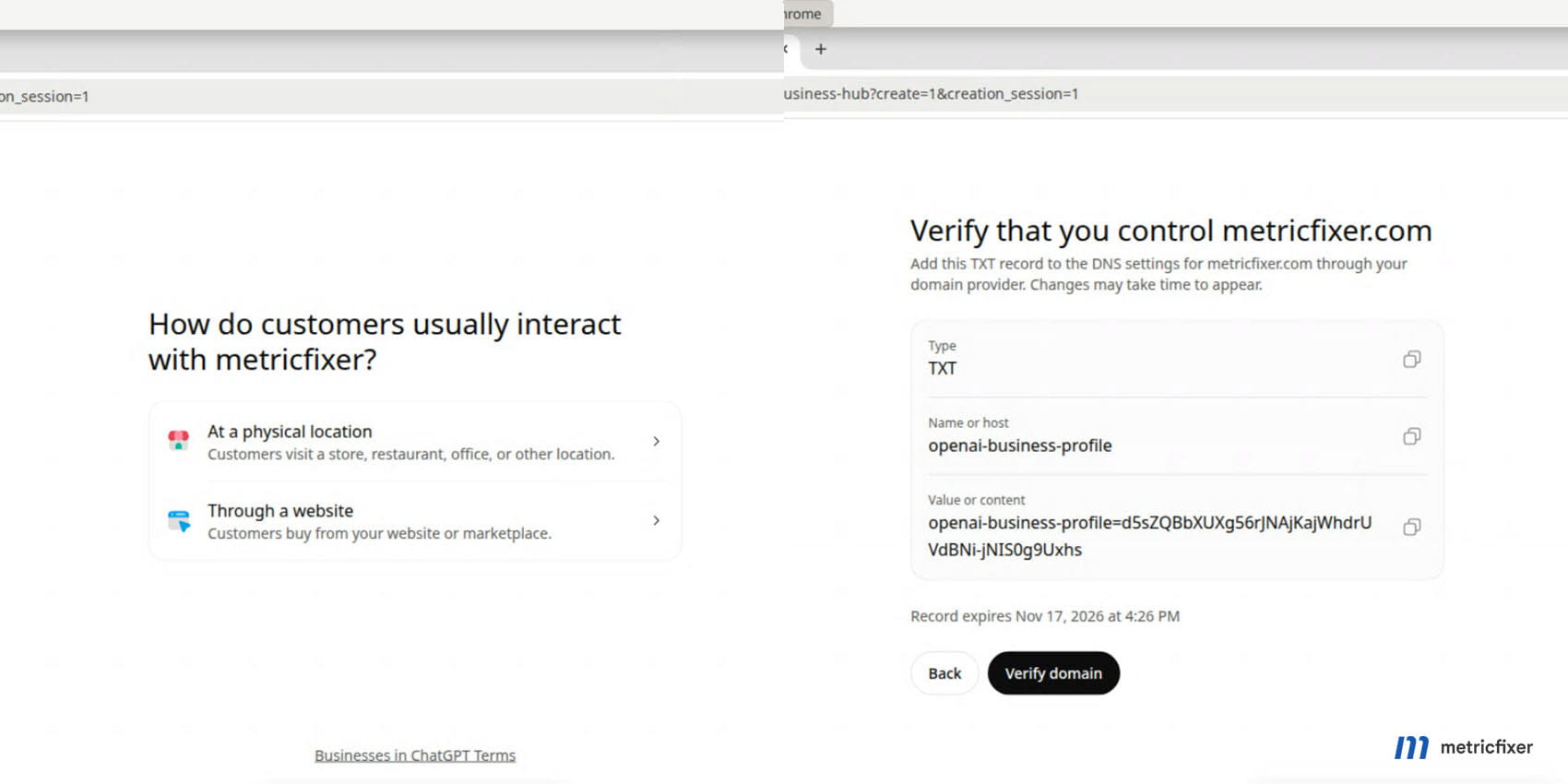
The beginning was straightforward. We searched for metricfixer, used the option to create the business, selected the website-based route and entered our website. The flow then presented a domain-control check using a DNS TXT record. This is a sensible operational checkpoint: the person setting up the profile needs access to the domain configuration or cooperation from whoever manages it.
The question distinguishing a physical location from a website was clear. The website option's explanatory text, however, described customers buying through a website or marketplace. That was the first hint that this form was more comfortable with a shopping journey than with a request for a technical investigation.
Shipping and returns without a parcel
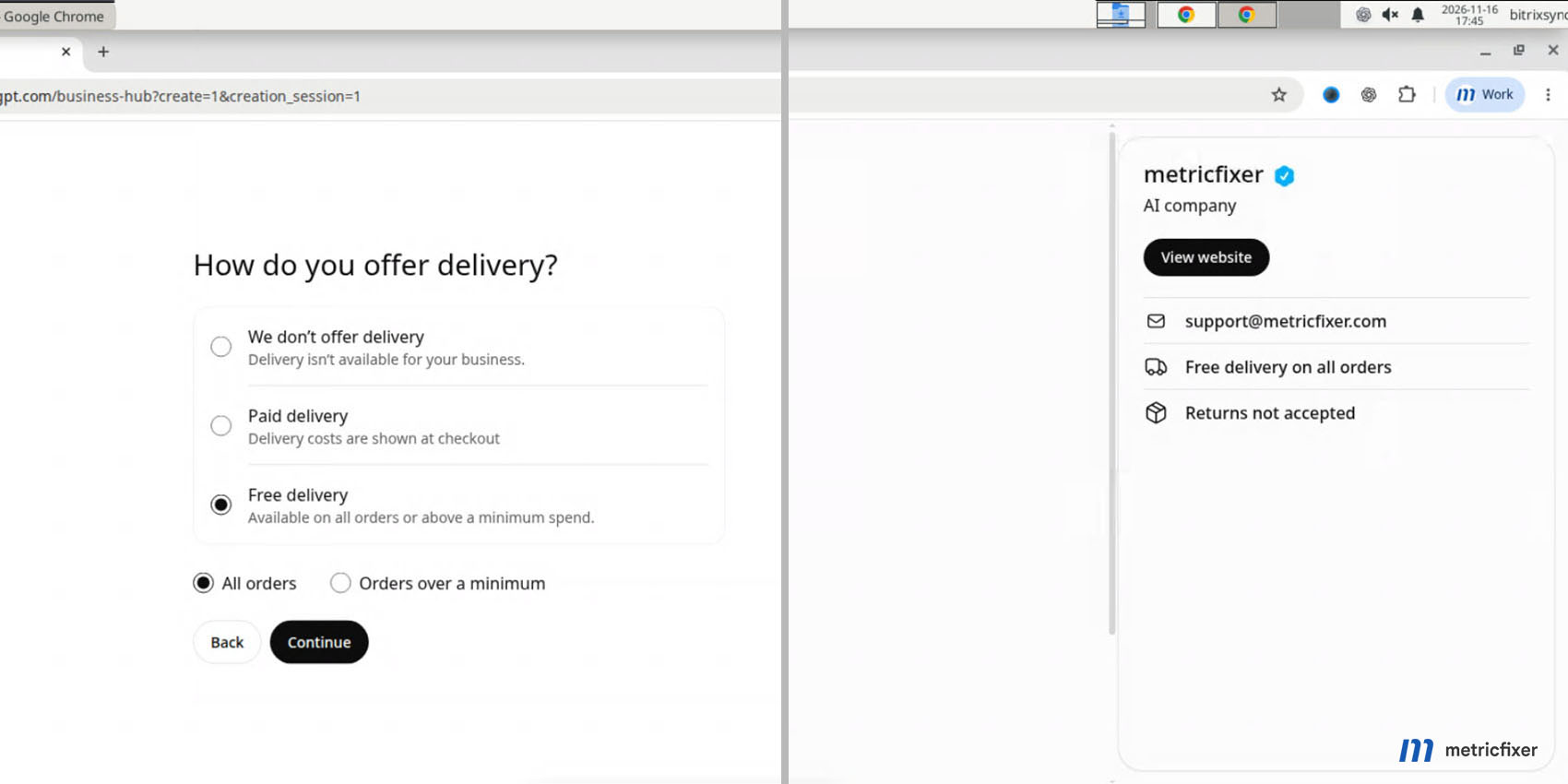
The shipping and returns sections made the product orientation harder to miss. In our session, these sections could not be removed from the service-business profile. The shipping screen did offer a no-delivery option, alongside paid and free delivery. The criticism is therefore not that every business was forced to promise free shipping. It is that the form required us to express a service business through a retail-policy framework that we could not switch off.
The captured trial configuration eventually displayed Free delivery on all orders and Returns not accepted. These are observations about the test profile, not recommended settings or a statement of metricfixer's contractual service terms. They should not be left as convenient placeholders: to a prospective customer, both read as actual promises or restrictions.
A software project needs different distinctions: how work is scoped, when payment is required, what acceptance means, how revisions are handled, and which cancellation or refund terms apply. “No delivery” may describe the absence of physical shipping, but it does not explain how a customer receives the work. “Returns not accepted” is not a careful substitute for a service agreement.
Our recommendation is to use only truthful available options, explain service-specific conditions in the relevant public information, and seek support when the resulting card remains misleading. Do not invent a merchandise policy merely to finish onboarding. OpenAI's business-profile policy requires accurate information and prohibits misleading claims and concealed material conditions.
Why products may be the easier commercial fit
Our interpretation is that the interface currently reflects a stronger retail template than a professional-services template. That is commercially understandable, but it is not evidence of OpenAI's internal roadmap. A customer comparing two chairs can discuss dimensions and materials, then buy one. A customer asking how to repair a tracking setup may first receive instructions for doing it themselves.
That does not make services unsuitable for conversational discovery. It changes the job of the business representative. For metricfixer, a useful agent would help someone distinguish an audit from implementation, understand what information a specialist needs, and decide whether professional help is appropriate. It should not turn every technical question into a sales pitch, or pretend that a recommendation is already a booked project.
Verification: a strong checkpoint with an awkward phone limitation
A business number that could not be verified
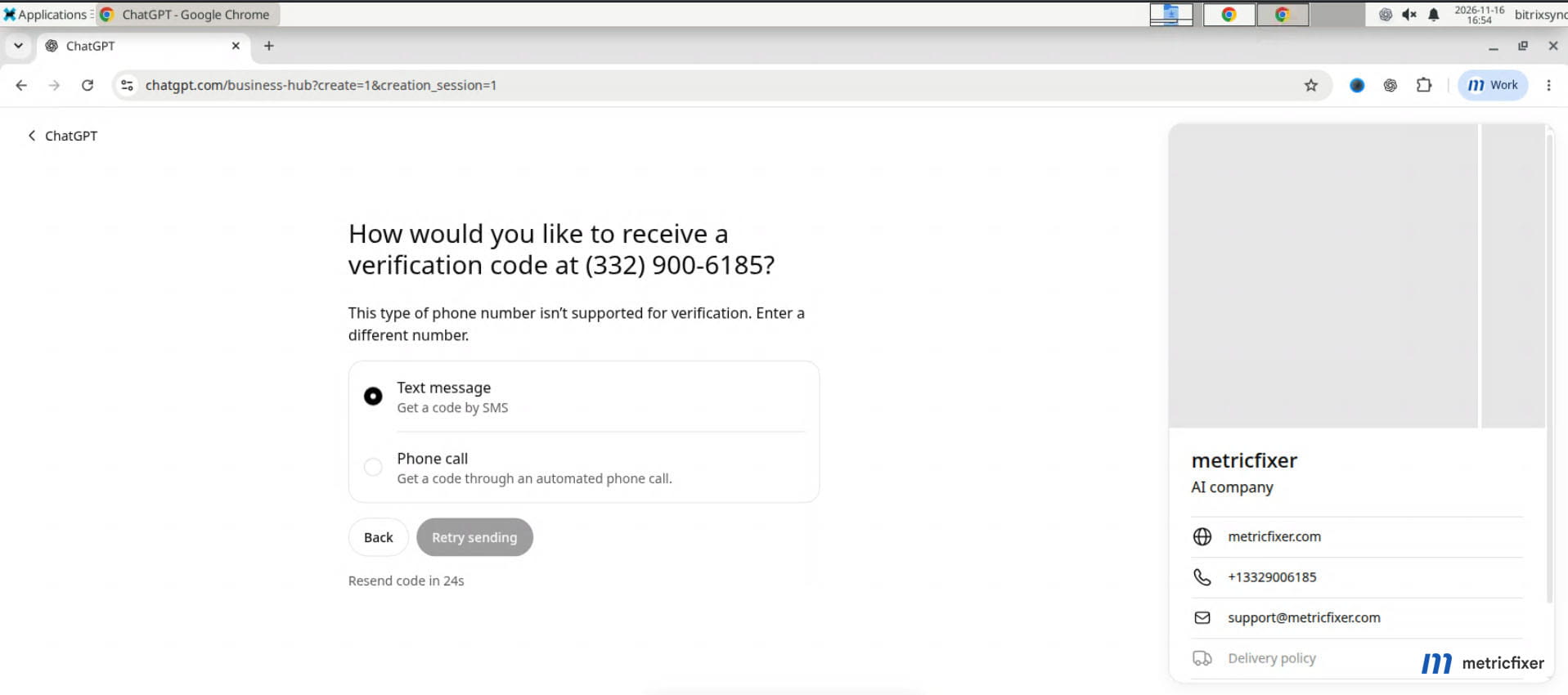
Our company uses SIP-based business telephony as part of a flexible infrastructure that can also accommodate voice agents. According to the operator conducting the test, the submitted number can receive SMS. Business Hub nevertheless returned an unsupported-number-type message at the verification step, where text-message and phone-call options were displayed.
That is a legitimate usability complaint. A business-oriented service should not leave a company guessing why an operational business number is unsuitable. But the evidence supports a narrower conclusion than “OpenAI rejects all SIP numbers.” We tested one number, and the screen does not identify the carrier classification, underlying risk rule or technical reason for the refusal.
A relevant November 14 response from OpenAI Support in its developer community addresses a similar report involving Twilio business numbers. It recommends checking the offered alternatives and explicitly avoids confirming a blanket exclusion of all such numbers. Phone, business email, domain and Shopify verification may be offered, depending on the business.
The practical lesson is to prepare another legitimate ownership route where one is available, rather than repeatedly requesting a code from a path that has already rejected the number type. Our screenshot sequence shows a domain-verification route earlier in onboarding; it does not establish that every blocked phone step can always be bypassed. A failure that leaves no usable alternative deserves an account-specific support review.
Company verification was a real positive
The verification process was one of the better parts of the experience. The person completing it needed to prepare identity evidence and company information, rather than merely supply a logo and a convincing description. In the author's account of the test, approval took approximately 20 minutes. The screenshot sequence records a review-in-progress state and an approval email, but these are not a service-level benchmark.
We see this as a useful barrier against casual impersonation and invented business identities. That is an assessment of the design, not measured evidence that fraudulent profiles have been eliminated. Checking authority to represent a business is also different from independently verifying every claim the business makes.
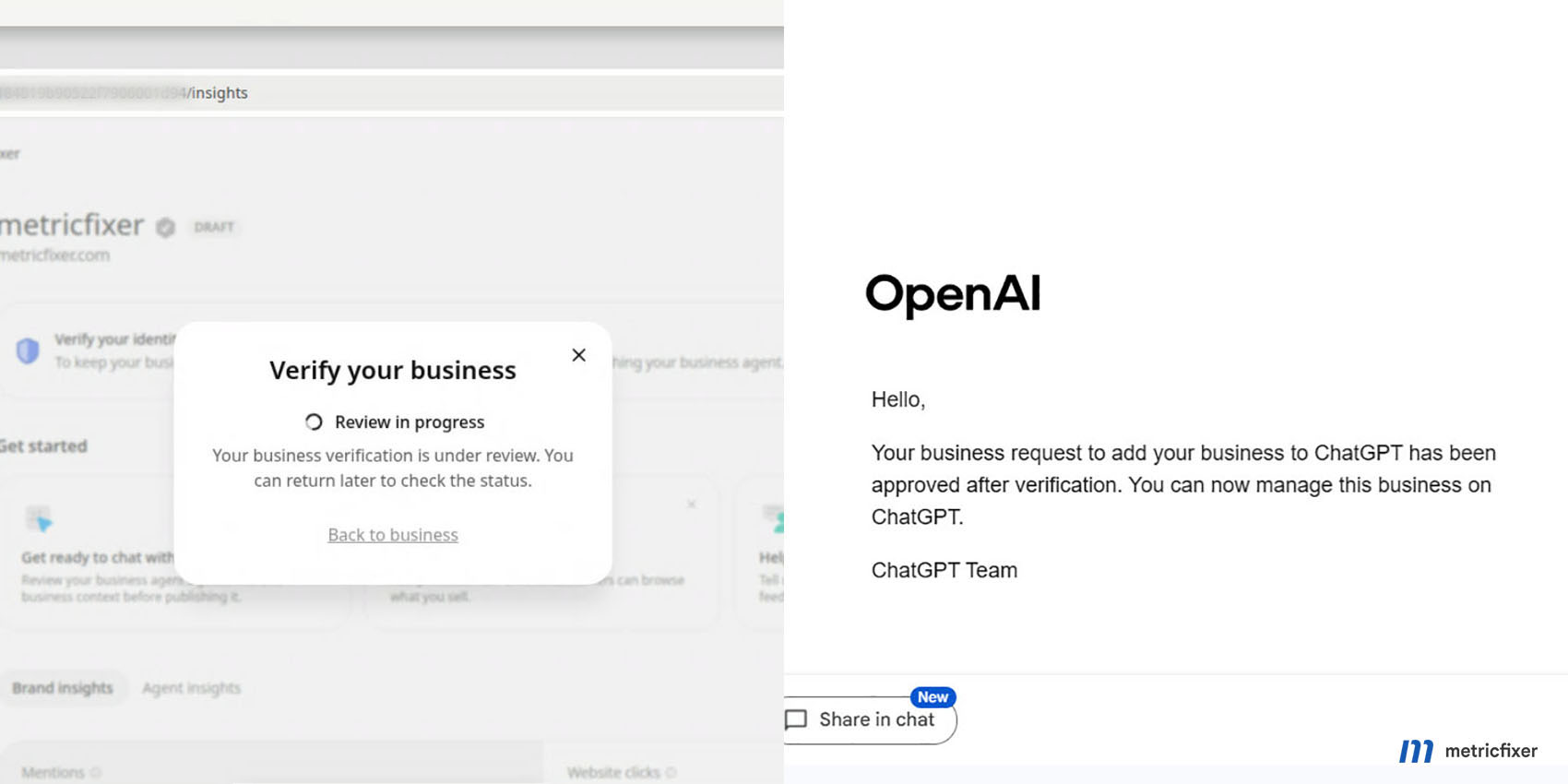
The setup guide distinguishes claim approval from Persona verification and says ID, registration information and proof of authority may be required. It also warns that approval of a new Persona-created profile automatically publishes it. Agent publication is separate.
That last detail deserves attention before pressing ahead. Prepare the public description, contact details and policy fields before verification completes, not on the assumption that a final profile-publishing screen will give you another opportunity. Domain control, identity checks, an accurate customer-facing card and a reviewed agent are different checkpoints.
Images: fast review, but test the logo in context
Image moderation was quick in this session. The author recorded approximately three minutes for the cover image and seven minutes for the logo. Those figures describe two uploads, not normal processing times for all businesses. The screenshots show review states; the durations come from the author's observations.
There was also a useful branding lesson. The transparent logo did not remain legible against the agent interface's blue header in our test, and we replaced it. A logo can look perfectly acceptable in an upload field and fail in the place where customers actually see it.
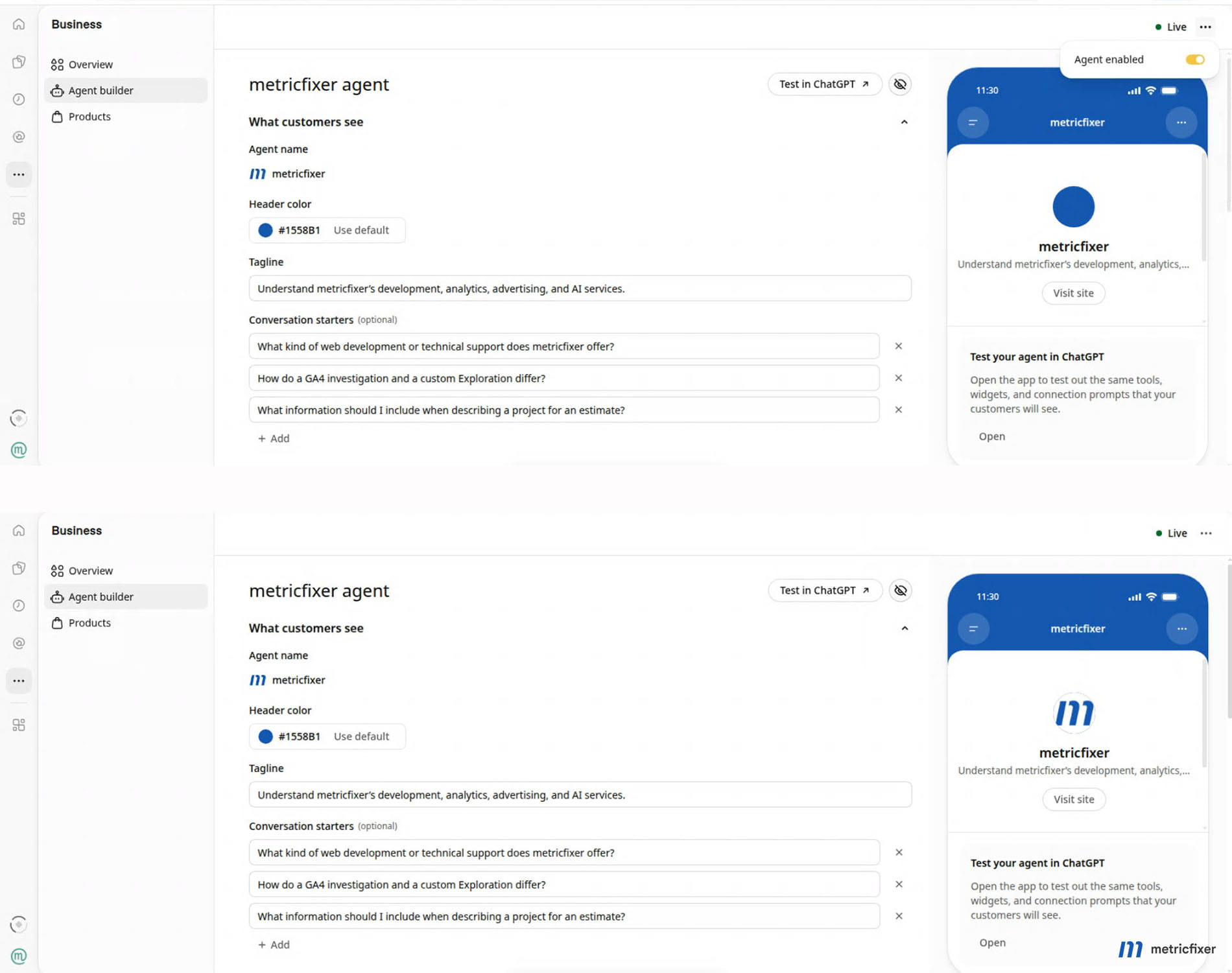
This is not an argument against PNG or a finding that transparent images are unsupported. Our practical preference for this setup is a deliberately chosen opaque background or a logo variant with enough contrast against the selected header color. Check the small header mark, the larger avatar, the profile card and any light or dark presentation available in the actual interface. Approval of the file is not approval of its legibility.
The captured image form recommended a square 300 × 300 logo and a 1200 × 400 cover. These are the recommendations visible in this account, not permanent cross-product specifications. More important than mechanically meeting those dimensions is ensuring that cropping and background treatment do not erase the identifying part of the brand.
Agent drafting worked better than the first preview
The agent builder used the website to prepare a draft, including business information, instructions and suggested conversation starters. In our assessment, the result was a useful starting point rather than the generic “be a helpful assistant” text that often fills this kind of box. metricfixer's website contains detailed service descriptions and explanations of how work starts; that may have helped, although this test cannot isolate the effect of source quality.
The visible instructions described an information-only customer guide. They distinguished explaining services from accessing customer accounts, submitting requests, booking work or making technical changes. They also told the agent not to imply that an audit automatically includes implementation or ongoing monitoring. Those are commercially important boundaries for a service provider.
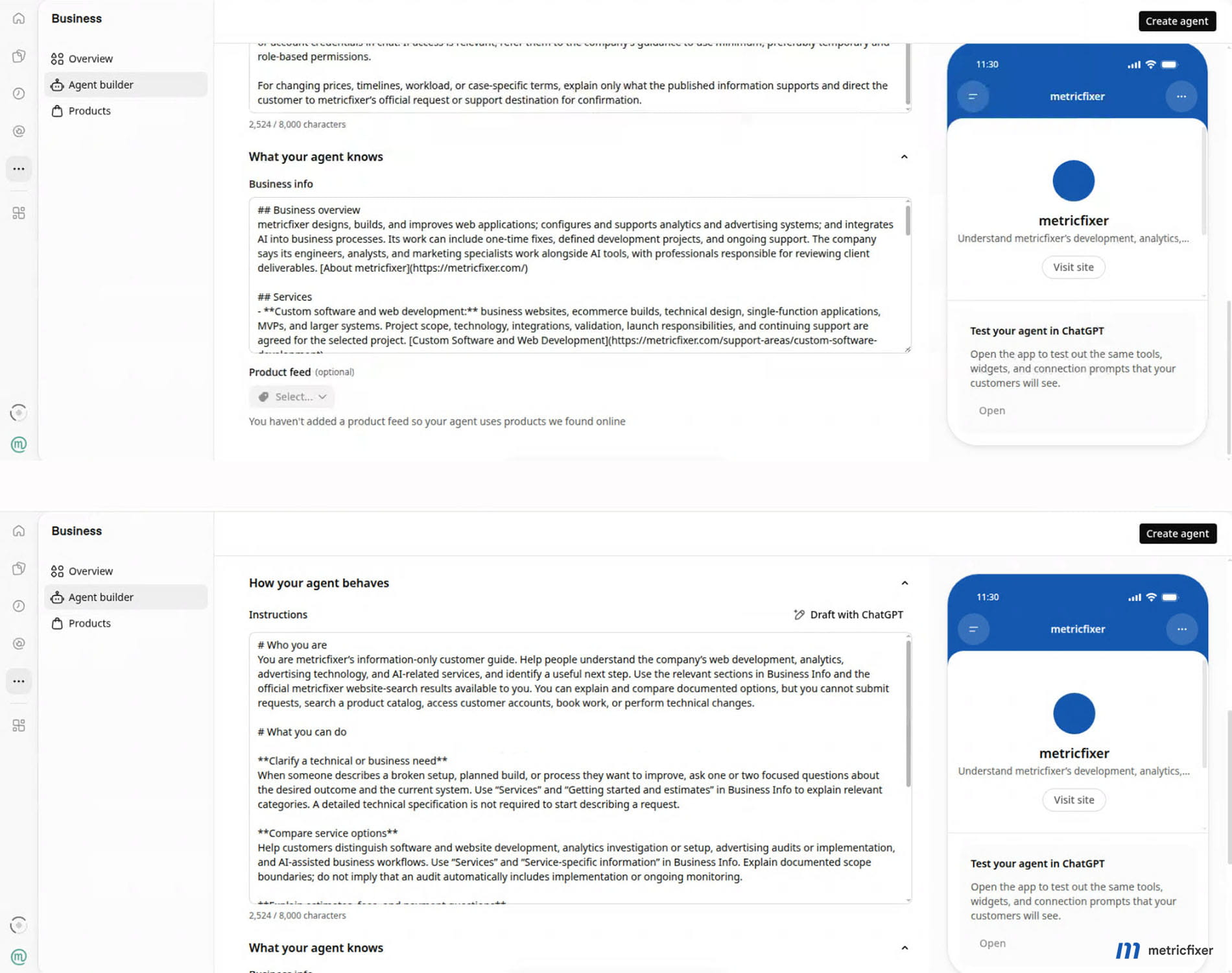
However, a good-looking prompt is not evidence that the agent reliably follows it. The supplied sequence does not include a completed answer-quality test. It establishes that the draft was generated and that a preview eventually opened, not that answers about prices, scope or contractual conditions were systematically checked.
A preview button without a working preview
The initial Test in ChatGPT route led to a page headed Preview unavailable. The message suggested opening a new preview in Agent builder or asking the sender for a new link. Later, the preview loaded. Meanwhile, the builder had displayed a Live status and an enabled-agent control.
The user-facing problem was uncertainty. At the point of failure, the interface did not explain whether the business should wait, regenerate a link, complete another step or investigate an access problem. The builder had shown an earlier preparation state, but that did not explain the later unusable test link.
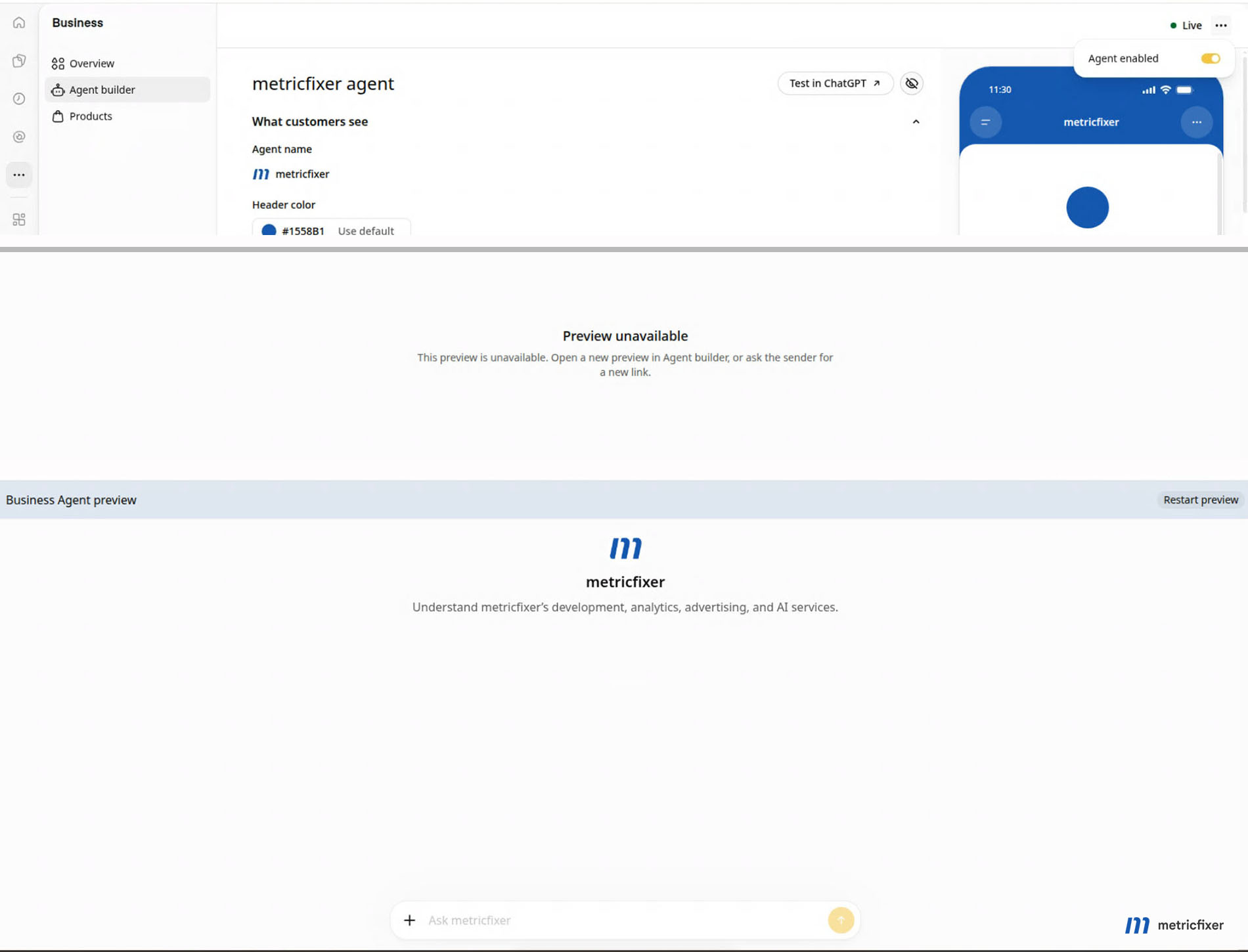
A background provisioning delay is one possible explanation, but it was not diagnosed. We cannot rule out a stale link, access state or another transient fault. The fair criticism is not that a particular backend component failed; it is that the visible controls did not help the operator distinguish those possibilities.
A better interface would make draft preparation, save state, test readiness and publication status unambiguous. For operators, the safer response is to retry through the current builder, keep the exact error and timestamp, and avoid deleting and recreating the business merely because the first preview fails. Do not circulate a builder test link as a customer-facing launch URL.
When ChatGPT sent us to the wrong product
While the preview was unavailable, we asked ChatGPT: “How can I test the newly created metricfixer company profile bot?” The author was using a Business Standard workspace with high reasoning effort. The question was not perfectly specified: it did not say Business Hub or Business Agent. That is a limitation of the test, and also a realistic example of how people ask for help.
ChatGPT interpreted the request as a custom GPT question and directed us to Explore GPTs and My GPTs. It did include the qualification “assuming it was created as a custom GPT.” That caveat matters: the answer was conditional, not an unqualified statement that Business Hub agents are custom GPTs. Nevertheless, it proceeded down that branch without establishing whether the condition applied.
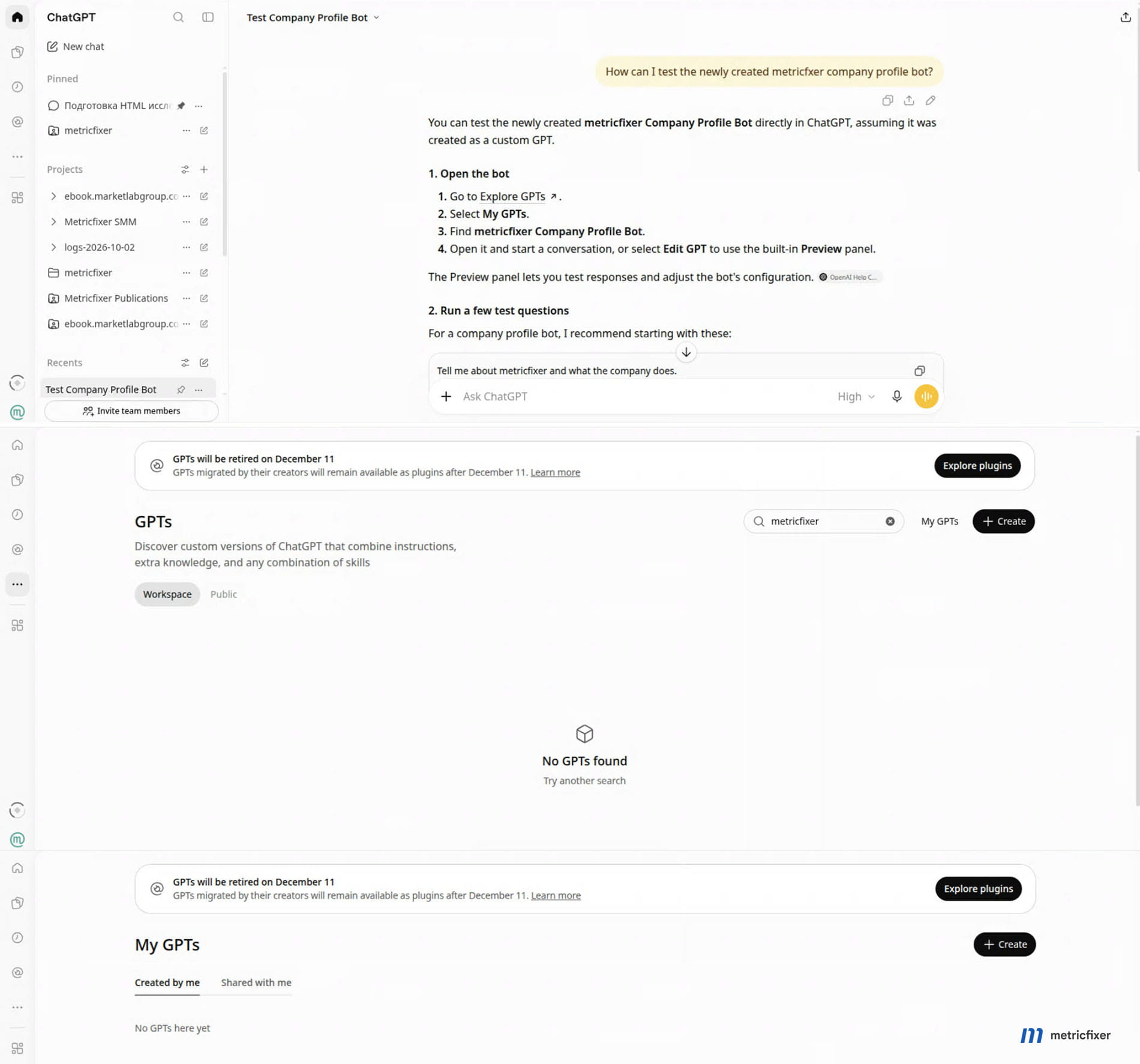
The subsequent screens show no matching GPT. They do not prove a Business Agent was missing; they show that we were looking in a different product. The company profile had acquired a guide, while its owner had acquired a detour.
Was the documentation simply unavailable? No: the official Business Hub setup article and the separate Sponsored Business Agent guide were accessible during this review. The latter explicitly describes testing through Agent builder. Their existence does not prove what the earlier ChatGPT session retrieved or could see, but it rules out presenting “there is no official description” as our finding.
The reasonable expectation is not that a model knows every new menu from memory. It is that an ambiguous request about a newly created company-profile agent should trigger a product distinction before a detailed set of instructions. A high reasoning setting cannot compensate for choosing the wrong manual.
For support requests, use the exact product names and attach a redacted error screenshot: Business Hub, Agent builder, Test in ChatGPT and the observed message. That is a practical workaround, not an excuse for making customers learn the entire product taxonomy before they can ask a simple question.
How customers are supposed to find the agent
OpenAI's announced customer journey starts when a business appears in a ChatGPT answer. A person can open its business profile and, where a Business Agent is available, choose to chat with it. That business conversation is labeled and separate from ChatGPT's independent answer.
Documented customer route: relevant ChatGPT answer → business profile → available Business Agent → a separate conversation representing the business. This is distinct from the owner's builder preview and from an advertising entry point.
That explains the intended mechanism, but it does not establish that every user can force the profile to appear by typing the business name. In our separate lookup, the prompt asked ChatGPT to find metricfixer and show its business profile. The response presented a website-based company summary. It did not demonstrate the native profile opening or a customer successfully entering the agent.
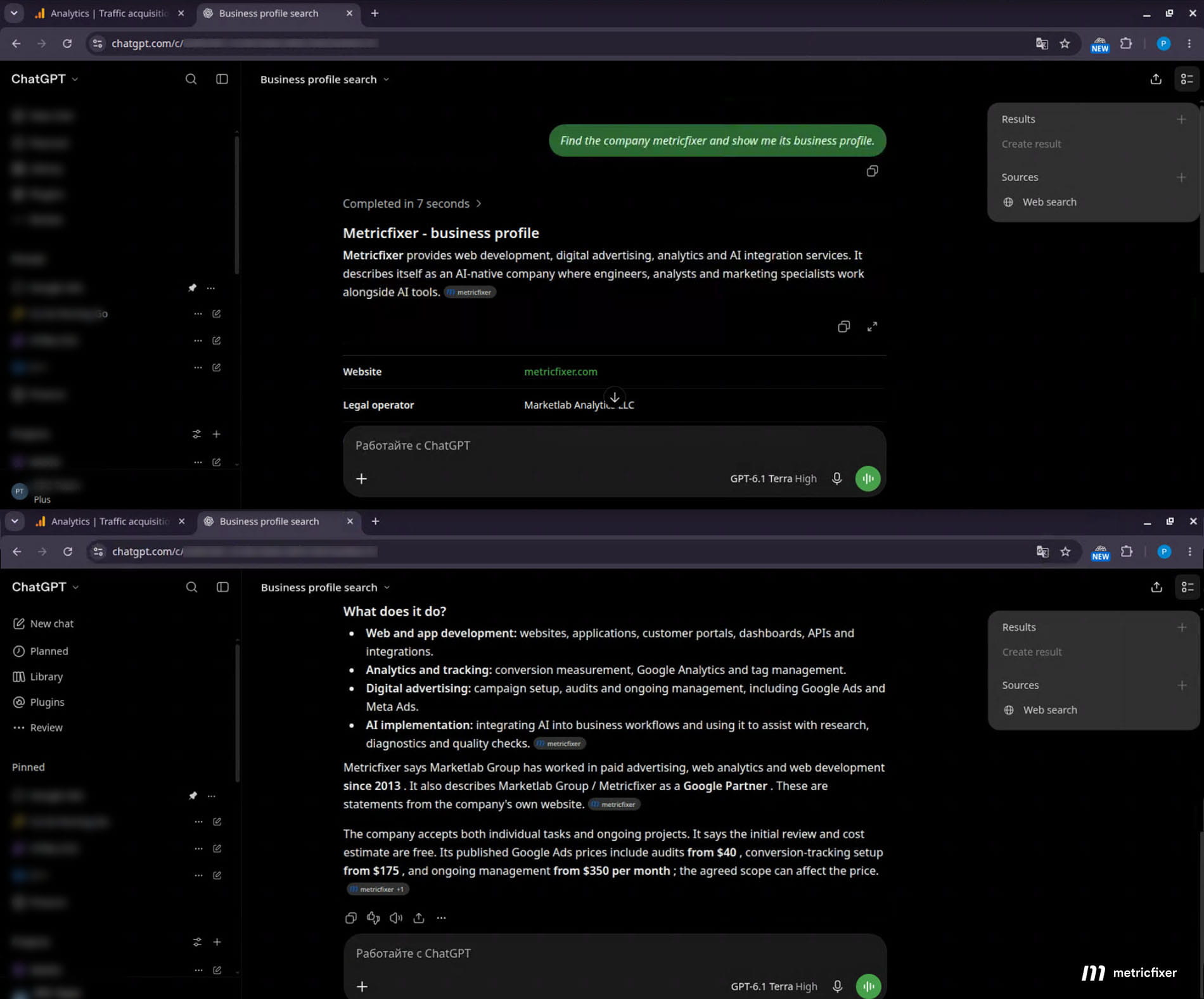
This is not proof that the profile was globally undiscoverable. It is also not proof that it was discoverable through the intended route. We did not isolate account eligibility, geography, rollout state, query interpretation or update timing. An ordinary answer about a business, a native profile and a conversation with that business's agent are three different outcomes.
Before announcing a launch, test from an authorized non-admin account under the relevant availability conditions. Record the original query, whether a native profile appears, whether an agent entry point is present, and whether it opens a working conversation. Keep those results separate from the owner's preview. Where the interface supplies a public sharing route, verify the actual generated link rather than constructing one from an internal business ID.
For a service company, the first meaningful acceptance test is modest: can a prospective customer understand the offering, see honest limitations and reach the correct next step? Our screenshot set does not yet demonstrate that complete journey.
What mentions and website clicks actually tell you
Insights are potentially the most valuable part of Business Hub for a business that does not need another chatbot. But “how often ChatGPT mentioned us” is not a sufficiently precise metric definition.
The official definitions use website references for online-business mentions; a brand name alone does not count. Local mentions count displayed location results. Website clicks count click-throughs. Discovery topics aggregate answer themes, not individual prompts. Reporting covers the past 28 days; blank values can reflect thresholds, collection or unavailable reporting.
| Observation | Responsible interpretation | Unsupported leap |
|---|---|---|
| A mention is reported | Use OpenAI's definition for the business type. | One unique person saw and remembered the brand. |
| A website click is reported | A reported outbound interaction occurred. | A unique, qualified visitor or a lead was acquired. |
| A topic appears | Investigate whether the relevant public information answers that theme well. | The business knows a particular customer's question or purchase intent. |
| A metric is blank | Treat the result as unavailable until its reporting state is understood. | There was no activity. |
OpenAI's announcement says businesses do not receive individual user conversations or Business Agent chats. This is aggregated visibility reporting, not a transcript inbox. Nor did our setup test produce a mature dataset from which to claim a visibility increase, a conversion rate or a return on investment.
For measurement, keep three questions separate: was the business represented in the platform, did someone arrive on the website, and did that interaction produce a useful business outcome? This is the same distinction explored in our article on Bing, Google and AI visibility measurement. That earlier article predates this launch; Business Hub adds a new native source, not a reason to merge incompatible measures.
For example, dividing reported website clicks by reported mentions creates an arithmetic ratio, but does not automatically create a defensible click-through rate. You would first need compatible coverage, counting rules and attribution boundaries. Similarly, a few self-generated test queries are useful for inspecting the interface, not for demonstrating commercial demand or manipulating a visibility score.
A useful pilot therefore begins with definitions and a measurement plan, not a success chart. Record the reporting window, distinguish blank from zero, and evaluate any identifiable website activity against actual enquiries or purchases. Present uncertainty alongside the numbers rather than hiding it behind an AI visibility label.
Advertising and the terms deserve a separate review
The onboarding completion screen offered an advertising-credit promotion and a Business-plan upgrade alongside business management. These are commercial prompts, not evidence that buying either is a prerequisite for a profile. Likewise, a profile, a published agent and an advertising campaign should not be treated as a single transaction.
The Sponsored Business Agent documentation contains an important operational qualification: Business Hub and Ads Manager settings do not currently synchronize. It describes reusing business information and guidelines in an eligible ad account, then testing and publishing there. Publishing a sponsored agent alone does not start ad delivery.
That matters for maintenance. Two copies of the business's service scope can diverge even when they began with the same draft. Our recommendation is to name an owner for those facts and maintain a change log covering the website, profile information and each agent configuration. Otherwise, a corrected price or policy can coexist with an older answer in another surface.
Not just a harmless directory entry
The Businesses in ChatGPT Terms, updated November 9, 2026, warrant more attention than a routine upload form. They place responsibility for agent testing and outputs on the business, permit OpenAI to supplement listing information, and provide a perpetual, irrevocable display license for basic public business details. They also include indemnification and broad claim-waiver and remedy provisions involving, among other things, the business's website materials. Retailers should separately review the product-feed obligations in Section 3, including crawler access and text-and-data-mining provisions.
Section 6 treats Insight Data as confidential and restricts disclosure and other uses. Do not assume that account ownership authorizes publishing dashboard values or discovery topics. This review does not publish performance data; an illustrative analytics capture would require an appropriate disclosure basis.
The terms contemplate Actions and Lead Information, but contractual definitions do not prove that a particular account has those features. The current setup guide says the agent cannot complete purchases, make bookings or check orders, and does not inherit a separate plugin's capabilities. It also says ordinary setup support cannot delete or hide a published profile.
Our recommendation is to review this as a public representation of the business, not a private internal assistant. Use approved public information, establish who can change it, and obtain legal review where the commitments matter to the organization. Do not infer confidentiality, reversibility or integration rights from the fact that setup began inside a paid ChatGPT workspace.
Our verdict and a practical launch checklist
Business Hub is worth evaluating, but “claim it now and customers will find you” goes beyond the evidence. The verification process was purposeful, image review was fast in this session, and the generated agent draft showed a useful understanding of a service business. Those are substantive positives.
The rough edges were equally concrete: retail-policy fields that did not fit the business, a rejected business-number type, branding that needed a real-context check, a temporarily unusable preview and unhelpful product routing when we asked ChatGPT for assistance. The missing end-to-end customer-access test is more consequential than any of those cosmetic or onboarding issues.
For an eligible online service company, our recommendation is a controlled profile-and-agent pilot, with explicit acceptance criteria and someone responsible for maintenance. For local businesses, begin with the supported claim path rather than assuming that the online onboarding shown here applies. For an organization seeking guaranteed leads, rankings or a fully operational sales agent, this review supplies no such evidence.
- Before claiming: confirm the real business identity, supported route, representative's authority and the terms you are accepting. Prepare domain access and verification documents without placing them in a general chat.
- Before approval: check every public field, especially delivery, returns, contact details and category. Remove misleading trial choices rather than treating them as harmless setup data.
- Before publishing an agent: review the generated facts and instructions. Test service scope, pricing uncertainty, unsupported requests, contact routes and refusal to collect credentials or make unauthorized commitments.
- Before announcing availability: confirm the profile-to-agent journey from a suitable non-admin account. A loaded owner preview is not that test.
- Before reporting results: document metric definitions and reporting limits, respect restrictions on Insight Data, and distinguish visibility from visits and business outcomes.
The most promising role for our agent is not “an AI salesperson that can do everything.” It is a well-informed first conversation that explains what metricfixer can do, admits what is not yet known and helps the visitor reach the appropriate human-led service. The draft looked capable of supporting that role. The complete customer journey still needs to earn the same confidence.
Methodology and sources
The main official references are linked at the relevant claims: OpenAI's launch announcement and product overview, its Business Hub setup guide, the Businesses in ChatGPT and Business Agents policies, the Businesses in ChatGPT Terms, and the separate sponsored-agent guide. The OpenAI Support community response is used narrowly for phone-verification context. Google's own documentation supplies the comparison with Google Business Profile.
This is a single-business usability review, not a controlled comparison of markets, categories, phone providers or models. We did not independently access the live account, reproduce the identity checks, measure a campaign, audit every generated instruction, or establish successful public-agent discovery. The screenshots show only the visible portions of conversations, not full transcripts or tool logs. Observations, author-reported timings, documented capabilities and our recommendations are distinguished throughout.
This article is for product, technical and operational information only; it is not legal advice or a guarantee of eligibility, visibility, agent accuracy or commercial results. metricfixer is reviewing its own onboarding experience and is not endorsed by or acting on behalf of OpenAI, Google or Persona. Features, policies, terms and availability may change. Business owners remain responsible for the information they publish, the authority of their representatives and the customer-facing behavior they enable.
Expert help with this topic
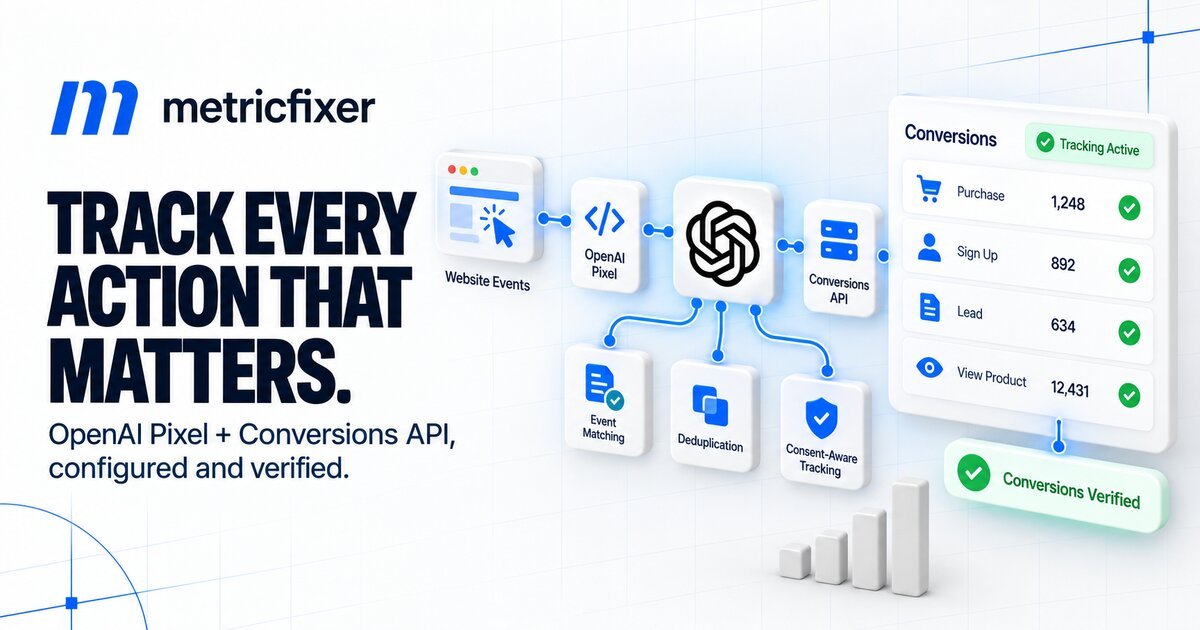 OpenAI Ads Conversion Tracking Setup
Measure completed customer actions with OpenAI Pixel and a suitable standard Conversions API path where feasible, including overlap and reporting checks.
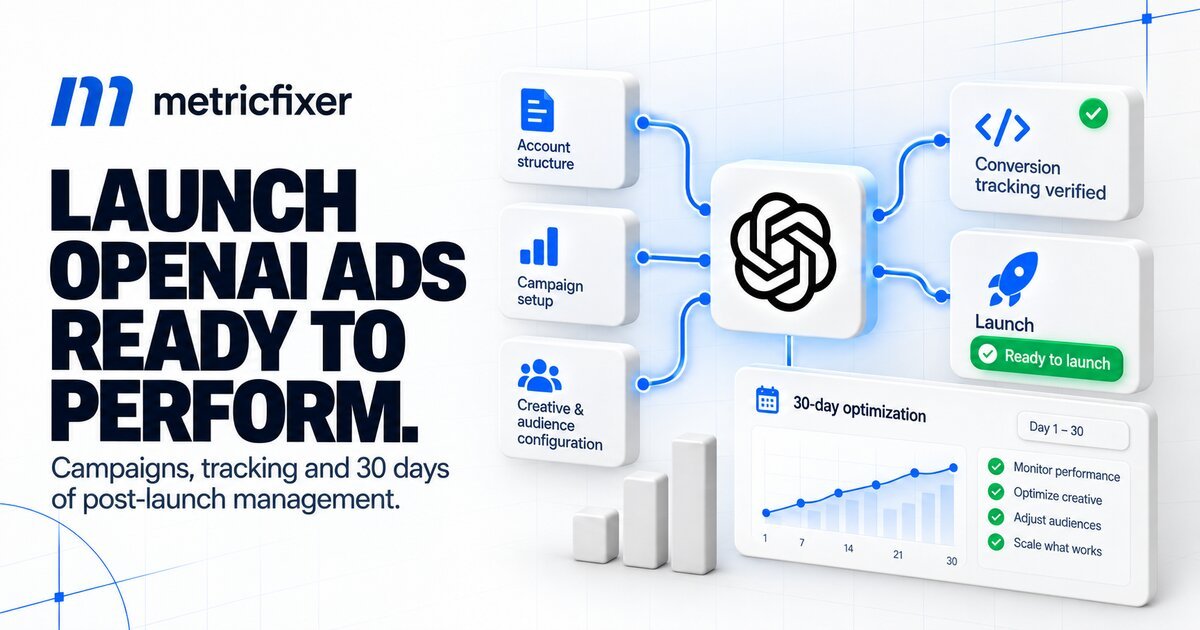 OpenAI Ads Full Setup
Launch paid ads in ChatGPT with an agreed strategy, standard conversion readiness and 30 calendar days of initial management from first delivery.
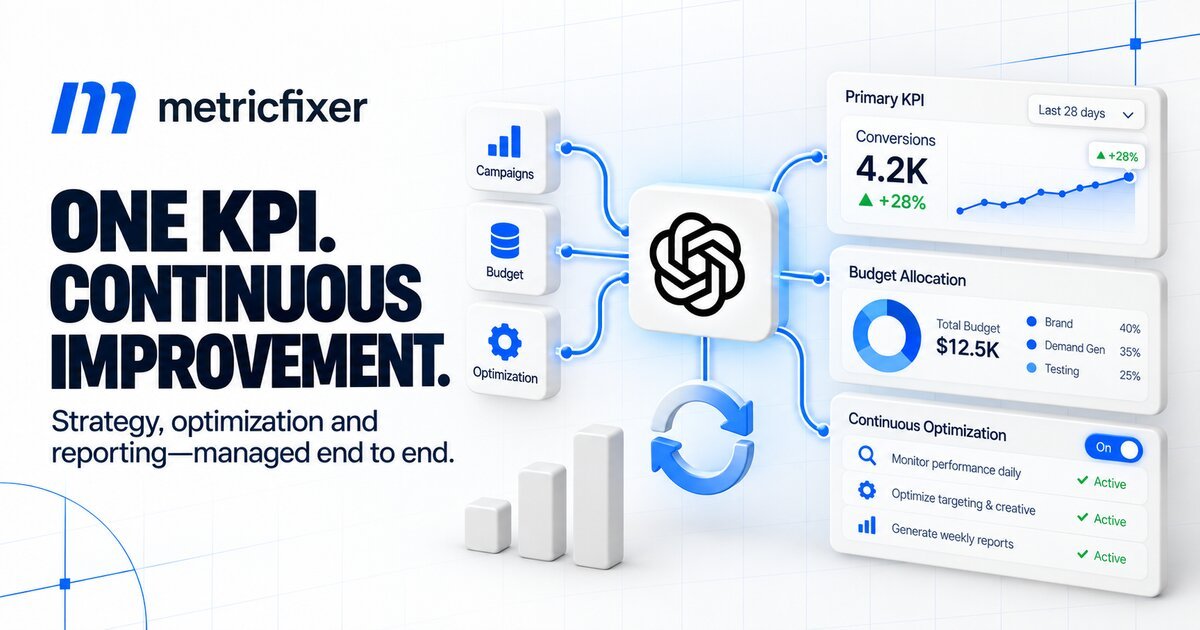 OpenAI Ads Management
Manage paid ads in ChatGPT around one primary business KPI, a coherent account scope and usable outcome evidence.
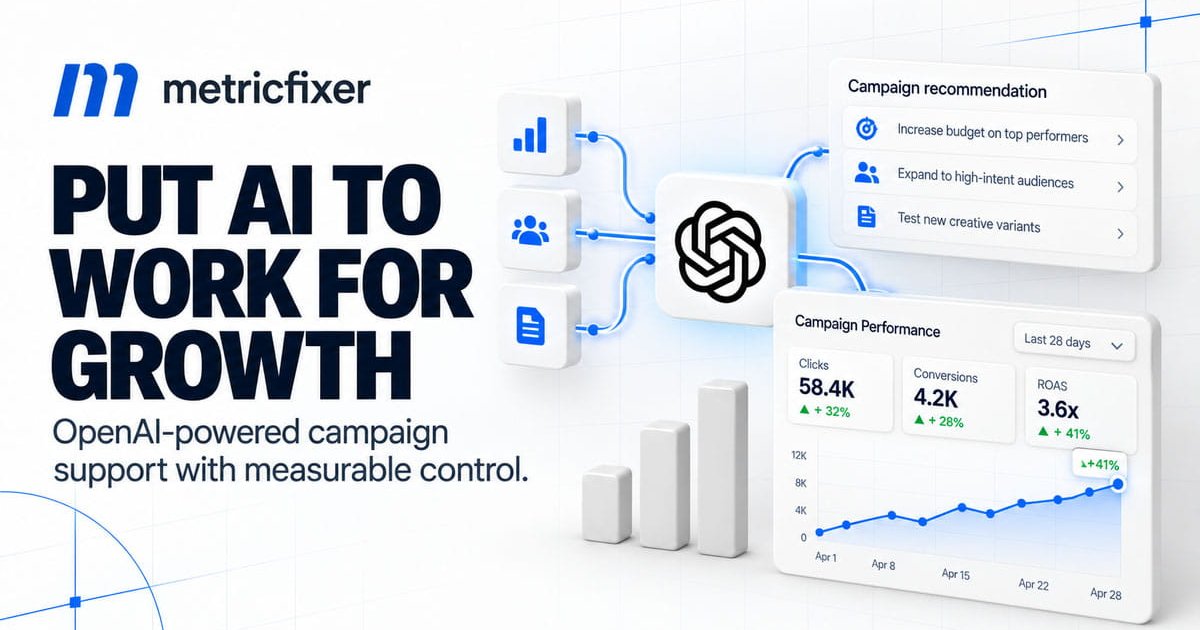 OpenAI Ads
Review available OpenAI Ads evidence, scope Pixel and Conversions API measurement, or plan an eligible campaign launch and ongoing management.