AI-Assisted Google Tag Manager Container Optimization

Make an existing GTM container easier to understand, maintain and change with care.

A specialist uses AI-assisted inventory and pattern analysis to review the container, agrees bounded small fixes, and validates the affected measurement paths. The specialist controls all interpretation, change and deletion decisions.

  • A reviewed inventory of duplicate, repeated and potentially legacy components
  • Agreed bounded small cleanup changes in a controlled workspace or version where appropriate
  • Retest evidence, a change summary and documented limitations

What needs attention in your GTM container?

Describe the container's purpose, current problems, suspected duplicate or legacy logic, approximate complexity and business-critical tags that must not be disrupted. We agree access and scope later; do not send passwords, private keys, API secrets or customer personal data.

You can upload multiple files.

Business hours: Monday–Saturday, 09:00–22:00 (Europe/Warsaw).

Send your request anytime — we’ll reply by email.

A controlled cleanup of an existing container

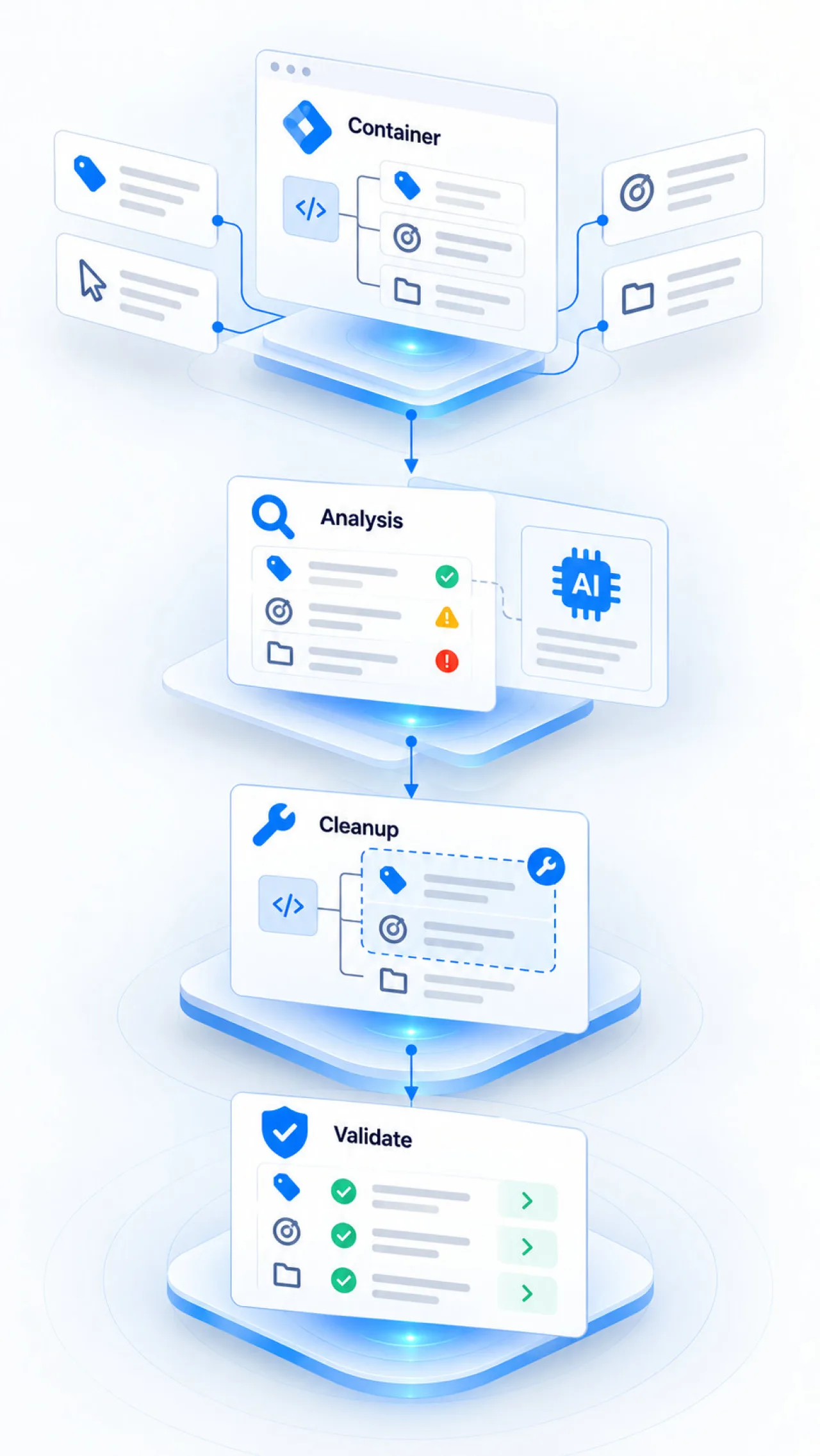
  • Review the real dependencies

    Map tags, triggers, variables and repeated patterns before proposing a change.

  • Make only agreed small fixes

    Clean up duplicates or repeated logic within the agreed boundary instead of assuming every unfamiliar item is removable.

  • Validate and document

    Retest affected paths and record what changed, what remains and any limits.

How optimization proceeds

  1. Inspect the container

    We review purpose, dependencies, critical paths and likely duplicate or legacy components.

  2. Agree the small-change scope

    A specialist recommends bounded changes and confirms the workspace, version and validation plan where needed.

  3. Change, test and hand over

    We apply only the agreed changes, retest relevant paths and provide a clear change summary.

AI-assisted analysis with specialist control

AI may help inventory components, identify repeated patterns or duplicate candidates, and draft documentation. A specialist decides what evidence supports a deletion or change, interprets dependencies and performs testing. A component is not treated as unused simply because its name is unclear or it did not fire in one short test.

This service can include agreed bounded small fixes, such as consolidating repeated logic where appropriate. A redesign, rebuild, substantial refactor or new complex measurement logic is separately scoped, normally through Custom Google Tag Manager Implementation. A smaller container does not itself promise a faster website, improved Core Web Vitals or a perfect architecture.

Publication requires explicit client authorization. Where release has not been authorized and that outcome was agreed before paid work, a validated release-ready workspace or version with the change summary may be the completed handoff.

AI-Assisted Google Tag Manager Container Optimization

Bring clarity to your GTM container

Tell us what has become difficult to maintain and which measurement paths must stay safe.

Describe the container

Aug 18, 2026 • Analytics & Conversion Tracking

Why a Tag Fires in GTM Preview Mode but Not for Real Visitors

Why a Tag Fires in GTM Preview Mode but Not for Real Visitors

A network-first diagnostic workflow for finding why a Google Tag Manager tag fires in Preview Mode but fails for ordinary visitors, covering live versions, debug side effects, forms, consent, cookies, CSP, blockers, navigation timing, and platform processing.

Aug 25, 2026 • Analytics & Conversion Tracking

Reliable GTM Click Tracking for Nested and Dynamic Elements

Reliable GTM Click Tracking for Nested and Dynamic Elements

Nested spans, icons, SVG paths, and dynamic components can make GTM capture the wrong element. Learn how CSS selectors, closest(), event delegation, data attributes, Shadow DOM handling, and dataLayer events keep tracking stable after frontend releases.