
Published Aug 23, 2026
Why Meta Ads and GA4 Never Match: Clicks, Sessions, Users, and Attributed Conversions
Meta clicks, GA4 sessions, users, and attributed purchases measure different stages of the customer journey. This practical research shows how to separate traffic loss, tagging and consent failures, campaign misclassification, duplicate events, and legitimate attribution-model differences.
Category: Online advertising · By metricfixer Expert Team
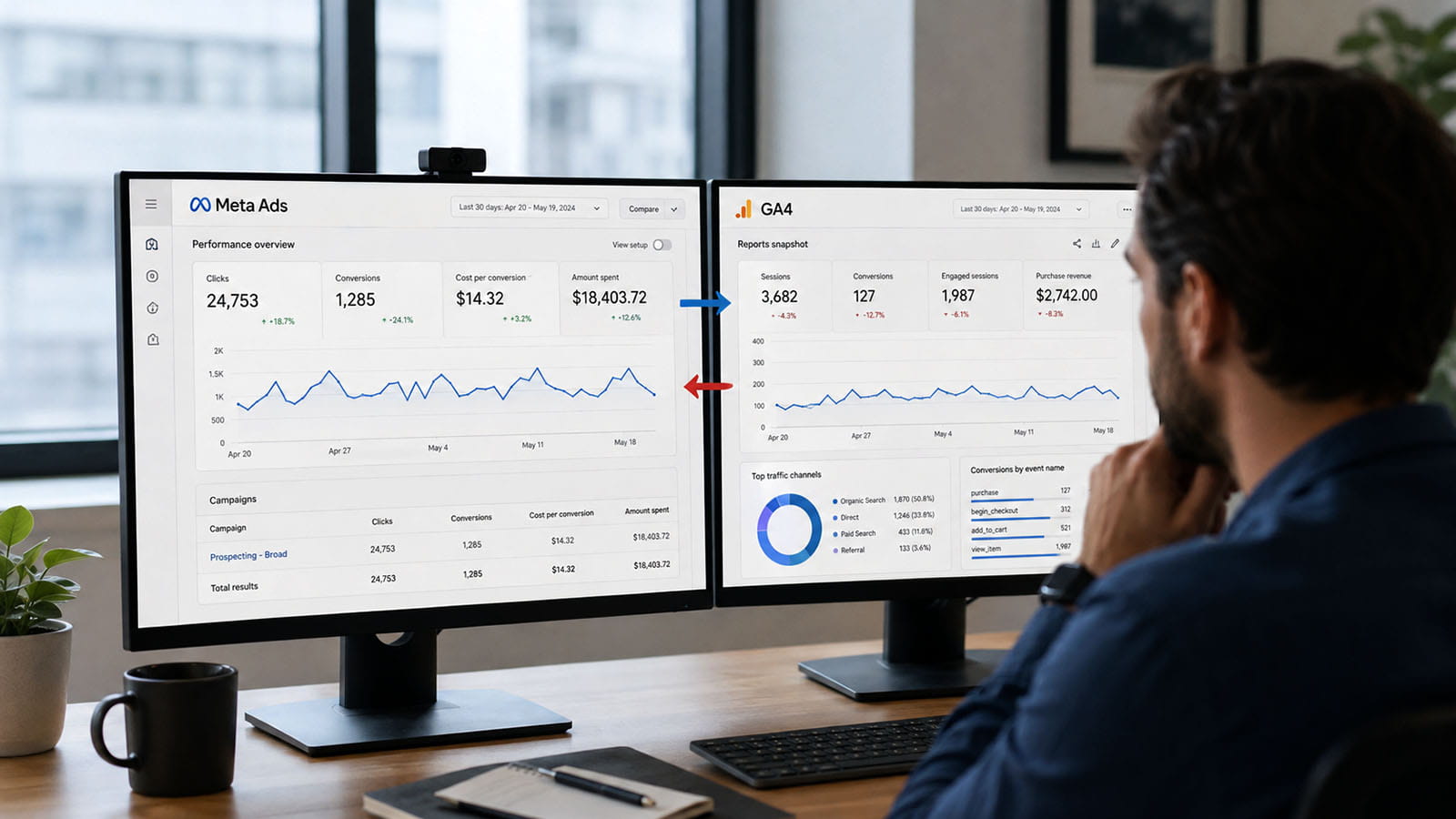
This research explains why Meta Ads and Google Analytics 4 can report radically different numbers for the same campaign—even when both systems are operating as designed. It follows the full measurement chain from an ad interaction to a GA4 session, separates clicks from users and sessions, and then compares how Meta, GA4, the ecommerce backend, and incrementality studies assign credit for purchases.
Practical rule: investigate two different questions separately. First, did the advertising visit reach the website and become a measurable GA4 session? Second, once a purchase happened, which platform’s rules gave Meta credit for it? A traffic-capture failure and an attribution-model difference can produce similar-looking reports, but they require completely different fixes.
Executive summary
Meta Ads and GA4 do not provide two independent readings of one universal number. They observe different parts of the customer journey, use different identities, apply different attribution rules, and can assign the same purchase to different dates and channels. A Meta click is recorded inside Meta’s advertising environment. A GA4 session exists only after the destination opens, the page becomes executable, consent and browser conditions allow measurement, and an Analytics event reaches the correct data stream.
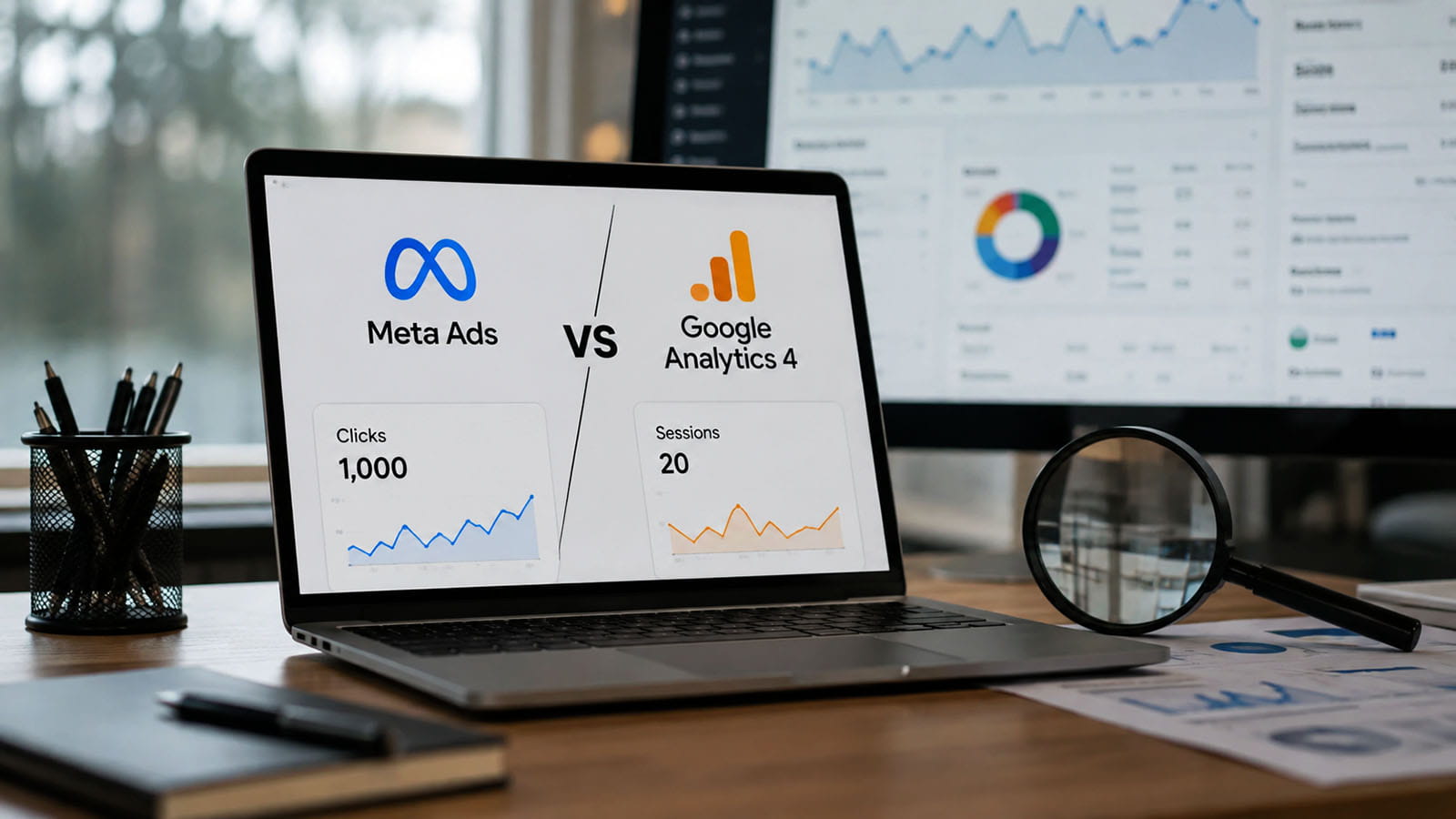
This is why 1,000 Meta clicks and 20 GA4 sessions can be technically possible. The gap may begin with an invalid comparison—such as Clicks (all) versus GA4 users—but a difference of that size should not be dismissed as “normal attribution.” It usually indicates one or more additional losses: repeated or non-outbound interactions, low-quality placements, users leaving before the landing page loads, broken redirects, stripped campaign parameters, a missing GA4 tag, a consent implementation that blocks the first page view, browser or content-blocking restrictions, or analysis in the wrong GA4 report.
A report showing 600 Meta clicks and zero Meta-labelled GA4 traffic is an incident until proven otherwise. It may not mean zero website arrivals: visits can be classified as Direct, referral traffic, Unassigned, another paid-social source, or another campaign after URL parameters are lost. If server and CDN logs also show no corresponding requests, the problem is earlier in the chain—the ad destination, placement, redirect, app handoff, or selected Meta metric. If the server sees the traffic but GA4 does not, the problem is in collection, consent, tagging, or reporting.
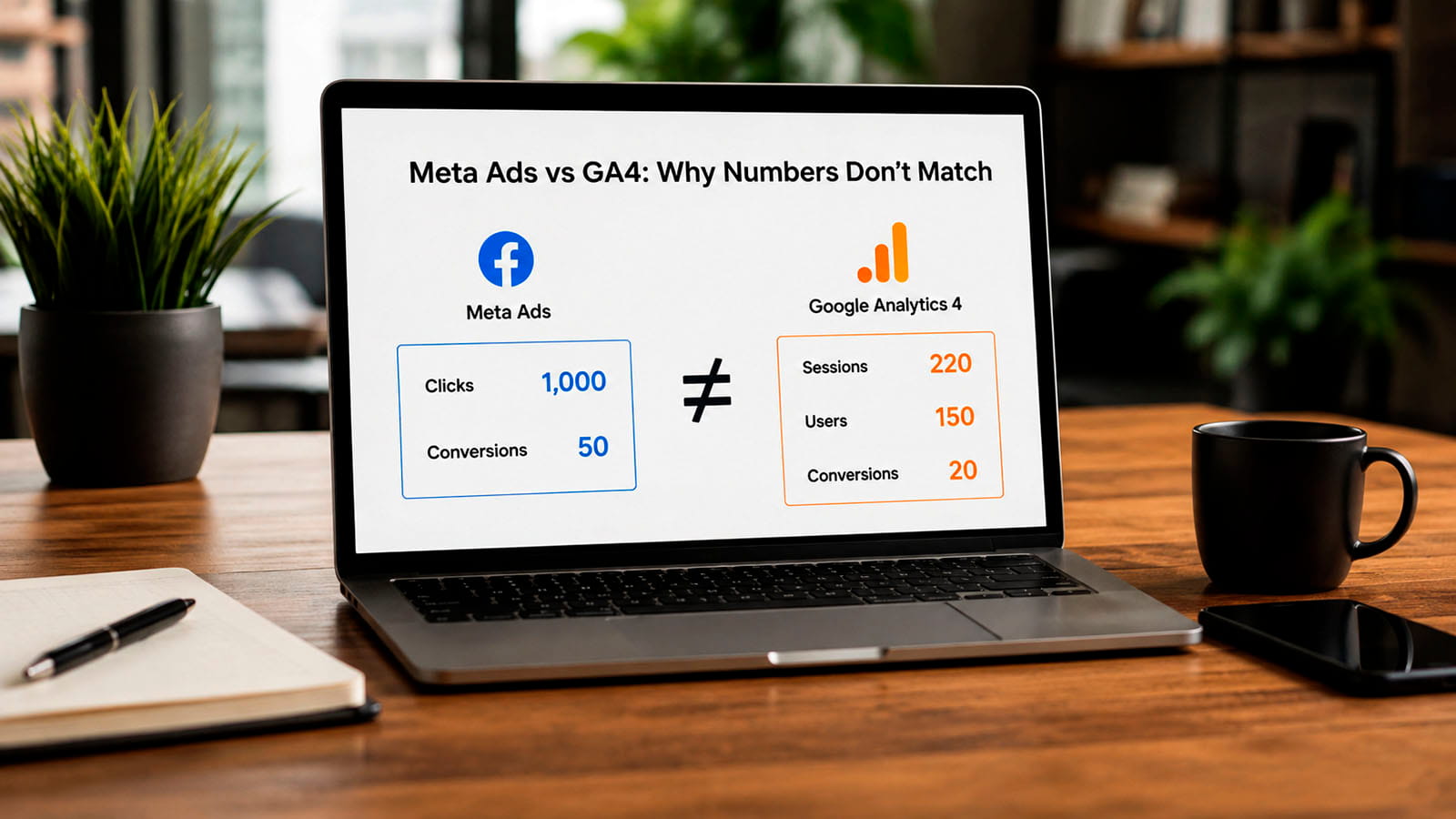
The purchase discrepancy is a separate problem. Meta can claim two to two-and-a-half times more purchases than GA4 because Ads Manager can credit eligible click-through and, depending on the campaign’s actual attribution setting, view-through or other supported ad interactions. GA4 does not receive Meta’s impression log. It attributes only the website and app touchpoints it can observe, and its session-scoped and event-scoped reports use different logic. Meta may also recover cross-device or modelled conversions that GA4 cannot connect, while GA4 may lose events because of consent, browser restrictions, or implementation defects.
However, a large Meta purchase surplus can also be caused by a genuine measurement fault: duplicate Pixel and Conversions API events without a shared event_id, a Purchase event firing before payment, a reloadable thank-you page, duplicate pixels, test orders, or refunds that remain in platform reporting. The correct reconciliation order is therefore:
- establish the backend’s paid-order truth;
- verify how many purchase events each platform actually received;
- verify Pixel–Conversions API deduplication and event definitions;
- only then compare attributed conversions and attribution windows.
There is no universal “acceptable percentage” by which Meta and GA4 should differ. The useful benchmark is the property’s own stable ratio, segmented by landing page, placement, device, browser, country, consent state, and campaign objective. A sudden change in that ratio is more diagnostic than an arbitrary industry threshold.
The platforms are not counting the same object
The most common reporting mistake is to put a Meta column labelled “clicks” beside a GA4 column labelled “users” or “sessions” and treat the difference as data loss. These metrics describe different events:
| Metric | What it represents | What it does not prove | Best comparison |
|---|---|---|---|
Meta Clicks (all) |
Interactions Meta classifies as clicks on the ad. Depending on the format, this can include interactions that do not send a person to the advertiser’s website. | That the person left Meta, loaded the landing page, or created a GA4 session. | Use mainly as an ad-engagement metric, not as the denominator for website analytics. |
Meta Link clicks |
Clicks on links or calls to action that lead to a destination or experience. The destination can be on or off Meta, depending on the ad format. | That the external website loaded. One person can click more than once. | Compare with outbound and landing-page metrics to locate pre-site loss. |
Meta Outbound clicks |
Clicks Meta classifies as taking a person away from Meta-owned experiences. | That the browser completed the request or Analytics ran. | The closest Meta-side measure of an attempted website handoff. |
Meta Unique outbound clicks |
Outbound clickers deduplicated at Meta’s person/account level for the report period. | One visit per person. A person can create multiple later GA4 sessions. | Useful when comparing distinct clickers with users, but identities still differ. |
Meta Landing page views |
Observed destination loads after an ad click. For website campaigns, measurement normally depends on Meta being able to observe the page load through its instrumentation. | That GA4 also collected the visit. Meta Pixel and GA4 can be allowed, blocked, delayed, or misconfigured independently. | The closest Meta metric to a measured site arrival, with implementation caveats. |
GA4 Sessions |
Visits created after GA4 receives a qualifying event and assigns a session identifier. A session can contain one page view or many events. | One paid-ad click, one person, or one purchase. | Meta landing page views or qualified server arrivals, not Clicks (all). |
GA4 Active users, Total users, New users |
Different user metrics based on GA4 identities and event conditions. Standard reports commonly emphasize active users. | The number of clicks or sessions. One user can click repeatedly and create multiple sessions. | Meta unique clicker metrics only for directional audience analysis, not exact reconciliation. |
| Meta attributed purchases | Purchase events that Meta connects to eligible ad interactions under the selected attribution setting and reporting rules. | The number of unique, paid, non-refunded backend orders or the number GA4 should credit to Meta. | Backend eligible orders plus a separate attribution breakdown. |
| GA4 key events or attributed conversions | Events received by GA4 and credited through the chosen report scope and attribution model. | All business transactions or all conversions influenced by Meta impressions. | Backend orders after event-definition and transaction-ID reconciliation. |
The distinction between Meta landing page views and GA4 sessions is especially important. Both are downstream of a click, but they are generated by different scripts and governed by different consent, browser, timing, and configuration conditions. A page can load far enough for one platform to observe it while the other remains blocked.
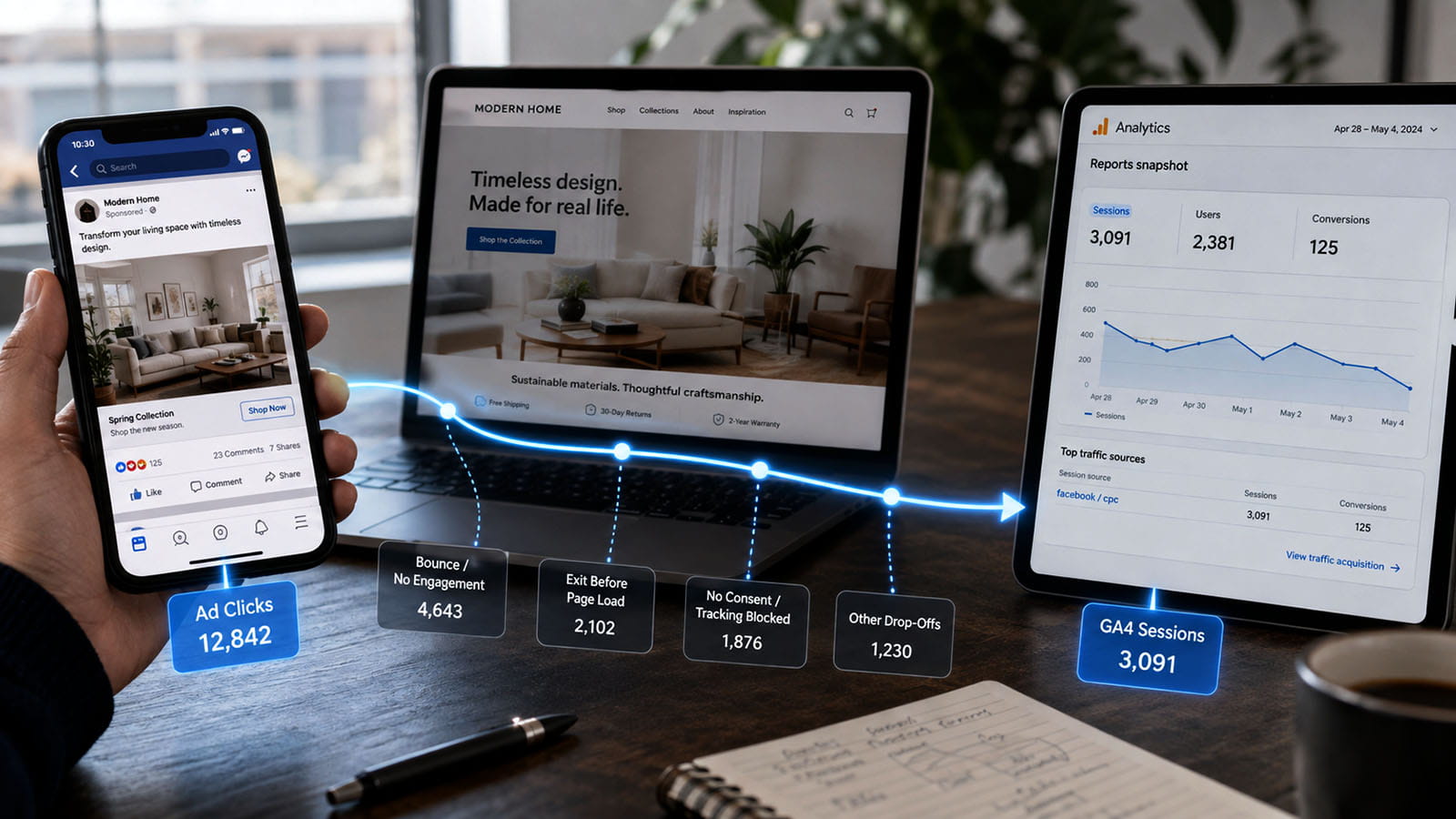
The complete chain from a Meta ad to a GA4 session
Every arrow in that workflow is a measurement boundary. The following stages make the failure points easier to isolate.
Stage 1: Meta records the interaction
The first record belongs to Meta, not to the website. It can be an ad click without a completed outbound navigation. Repeated taps, clicks on media, profile interactions, calls to action that open an on-platform experience, and format-specific interactions can all make the broad click count unsuitable for traffic reconciliation.
The first diagnostic question should therefore be: which click column is being used? Add at least Link clicks, Outbound clicks, Unique outbound clicks, and Landing page views to the same Ads Manager report. If the campaign uses Instant Forms, Shops, Messenger, WhatsApp, app destinations, or Instant Experience, segment those outcomes rather than assuming that every click should become a website visit.
Stage 2: the browser handoff succeeds—or does not
On mobile, the destination often opens inside the Facebook or Instagram in-app browser. That handoff can fail or behave differently from Chrome or Safari because of:
- a malformed final URL or deep link;
- a redirect to an app, app store, login screen, language selector, or unsupported route;
- a user tapping Back before the page responds;
- a slow DNS, TLS, CDN, or origin response;
- a browser crash, connection change, or backgrounded app;
- a consent wall or interstitial that prevents the measurable page from loading;
- a placement whose interaction does not represent the intended website visit.
This part of the chain is visible in server, CDN, and edge logs even when GA4 is completely broken. A qualified landing request with a successful status and the expected query string is stronger evidence of arrival than either advertising or client-side analytics alone.
Stage 3: redirects preserve the destination and identifiers
A Meta ad URL can carry utm_source, utm_medium, utm_campaign, utm_id, utm_content, and Meta’s fbclid. Redirect services, geolocation logic, cross-domain journeys, payment gateways, and badly constructed canonical redirects can remove or rewrite these parameters before GA4 reads them.
When the parameters disappear, the visit may still create a GA4 session but appear as:
Direct / (none);l.facebook.com / referralor another Meta referral;Unassignedbecause the source/medium pair does not fit GA4’s channel rules;- another campaign or source inserted by an intermediate system;
- a different domain’s referral after cross-domain measurement fails.
That is classification loss, not necessarily visit loss. A campaign-filtered report can therefore show zero while the property still contains the traffic.
For a stable baseline, use lower-case, explicit parameters rather than relying on an untagged referral:
https://www.example.com/landing-page?utm_source=meta&utm_medium=paid_social&utm_campaign=spring_sale&utm_id=123456789&utm_content=video_a&utm_term=prospectingNames can be replaced with Meta dynamic parameters where appropriate, but IDs should also be retained because names are editable. Keep placement and Meta source information in additional parameters when the analysis requires Facebook versus Instagram or feed versus Stories detail. Before launch, test the literal final URL produced by Ads Manager, not only the template entered during setup.
For a deeper implementation pattern, see How to Preserve UTM Parameters and Advertising Identifiers Across Domains and External Systems.
Stage 4: the page becomes executable
A successful HTTP response is not yet a GA4 session. The browser must parse enough HTML, load the Analytics library or Google Tag Manager, execute the relevant code, and keep the document alive long enough for a request to leave. A visitor can generate an outbound click and even a server request, then close the page before the GA request is sent.
Common failures at this stage include:
- the GA4 tag is missing from the landing-page template;
- the tag sends to the wrong Measurement ID or property;
- the correct GTM version exists only in Preview and was never published;
- a JavaScript exception stops initialization;
- Content Security Policy blocks Google domains or inline bootstrap code;
- the landing page immediately redirects or navigates before the request completes;
- a single-page application sends the route event before the required variables exist;
- the page is so slow that users leave before collection begins.
A green tag in GTM Preview proves only that the preview environment evaluated a trigger. It does not prove that ordinary visitors load the same production container or that the network request is accepted. The relevant diagnostic is the production browser’s Network panel and the receiving platform, as explained in Why a Tag Fires in GTM Preview Mode but Not for Real Visitors.
Stage 5: consent and browser policy allow—or suppress—collection
Consent is one of the strongest explanations for a high Meta landing-page-view count and a very low GA4 session count. Several configurations are possible:
- Meta Pixel loads before consent, while GA4 is fully blocked;
- both are blocked, but Ads Manager’s selected click metric is mistaken for a page-load metric;
- GA4 is allowed only after the visitor accepts, and the implementation does not replay the initial page event;
- the user leaves on the first page without making a banner choice;
- Consent Mode is implemented in Basic mode, so denied visits send no Google request;
- Advanced Consent Mode sends cookieless signals, but the property does not meet behavioural-modelling eligibility thresholds or the selected report does not include modelled data;
- the CMP categorizes Meta and Google differently;
- an ad blocker or browser privacy feature blocks one endpoint but not the other.
Consent Mode does not guarantee that every denied visit will appear as a visible modelled session. Google documents traffic and data-volume requirements for behavioural modelling, and not every GA4 report includes modelled data in the same way. A technically present consent signal is therefore not the same as complete report recovery.
The post-load consent lifecycle is covered in detail in Consent Mode v2 After Page Load: Will Blocked Tags Fire When Consent Is Granted?.
Stage 6: GA4 receives an event and establishes the session
GA4 starts a session when a user views a page or screen and no active session exists. The automatically collected session_start event creates identifiers such as ga_session_id and ga_session_number. Campaign parameters, Google click identifiers, and referrer information available at session start contribute to traffic-source processing.
This explains several non-intuitive outcomes:
- multiple Meta clicks can occur inside one GA4 session;
- one unique Meta clicker can create several GA4 sessions over time;
- a single-page visit can still be a session;
- a page request that never sends a GA4 event is not a GA4 session;
- deleting or restricting cookies can make the same person appear as a different user;
- GA4 session estimation can create small differences, but it does not explain a 98% gap.
Stage 7: GA4 processes and classifies the traffic
Once the event arrives, GA4 still has to interpret its source, medium, campaign, scope, identity, filters, and consent state. Missing or inconsistent tagging can fragment one campaign across values such as meta, facebook, fb, instagram, paid-social, paid_social, referral traffic, and Unassigned. UTM values are case-sensitive in reporting, so Meta and meta can become separate rows.
Data filters, developer traffic, internal traffic definitions, subproperty rules, reporting identity, thresholding, and processing delays can further change what appears in a standard report. These usually explain smaller or more targeted differences than a complete absence of collection, but they must be checked after the network request is proven.
Stage 8: the analyst opens the correct GA4 report
For campaign visit reconciliation, the primary GA4 view is:
Reports → Acquisition → Traffic acquisition → Sessions with Session source / medium, Session campaign, and where available Session campaign ID.
Do not use the User acquisition report for this question. User acquisition describes how users were first acquired, not the source of every current session. Do not compare Meta clicks with Active users and conclude that the missing difference represents failed visits. Also avoid an event-scoped source dimension when the question is specifically about sessions.
GA4 has three important acquisition scopes:
- User-scoped: how the user was first acquired;
- Session-scoped: how the current session was acquired;
- Event-scoped: how credit for key events is distributed under the reporting attribution model.
Changing the GA4 reporting attribution model affects event-scoped attribution. It does not rewrite user-scoped or session-scoped acquisition dimensions. This is why two GA4 reports can legitimately attribute the same purchase differently.
Why 1,000 Meta clicks can become 20 GA4 sessions
A conversion from 1,000 clicks to 20 sessions is a 2% observed session-to-click ratio. It is too extreme to explain with the semantic difference between clicks and sessions alone unless the selected click metric includes mostly non-website interactions or the campaign is not actually designed to send people to the website.
Diagnose the gap in layers rather than guessing:
| Observed pattern | Most likely failure zone | Evidence to collect |
|---|---|---|
Clicks (all) is high, but outbound clicks are low |
The broad Meta click metric includes interactions that are not external website attempts. | Ads Manager columns by ad format, placement, and destination. |
| Outbound clicks are high, but landing page views are low | The browser handoff, landing speed, destination, redirect, connection, or immediate abandonment is failing. | Meta landing page views, server logs, status codes, load timing, in-app-browser tests. |
| Landing page views and server arrivals are high, but GA4 sessions are low | GA4 collection, consent, tagging, blockers, Measurement ID, or reporting is failing. | Production Network requests, consent states, Realtime, DebugView, tag coverage, GA4 stream ID. |
| GA4 sessions exist, but the expected campaign is low | UTMs were removed, changed, fragmented, or classified under another channel. | Landing-page query strings, redirect chain, all session source/medium values, Direct/referral/Unassigned rows. |
| The gap appears only on one OS, placement, or landing page | A segment-specific browser, template, redirect, CMP, or performance problem. | Breakdowns by placement, platform, device, browser, country, URL, and consent state. |
| The gap begins on a specific date | A release, CMP change, GTM publication, URL edit, campaign-objective change, or platform reporting change. | Deployment history, container versions, CMP logs, campaign edit history, daily ratio trend. |
The fastest separation is server evidence:
- Meta outbound clicks high + server requests low: investigate Meta metric selection, destination delivery, placements, redirects, and user abandonment before page load.
- Server requests high + GA4 sessions low: investigate GA4 tag execution, consent, blockers, configuration, and reporting.
- GA4 total sessions rise + Meta-labelled sessions stay low: investigate campaign-parameter loss and channel classification.
Do not treat bot or invalid-click theories as the first explanation. They are possible, but they should be investigated only after metric scope, server arrival, destination behaviour, and collection have been measured. Without those layers, “bad traffic” is an unfalsifiable diagnosis.
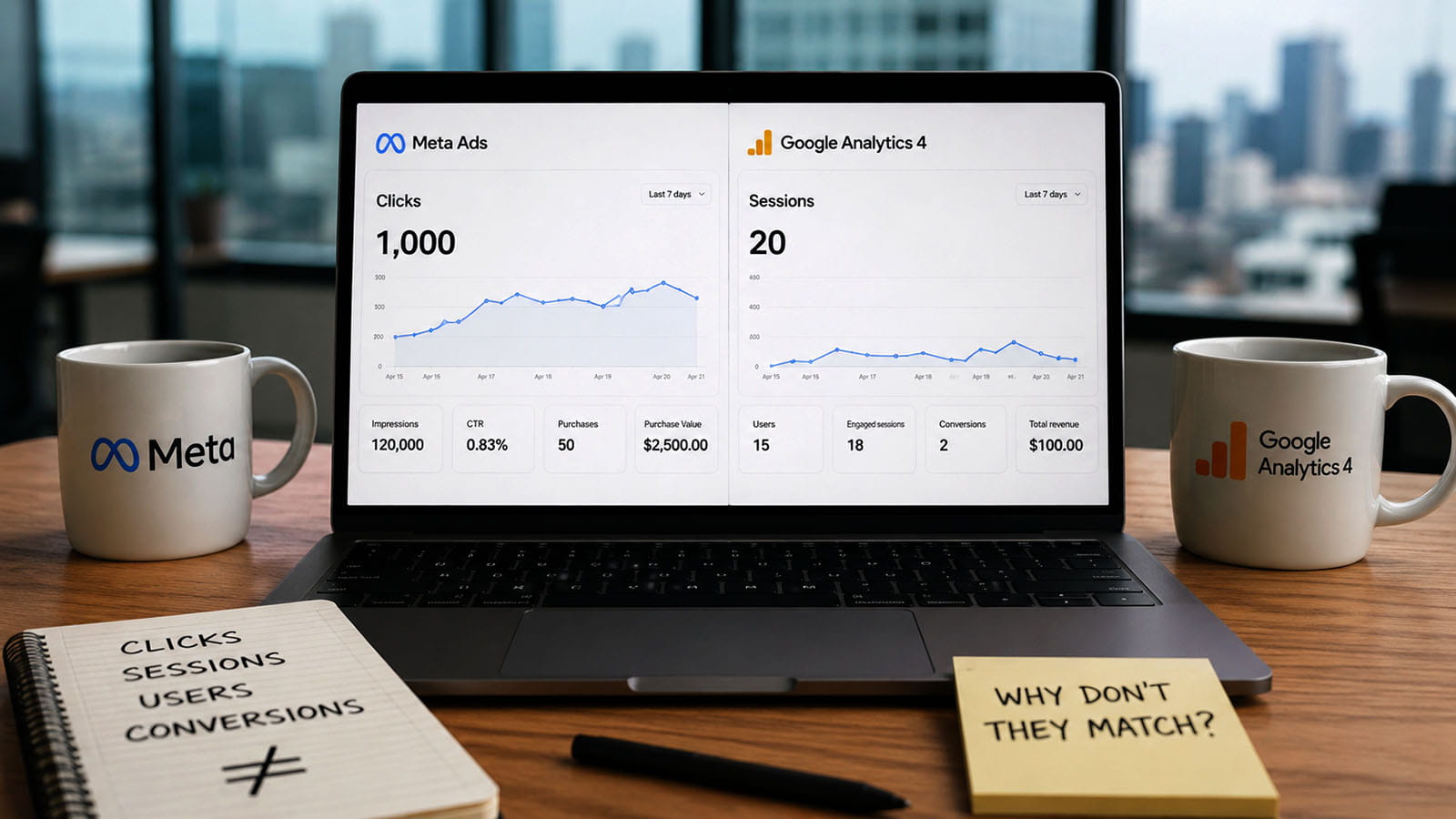
Why 600 Meta clicks can produce zero Meta-labelled traffic in GA4
A literal zero requires a more rigorous check than a filtered campaign report. Work through these possibilities in order.
The selected Meta metric is not website traffic
The campaign may have generated engagement clicks, video interactions, profile visits, Instant Experience activity, messages, app opens, or on-platform forms. Confirm the destination at ad level and inspect outbound and landing-page metrics rather than the headline click column.
The traffic arrived but was relabelled
Remove campaign filters in GA4 and inspect the date range for:
Direct / (none);l.facebook.com / referral,lm.facebook.com / referral, Instagram referrals, and other Meta domains;Unassigned;Paid Social,Organic Social, andPaid Other;- alternative spellings, capitalization, and source/medium combinations;
- the exact landing-page path and query string.
Test every redirect hop. A URL shortener, language redirect, trailing-slash redirect, application router, consent redirect, or cross-domain step can preserve the page while removing the parameters.
GA4 is not running on the landing path
Open the final ad URL in the actual Facebook and Instagram in-app browsers on iOS and Android. Test as a new visitor with no consent choice, after denial, after acceptance, and as a returning visitor. Confirm the correct GA4 request in the Network panel and the correct Measurement ID. Check the production GTM container—not only Preview—and verify that the landing template contains the container.
The data is going somewhere else
Common operational mistakes include a staging Measurement ID in production, the analyst opening the wrong property, multiple web streams, subproperty filters, an incorrect date, different time zones, and a report using first-user source instead of session source.
Consent blocks the entire first visit
In Basic Consent Mode, GA4 can be completely absent until consent. If most paid visitors bounce before accepting, a large paid-click count can coexist with almost no Analytics traffic. A consent update after page load also does not automatically repair every custom implementation; tags that were never triggered may need an explicit consent-triggered path.
A simple incident test
- Use a fresh, uniquely tagged test URL.
- Click it through the real ad preview or a live low-budget test ad.
- Record the final URL after every redirect.
- Confirm the request in server or CDN logs.
- Confirm the GA4 collection request in the production browser.
- Confirm the event in Realtime or DebugView.
- Confirm the processed session later in Traffic acquisition.
The first missing checkpoint identifies the responsible layer. This is more reliable than comparing two aggregated dashboards after the fact.
Why GA4 can show more sessions than Meta clicks
The discrepancy can also run in the opposite direction. A Meta click is an interaction count within a selected reporting period. A GA4 session is a visit, and the source of a later direct return can inherit the last known non-direct source under session attribution logic.
One person can therefore:
- click a Meta ad once;
- visit again from a saved tab after the previous session times out;
- return by typing the URL directly;
- open the same tagged link on another device or from a shared message;
- create several GA4 sessions still associated with the prior non-direct campaign.
Comparing Unique outbound clicks with GA4 sessions makes this especially visible: one deduplicated clicker is not limited to one later session. Conversely, cookie restrictions can split one person into multiple GA4 users. GA4 sessions exceeding Meta clicks is therefore not proof of fabricated Analytics traffic, although extreme growth should still be checked for bots, shared tagged links, internal UTM use, and source persistence.
Why Meta can claim two to two-and-a-half times more purchases
The traffic question ends when GA4 receives and classifies a session. Purchase reporting introduces a second set of differences. The first distinction is between event receipt and ad attribution.
Meta Events Manager can receive a purchase event without Ads Manager attributing it to an ad. Conversely, Ads Manager reports only the events that Meta considers eligible for the selected campaign, date range, identity match, and attribution setting. The complete lifecycle is described in Meta Pixel and Conversions API Event Lifecycle: From Browser Trigger to Campaign Reporting.
Meta can use touchpoints GA4 cannot see
GA4 does not receive a log of every Meta impression. If a person sees an ad, does not click, and later buys through organic search or a direct visit, Meta may credit the conversion when the applicable view-through rule considers the impression eligible. GA4 will credit only touchpoints in its own observable journey. The two reports are answering different questions.
The same applies to supported cross-device and modelled matching. Meta can connect activity through logged-in platform identity and its own signals. GA4 relies on the identity and consent signals available to the Analytics property. Neither system has a complete, neutral view of the other platform.
The windows and models differ
Meta uses the attribution setting attached to the campaign or ad set and exposes comparison breakdowns in Ads Manager. Available click-through, view-through, and other interaction options can vary by objective, product, and platform changes. Do not assume that a remembered default applies: export the actual setting used for the reporting period.
GA4 event-scoped attribution uses the property’s reporting attribution model and lookback settings. The property may use data-driven attribution or another supported model, and data-driven attribution can assign fractional credit across channels. Session acquisition remains a separate, session-scoped calculation. As a result, a Meta-attributed purchase should not be compared casually with a GA4 session-source purchase total.
GA4 can miss purchases that Meta receives
Meta may receive a server-side Conversions API purchase even when GA4’s browser event is blocked by consent, a content blocker, a closed tab, or a failed thank-you page. This is not attribution inflation; it is uneven event delivery. A fair comparison requires equivalent server-side or backend-confirmed event coverage.
Meta can also overcount because the implementation is wrong
A browser Pixel event and a Conversions API event for the same business action must share the same event name and deduplication identifier. For web events, a common pattern is the browser’s eventID corresponding to the server payload’s event_id. Without a stable shared value, Meta can treat two deliveries as two purchases.
The roles of fbclid, _fbc, _fbp, and event_id are explained in Meta Identifiers Explained: fbclid, _fbc, _fbp, event_id, CRM, and Conversions API. In particular, event_id is a deduplication identity, not a marketing-attribution parameter.
Other overcounting patterns include:
Purchasefiring on a payment-button click rather than confirmed payment;- a thank-you page that can be reloaded or revisited;
- two Meta Pixels or two GTM tags firing the same event;
- browser and server events using different event names or IDs;
- a URL-based custom conversion matching several page loads;
- test transactions and internal orders;
- recurring billing or upsells counted differently from the backend report;
- cancelled, failed, fraudulent, or refunded orders remaining in ad-platform reporting;
- multiple currencies or value transformations;
- different time zones and conversion-date semantics.
The backend is the transaction truth—but not the attribution truth
The ecommerce database, payment processor, or booking system should determine whether an order exists, was paid, was duplicated, was refunded, and has a unique transaction ID. It does not automatically determine which marketing channel deserves credit. That requires an explicit attribution rule or an experiment.
A useful hierarchy is:
- Backend or payment system: what happened commercially?
- Meta Events Manager and GA4 event intake: what did each measurement system receive?
- Ads Manager and GA4 attribution reports: which observed touchpoints received credit?
- Incrementality or lift experiment: how much of the outcome was caused by advertising?
This distinction matters because attributed conversions are not the same as incremental conversions. Large field experiments involving Facebook advertising have shown that observational attribution methods can diverge materially from randomized estimates of causal lift. Platform reporting is useful for optimization, but it should not be interpreted as a controlled causal measurement by default.
Meta, GA4, backend, and experimental attribution compared
| System or report | Question it answers | Touchpoints and identity | View-through capability | Credit and date logic | Best use |
|---|---|---|---|---|---|
| Meta Ads Manager | Which eligible ad interactions should receive credit for events Meta matched under the campaign’s attribution setting? | Meta ad delivery, click and account/device signals, Pixel, Conversions API, app and supported offline data. | Yes, when included in the actual attribution setting and supported for the objective. | Ad-centric rules, selected windows, Meta identity matching and modelling; date semantics may differ from GA4 or the backend. | Campaign optimization and Meta-side performance analysis. |
| GA4 Traffic acquisition | How was the current website or app session acquired? | GA4-observed session touchpoints, campaign parameters, click IDs, referrer and Analytics identity. | No independent Meta impression data. | Session-scoped non-direct attribution; changing the reporting attribution model does not rewrite these dimensions. | Visit and session-source analysis. |
| GA4 event-scoped key-event attribution | How should GA4 distribute credit for a key event across touchpoints it observed? | Cross-channel touchpoints collected by GA4 under the property’s identity and consent conditions. | Not for unseen Meta impressions; only observable interactions enter the path. | Property reporting model and lookback settings; data-driven attribution can assign fractional credit. | Cross-channel conversion analysis inside GA4. |
| Backend, CRM, payment or booking system | Did a real transaction or qualified lead occur? | Order, customer, payment, lead-status and transaction identifiers. | No, unless custom marketing data is joined. | Business timestamps and status rules; attribution exists only if the organization defines it. | Revenue, order, refund, margin and lead-quality truth. |
| Randomized lift or holdout experiment | How many outcomes were caused by exposure to the advertising intervention? | Random assignment or a defensible experimental design. | Exposure is part of the treatment definition rather than a post-hoc credit rule. | Incremental effect relative to a control group. | Budget allocation and causal effectiveness. |
A worked journey: one purchase, several legitimate answers
Consider this customer journey:
- Monday: the person sees a Meta ad but does not click.
- Wednesday: the person clicks another Meta ad and visits the site through a tagged URL.
- Saturday: the person returns through an organic Google result.
- Sunday: the person returns directly and purchases.
Possible outcomes include:
- Backend: one paid order.
- Meta: the order may be attributed to the eligible Meta impression or click if it falls within the campaign’s actual setting and Meta matches the event.
- GA4 session acquisition: the purchase session may retain the most recent eligible non-direct source, which can be organic search rather than Meta.
- GA4 event-scoped attribution: the property’s reporting model may assign credit to Meta and organic search, potentially in fractions, if both interactions were collected.
- Experiment: the purchase is incremental only if the design indicates that the advertising caused an outcome that would not otherwise have happened.
None of these systems has to be “lying” for the numbers to differ. They are answering different questions with different evidence. The analytical error is expecting them to produce the same total without first aligning definitions.
What official documentation says—and what practitioner reports add
Google’s documentation explicitly warns that clicks, sessions, and users are different metrics. It notes that several clicks can occur in one session, a user can click but leave before the Analytics tag loads, redirects can remove campaign information, browser settings can suppress measurement, and returning visits can make sessions exceed the original click count. Although Google’s dedicated troubleshooting page is framed around Google Ads, these browser and Analytics mechanics apply equally to traffic arriving from Meta.
Google also documents that a GA4 session begins only after a page or screen view reaches Analytics, that session-source dimensions are different from event-scoped attribution, and that changing the reporting attribution model does not alter session- or user-scoped acquisition fields. Its consent documentation further makes clear that denied traffic can create missing data and that behavioural modelling is conditional rather than automatic.
Meta’s official measurement architecture similarly separates ad interactions, landing-page observation, event receipt, identity matching, deduplication, and Ads Manager attribution. The practical implication is that a click column, Events Manager event count, and Ads Manager result are three different checkpoints.
Public practitioner reports provide useful examples of scale, but they are not controlled platform audits. They should be read as recurring failure patterns rather than proof that either platform systematically over- or under-reports.
| Publicly reported pattern | What it suggests | What it does not prove |
|---|---|---|
| 7,896 Meta link clicks, 6,488 landing page views, and 248 GA4 sessions; the reporter also observed that a fresh incognito visit appeared after accepting cookies. | Because Meta’s page-load count remained high, the largest loss was probably after site arrival: consent, GA4 collection, or report classification deserved priority. | The post did not provide server logs or a completed root-cause analysis, so it cannot prove that consent was the only cause. |
| A reported 40–55% drop between Meta link clicks and landing page views. | Community responses correctly moved the investigation toward redirects, real mobile speed, Meta in-app browsers, placements, consent, and server logs—the stage before GA4 attribution. | A self-reported percentage cannot establish a universal benchmark or prove that the missing visits were invalid traffic. |
| Meta attributing conversions that the practitioner’s multi-touch and UTM-based reporting associated with email or organic traffic. | Meta and the practitioner’s analytics stack can legitimately use different eligible touchpoints and windows. Event timing and deduplication still need to be audited. | The report does not prove that Meta credited an ineligible event or that the external attribution model was complete. |
| 32 Meta purchases and more than $28,000 of reported value on a day when the ecommerce platform associated roughly $170 of sales with the campaign. | The scale points first to event-definition, currency/value, duplicate Pixel/CAPI delivery, multiple datasets, or attribution-setting problems—not a routine model difference. | The public post does not provide raw orders, event IDs, or platform exports, so the precise cause remains unverified. |
| 312 Meta-reported sales versus 190 ecommerce-platform orders. | The advertiser should separate click-attributed and view-attributed results, event receipt, duplicate Pixel/CAPI delivery, and backend order eligibility. | A public discussion cannot establish the precise cause or validate every number. |
The repeated lesson from these reports is methodological: aggregate dashboard totals are not enough. The investigation needs a chain of independent checkpoints—Meta interaction, browser handoff, server arrival, tag request, platform receipt, transaction truth, and attribution.
A production diagnostic workflow
1. Freeze the definitions before exporting data
Document:
- campaign objective and destination;
- ads, placements, countries, devices, and date range;
- Meta account time zone and GA4 property time zone;
- the exact Meta attribution setting used during the period;
- the exact GA4 report, dimension scope, metric, and attribution model;
- the business definition of an eligible purchase or lead.
Without this page, teams often change the question halfway through the audit.
2. Export the Meta-side traffic funnel
Add these columns where relevant:
Clicks (all);Link clicks;Outbound clicks;Unique outbound clicks;Landing page views;- results and result type;
- attribution-setting comparison or breakdown;
- placement, platform, device, country, ad, and landing URL.
Do not export only a campaign total. A single broken placement or landing page can disappear inside the aggregate.
3. Build the correct GA4 session view
Start with Traffic acquisition and Sessions. Add or reproduce in an Exploration:
Session source / medium;Session campaign;Session campaign IDwhere populated;- landing page plus query string;
- device category, browser, operating system, country, and date;
- default channel group;
- consent-related segments where available through your implementation.
Then search for all possible Meta-related rows, not only the expected campaign name.
4. Audit the final URL and every redirect
Test the actual ad destination in:
- Facebook in-app browser on iOS;
- Instagram in-app browser on iOS;
- Facebook in-app browser on Android;
- Instagram in-app browser on Android;
- Safari and Chrome as controls.
Record each HTTP status, host, path, and query string. Confirm that UTMs and any required identifiers survive until the page on which GA4 first runs.
5. Use server or CDN logs as the neutral arrival checkpoint
Create a short-lived unique test parameter or campaign ID and count successful landing requests. Exclude obvious monitoring, known bots, repeated asset requests, and non-page endpoints. Segment by response status and response time.
Useful ratios include:
- Outbound handoff rate:
outbound clicks ÷ link clicks; - Meta observed page-load rate:
landing page views ÷ outbound clicks; - Server arrival rate:
qualified landing requests ÷ unique outbound clicks; - GA4 capture rate:
GA4 sessions ÷ qualified landing requests; - Campaign-label retention:
sessions with expected campaign ÷ all captured sessions on the landing path.
These are diagnostic ratios, not universal performance benchmarks. Meta and server identities are different, retries and caches exist, and a session is not a raw request.
6. Test the production network request
For each consent state, verify:
- the correct Google tag or GTM container loads;
- the correct GA4 Measurement ID is used;
- a GA4 request leaves before navigation or page close;
- the request contains the expected page location and campaign parameters;
- no CSP, blocker, or JavaScript error prevents delivery;
- the event appears in Realtime or DebugView;
- the same behaviour occurs outside Tag Assistant.
7. Test the full consent state machine
Use at least four clean cases:
- new visitor, no interaction with the banner;
- new visitor, explicit denial;
- new visitor, explicit acceptance after page load;
- returning visitor with a stored choice.
Record both Google and Meta behaviour. Do not assume that a CMP category maps identically to both platforms or that a late consent update replays all first-page events.
8. Reconcile purchases by transaction or order ID
For a defined period, produce one row per backend order with:
- order or transaction ID;
- paid timestamp and currency;
- gross and net value;
- refund, cancellation, fraud, and test status;
- GA4 purchase receipt and transaction ID;
- Meta browser event receipt;
- Meta server event receipt;
- shared deduplication ID;
- Meta attributed status and attribution type;
- GA4 session source and event-scoped attribution where available.
This converts a dashboard argument into a finite set of missing, duplicated, and differently attributed rows.
9. Calculate event coverage before attribution share
Two ratios should never be merged:
- Purchase delivery coverage:
deduplicated platform purchase events ÷ eligible backend paid orders; - Attributed purchase share:
platform-attributed purchases ÷ eligible backend paid orders.
Delivery coverage asks whether the event implementation works. Attribution share asks whether the platform claims credit. A platform can have excellent delivery coverage and a low attributed share, or poor delivery coverage and a high attributed share among the events it managed to match.
10. Monitor the ratio by segment and change point
Create a daily control table by:
- campaign and ad;
- landing page;
- placement and Meta platform;
- device, OS, and browser;
- country;
- consent state or region;
- redirect route;
- page-template version.
Alert on a sudden deviation from the property’s historical baseline. A stable 15% difference caused by known identity and attribution rules is less urgent than a ratio that falls from 70% to 10% on the day of a CMP or landing-page release.
A minimum reporting standard for Meta and GA4
A defensible weekly report should show three separate funnels.
Traffic delivery funnel
| Checkpoint | Recommended metric | Owner |
|---|---|---|
| Ad interaction | Link clicks and outbound clicks | Meta |
| Distinct attempted handoff | Unique outbound clicks | Meta |
| Meta-observed destination load | Landing page views | Meta instrumentation |
| Neutral website arrival | Qualified HTML requests | Server/CDN |
| Analytics-captured visit | GA4 sessions on the landing path | GA4 |
| Correctly labelled paid-social visit | GA4 sessions with expected session campaign/source/medium | GA4 tagging and processing |
Event delivery funnel
| Checkpoint | Recommended metric | Owner |
|---|---|---|
| Commercial truth | Eligible paid orders or qualified leads | Backend/CRM |
| GA4 event receipt | Unique transaction IDs received | GA4 |
| Meta event receipt | Browser and server events before and after deduplication | Events Manager |
| Quality and identity | Match quality, required parameters, shared event_id |
Meta implementation |
| Backend lifecycle | Refunds, cancellations, duplicates, fraud and net revenue | Backend/finance |
Attribution funnel
| View | Required breakdown |
|---|---|
| Meta Ads Manager | Click-attributed versus view- or other interaction-attributed results under the actual setting |
| GA4 session acquisition | Purchases or sessions by Session source / medium |
| GA4 event-scoped attribution | Key-event credit by source under the property’s reporting model |
| Backend/CRM attribution | The organization’s declared rule, such as last non-direct, first touch, or captured lead source |
| Incrementality | Lift, holdout, geo experiment, or another causal design where material budget decisions require it |
When the difference is normal—and when it is an incident
Usually explainable by metric or attribution design:
- Meta link clicks exceed GA4 sessions by a moderate, stable amount;
- one GA4 user has several sessions or clicks;
- Meta credits view-through conversions that GA4 assigns to another channel;
- GA4 data-driven attribution splits a purchase fractionally;
- Meta and GA4 use different identities, windows, time zones, or conversion dates;
- later direct returns remain associated with a prior non-direct session source.
Requires technical investigation:
- GA4 captures only a small single-digit percentage of Meta landing page views;
- an established capture ratio collapses suddenly;
- server logs show arrivals but no GA4 requests;
- the gap exists only for one template, OS, in-app browser, country, or consent region;
- the campaign appears only in Preview but not for production visitors;
- Meta Events Manager receives two purchases for one backend transaction;
- Meta-attributed purchases exceed eligible backend orders before view-through logic is even considered;
- purchase value, currency, or transaction IDs are inconsistent across systems.
For lead-generation discrepancies rather than ecommerce, the same layered method applies. See Why Meta Ads Shows More Leads Than WhatsApp or Your CRM.
Implementation and audit checklist
- [ ] The campaign’s real destination is a website, not an on-platform or app experience.
- [ ] Ads Manager includes link, outbound, unique outbound, and landing-page metrics.
- [ ] The account time zone, GA4 time zone, and backend reporting dates are documented.
- [ ] Every ad produces a valid final URL with stable lower-case UTMs.
- [ ] Redirects preserve UTMs and required identifiers.
- [ ] The landing page returns a successful response quickly in Meta in-app browsers.
- [ ] Server/CDN logs provide an independent count of qualified arrivals.
- [ ] The production page loads the correct GTM container or Google tag.
- [ ] The GA4 request is verified in Network, not inferred from a GTM trigger.
- [ ] New, denied, accepted, and returning consent states are tested separately.
- [ ] GA4 analysis uses Traffic acquisition, Sessions, and session-scoped dimensions.
- [ ] Direct, referral, Unassigned, Paid Other, and alternative Meta source values are reviewed.
- [ ] Data filters, subproperties, reporting identity, and processing delays are documented.
- [ ] Backend orders have unique transaction IDs and explicit eligibility rules.
- [ ] GA4 sends one purchase per transaction ID.
- [ ] Pixel and Conversions API use the same event name and shared deduplication ID.
- [ ] Duplicate pixels, tags, custom conversions, and reloadable confirmation pages are excluded.
- [ ] Meta results are broken down by the actual attribution setting and interaction type.
- [ ] GA4 session attribution is not confused with GA4 event-scoped attribution.
- [ ] Refunds, cancellations, fraud, tests, and recurring payments are reconciled.
- [ ] The organization distinguishes attributed conversions from incremental conversions.
Limitations and open questions
No specific Meta account, GA4 property, CMP, landing page, ecommerce platform, or export was supplied for this research. The article therefore provides a reference diagnostic architecture rather than identifying the cause of one account’s discrepancy.
Meta’s available attribution options, column labels, modelling behaviour, and product eligibility can change and may differ by objective and account. The live attribution setting and current Ads Manager definitions should be exported with every audit rather than inferred from an old default.
Client-side tools cannot provide a complete neutral count when consent, blockers, app browsers, and script failures affect them differently. Server logs are a stronger arrival checkpoint, but they also require bot filtering, request qualification, and careful treatment of retries and caches.
The public practitioner cases summarized above are self-reported. They demonstrate recurring patterns and useful diagnostic questions, but they do not independently verify the underlying account data or prove a platform defect.
Methodology and sources
This article combines four evidence layers: official Google Analytics documentation on sessions, users, campaign tagging, attribution, consent and click-to-session discrepancies; Meta’s official developer documentation for Pixel, Conversions API and Ads Insights; existing metricfixer technical reviews of Meta event delivery and identifiers; and public practitioner reports describing extreme real-world gaps. Practitioner reports were used only as documented examples and were not treated as controlled evidence. Academic advertising-measurement research was used to distinguish platform attribution from causal incrementality.
- Google Analytics: About Analytics sessions
- Google Analytics: Select attribution settings
- Google Analytics: URL builders and manual campaign dimensions
- Google Analytics: Understand user metrics
- Google Analytics: Behavioural modelling for Consent Mode
- Google Analytics: Clicks and sessions discrepancy troubleshooting
- Meta for Developers: Meta Pixel getting started
- Meta for Developers: Meta Pixel event reference
- Meta for Developers: Conversions API overview
- Meta for Developers: Conversions API parameters
- Meta for Developers: Verify a Conversions API setup
- Meta for Developers: Ads Insights API
- Gordon, Moakler and Zettelmeyer: Close Enough? A Large-Scale Exploration of Non-Experimental Approaches to Advertising Measurement
- Practitioner report: 7,896 link clicks, 6,488 landing page views and 248 GA4 sessions
- Practitioner discussion: link-click to landing-page-view loss
- Practitioner discussion: Meta attribution versus email and organic reporting
- Practitioner report: extreme Meta purchase and value discrepancy
- Practitioner discussion: 312 Meta-reported sales versus 190 ecommerce orders
This article is for technical, analytics, and operational information only. It does not provide legal advice, guarantee a specific attribution result, or establish that Meta, Google Analytics, a CMP, browser, or advertising partner is responsible for a discrepancy in a particular account. metricfixer is not affiliated with Meta, Facebook, Instagram, Google, Google Analytics, Reddit, or the academic publishers and authors referenced. Platform interfaces, metric definitions, attribution options, modelling rules, consent requirements, and documentation may change after publication. Validate the current settings and raw data in the accounts being audited.