
Published Nov 26, 2026
TikTok Ads Account Security for Teams and Agencies: Avoiding Single Points of Failure
Keep TikTok advertising under business control when a manager is unavailable. Review ownership, team and agency roles, backup administrators, verification methods and safe offboarding.
Category: Online advertising · By metricfixer Expert Team
A team can run TikTok campaigns every day and still depend on one person for access. The weakness may stay hidden until that person goes on holiday, changes a phone or leaves the company. This guide explains how to keep TikTok advertising under business control through clear ownership, appropriate roles, independently available administrators and recoverable sign-in methods. It includes a practical handover test, an offboarding workflow and a checklist for both advertisers and agencies.
Practical starting point: identify who owns each ad account and record its Business Center relationship, confirm that two trusted people can administer the organization through their own sign-ins, and test whether essential work can continue without the main administrator’s phone or inbox. A properly configured backup administrator can keep business access available; recovery of a colleague’s personal login is a separate task. Research reviewed: November 26, 2026.
Contents
How a routine vacation can become an access incident
The situation behind this article is straightforward: an employee received advertising access from a manager, the manager went on vacation, and the employee could not recover their own access. At that point, an ordinary absence became an operational problem.
The description does not establish whether the employee received an invitation, used a shared login or depended on the manager for a verification code. It also does not identify the failed recovery step or the eventual outcome. We therefore use the reported situation to examine preventable dependencies, without attributing it to a confirmed TikTok defect.
Several different arrangements could produce a similar experience. An employee might have a separate login but insufficient permissions to repair an asset assignment. The only administrator might control the phone required for a sensitive action. Or the employee’s browser might have remained signed in for months, hiding the fact that their recovery contact was no longer accessible.
These possibilities require different fixes. The useful question is: if one person becomes unavailable today, which business tasks become impossible, and why? Check the ability to manage users, control campaigns, access reports, resolve a payment problem and maintain the connected assets. “We can still see the dashboard” is a much narrower result.
TikTok’s Business Center security guidance recommends retaining at least two administrators while limiting administrative access overall. The operational goal is a small number of capable, accountable administrators whose availability does not depend on the same person.
For an agency, apply that question twice: once to the agency’s own organization and once to each client’s access arrangement. An agency with several available employees can still be blocked if the client has only one person able to approve an essential request.
Understand the four layers of TikTok business access
People often say “the TikTok account” when they mean different things. An access review becomes much easier when the team names the object it is discussing.
| Layer | What it controls | Question to ask |
|---|---|---|
| TikTok for Business identity | The person’s sign-in, password, contact methods and account security. | Can this person authenticate independently and recover the identity through supported methods? |
| Business Center | Organizational membership, partners and the assignment of accounts and assets. | Which Business Center are we using, and who can administer it? |
| Advertising account | The particular account used to manage campaigns, reporting and account-level settings. | Who owns this advertiser account, and what access does each person or partner have? |
| Connected assets and services | TikTok profiles used in ads, pixels, catalogs and other resources or integrations needed for delivery and measurement. | Who controls each dependency, and will access survive a staffing or agency change? |
TikTok explicitly distinguishes User Settings, which concern the business sign-in, from Ads Manager account settings, which concern information such as the ad account’s business details and primary contact. Updating an advertiser’s contact field should not be treated as changing the email used to recover an individual login.
There is another naming trap: a TikTok profile used for organic posts or Spark Ads is separate from the TikTok for Business identity. TikTok documents linking the two, including using a linked TikTok account to sign in. That connection adds a dependency to inspect. Access to the brand’s posts does not, by itself, demonstrate control of its advertising organization.
Record the Business Center ID and advertiser account ID alongside their names. Similar display names are easy to confuse, particularly when an agency manages several countries, brands or legacy accounts. Keep ownership, permission, billing responsibility and the person’s login identity as separate entries.
This distinction also helps during an incident. If a person can sign in but cannot find the expected ad account, investigate membership and assignments. If they cannot complete the sign-in challenge, investigate their identity and verification methods. Changing campaign permissions cannot supply a missing authenticator code.
Put ownership and agency access on a clear footing
Identify the owning Business Center
Start with the current account relationship. An ad account visible inside a Business Center may be owned there or shared from elsewhere. TikTok’s partner-permission instructions refer to the Owned by this Business Center filter under advertiser accounts. Use the actual ownership information available in your account and record it; visibility alone is insufficient.
For a typical direct advertiser, metricfixer recommends keeping the client’s advertising organization under the client’s administrative control and giving the agency defined access. This is an operating model, not a claim that every agency-owned arrangement is invalid. Managed services, billing arrangements and commercial agreements may use different structures. Where they do, document who controls the account, who approves changes and how an eventual exit would work.
An agency invoice, a company name in the account and an employee’s Admin label answer different questions. If the current arrangement does not match the intended one, resolve that mismatch as a planned project while the relevant people remain available.
Use a partner relationship for agency work
TikTok supports Business Center partners for collaboration between advertisers, agencies and other organizations. The client shares selected accounts or assets with the agency’s Business Center, and the agency manages access for its own staff within the permissions it receives.
The documented partner invitation workflow lets an administrator enter the partner’s Business Center ID, choose resources and set permissions. Confirm the ID through an established business contact before approving it. A recognizable company display name is not enough to verify a request.
This arrangement provides a useful organizational boundary. The client decides what the agency can access; the agency is responsible for its own employees. TikTok specifically says that changing the client’s partner permissions requires an administrator inside that client Business Center, rather than an administrator of the partner alone.
Recommended access model: the client maintains two independently available administrators → the client confirms account ownership and required assets → the client grants selected access to the agency’s Business Center → the agency assigns named staff → both organizations review their own members and the shared relationship.
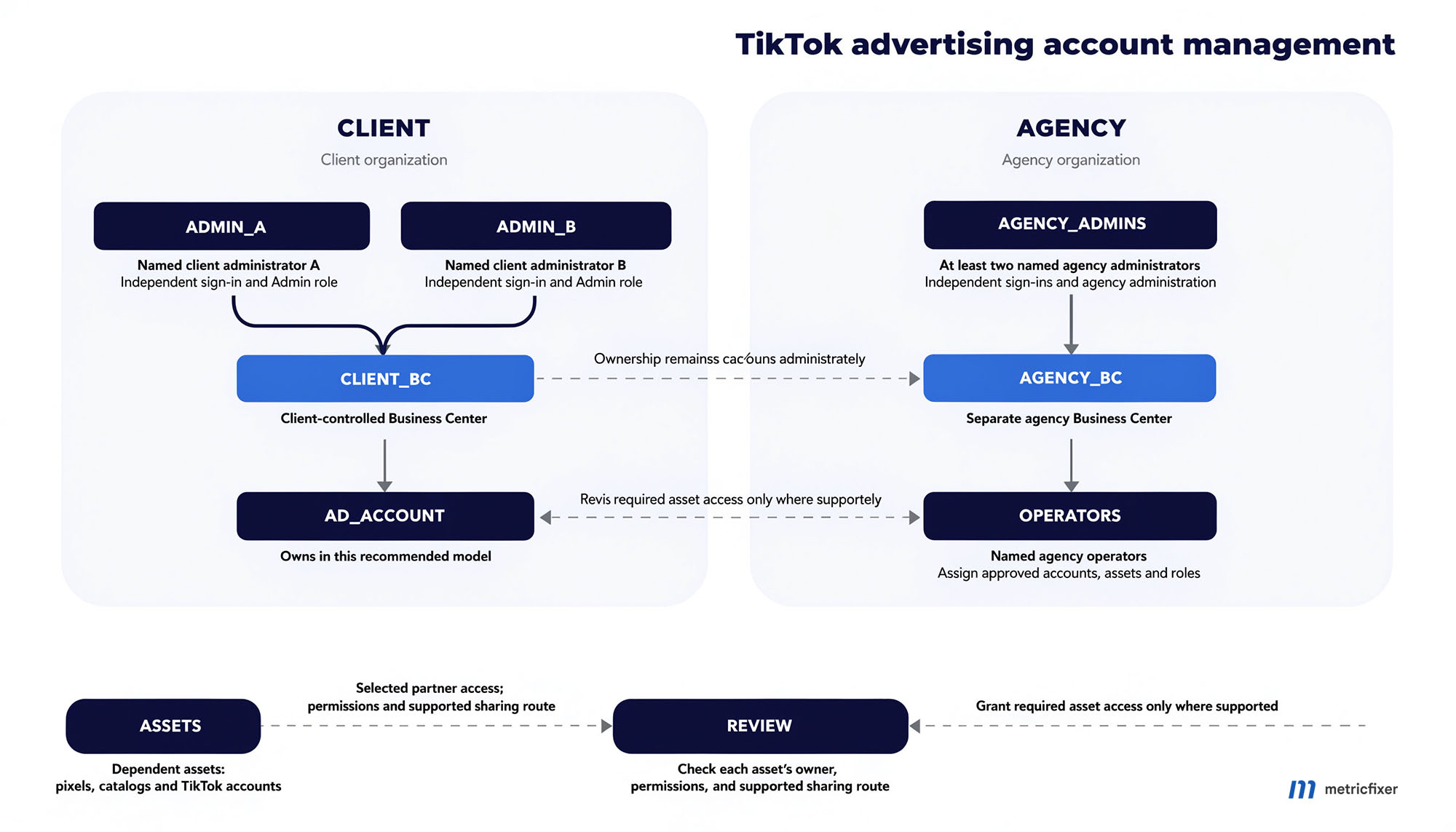
For an outside measurement specialist, narrow the scope further to the accounts and assets required for the task. The existing metricfixer guide on giving tracking and analytics access to support explains that delegation process, including temporary permissions and removal after completion.
Treat ownership transfer as a migration
Advice that TikTok ad accounts can never move between Business Centers is too broad. TikTok’s September 2026 transfer instructions describe a self-service process for eligible accounts, subject to availability. The owning Business Center initiates it and the recipient approves it. Account status, billing and recipient requirements apply.
The same guidance says active campaigns pause during transfer. Linked assets need advance permission planning. TikTok warns that campaigns using linked assets cannot be resumed after the transfer and must be recreated. Treat a transfer as an operational migration with billing, delivery and measurement checks. It is unsuitable as an improvised response to an absent administrator.
Similarly, creating another Business Center and requesting access does not remove the approval dependency. TikTok’s access-request process still requires an authorized approver; an individually created account outside a Business Center may require its creator to accept. Establish the correct structure before an emergency.
Give administrators and operators the right roles
Role names need a scope. Someone can be an Admin of one resource without administering the surrounding organization. Use the Business Center role reference and the separate account and asset permission matrix when checking a person’s authority.
| Permission layer | Documented roles | Practical use |
|---|---|---|
| Business Center | Admin; Standard. | Keep organization administration with a small trusted group. Give other staff access to their assigned resources. |
| Ad account | Admin; Operator; Analyst. | Match access to account administration, campaign work or reporting. Check each account separately. |
| Business Center finance | Finance Manager; Financial Analyst. | Assign payment management or financial viewing responsibilities explicitly and arrange cover for necessary billing tasks. |
| Other accounts and assets | Permissions depend on the resource. | Check the actual pixel, catalog, TikTok identity and other resources needed for the person’s work. |
The ad-account matrix allows Admin and Operator to create or edit ads, while Analyst is for viewing ads, performance and reports. It also lists financial management for Operator. Do not describe Operator as a role with no billing capability. Check the financial permissions exposed by the account’s configuration and the organization’s payment controls.
For Business Center finance, the newer September 2026 member invitation instructions allow optional finance permissions alongside either Admin or Standard. Finance Manager manages finance and payment features; Financial Analyst views and downloads financial data. Avoid assuming that an administrator automatically has every billing capability the handover requires.
Make the backup administrator usable
Choose a person who understands the business, can verify their own identity and has authority to act during the primary administrator’s absence. Give that person the information and training needed to identify the correct account and distinguish an urgent problem from a routine request.
Check the relevant assignments as well as the membership label. TikTok documents a separate resource-assignment process: open the member under Users, view their details and add the required accounts and assets. Sensitive changes may require verification. A backup who needs the absent manager’s code to complete the work is not independently available.
As an illustrative small-team arrangement, a marketing lead and an operations lead could cover Business Center administration, campaign specialists could receive the campaign access they need, and finance could have an explicitly assigned payment owner and substitute. The exact allocation depends on the business. Granting every media buyer organizational Admin access adds exposure without creating a better handover.
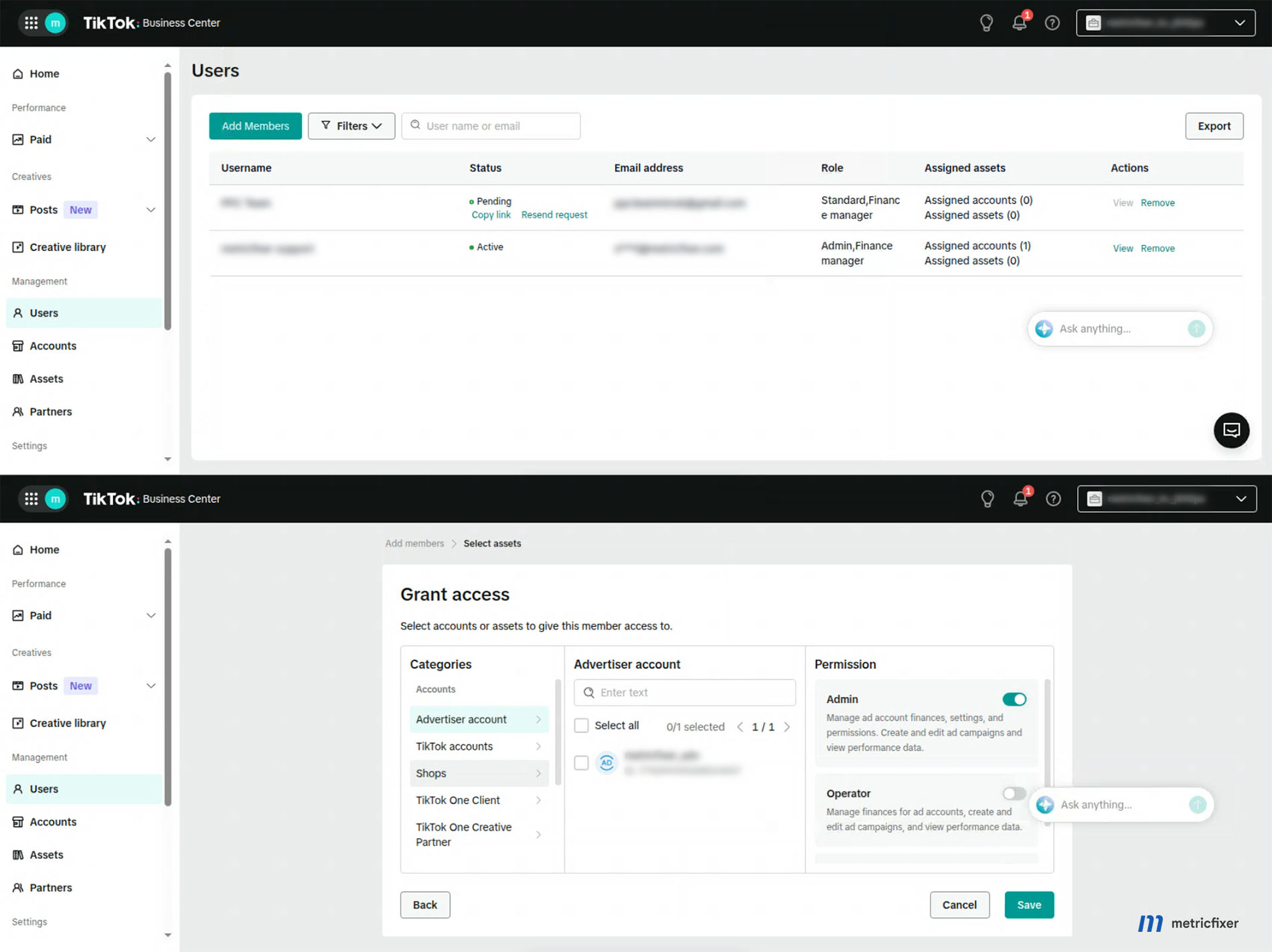
A sole trader may not have a suitable second administrator. Do not grant broad control to an untrusted person to complete a checklist. Strengthen the available recovery methods, document the remaining dependency and arrange a trusted continuity role only where the responsibility and access are appropriate.
Make login recovery independent of one person or device
Use named, company-managed identities
metricfixer recommends individually assigned corporate addresses for business access where the organization can provide them. An address such as alex@company.example gives the company a clearer account lifecycle than an employee’s unmanaged personal inbox. Each person still signs in as themselves and remains responsible for their own actions.
A shared mailbox may be useful for operational notices, but sharing one TikTok login among everyone turns the account into a common dependency and weakens accountability. Do not use the manager’s credentials as the team’s fallback. Keep unique credentials in an approved password manager and grant access through the platform’s membership and partner tools.
A corporate domain alone does not ensure recovery. Ask who administers the mailbox service, how that administrator is covered and whether the employee can regain access after losing a device. Two TikTok administrators can still become unavailable together if both depend on the same person to recover company email.
Plan address and phone changes while the existing methods remain usable. TikTok’s detailed User Settings instructions require verification of the current email or phone when changing it, followed by verification of the new contact. An open session should not be treated as a guarantee that an inaccessible contact can be replaced.
Configure supported alternative verification methods
TikTok calls the feature 2-step verification, or 2SV; teams often call it 2FA. Its June 2026 setup guide lists Text Message, Email and Authenticator App, recommending multiple methods to provide an alternative when one is unavailable.
Use User settings → Account Security → 2-step verification → Set up. Complete enrollment while access is healthy. Alternatives depend on the challenge presented; enrollment does not mean every method is required together or accepted in every recovery flow.
| Method or sign-in route | Dependency to examine | Useful preparation |
|---|---|---|
| The mailbox may only be accessible on the phone that is lost, or its recovery may depend on the same unavailable manager. | Test mailbox access and its approved recovery process independently of the everyday device. | |
| Text message | The number may belong to an employee personally, be retired during offboarding or be unavailable while travelling. | Record responsibility for the number and update it before a planned change. |
| Authenticator app | The only valid entry may be on one device, or its backup may depend on an inaccessible app account. | Understand the chosen app’s supported backup or transfer process and test it safely before replacing the device. |
| Previously linked sign-in route | A linked account can introduce another person, provider or recovery process into the chain. | Confirm which identity it reaches and who controls that identity; document it only if actually configured. |
A linked sign-in is a separate route into the identity, not a fourth 2SV method; it can have its own verification requirements. The independence check in this table is metricfixer’s operational recommendation. Email, SMS and an authenticator all available only through one phone create a common device dependency. The same is true when every recovery route ultimately needs one executive’s approval.
Protect every enabled alternative. An extra method is also another route into the account. Use company-approved recovery arrangements and keep authenticator setup keys, QR codes, passwords and one-time codes out of shared handover documents. Those documents should identify the responsible person and secure record location, not contain the secret itself.
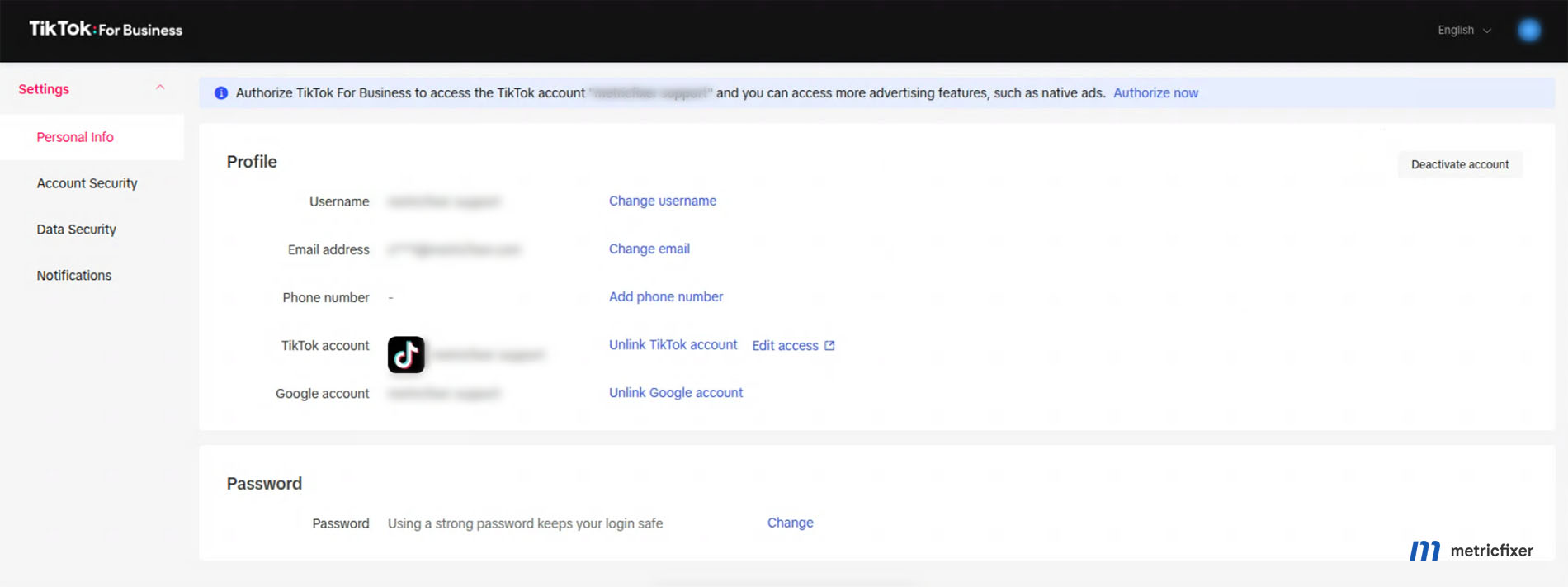
Do not assume that features documented for the consumer TikTok app also exist for a separate TikTok for Business login. This review did not establish a universally available native recovery-code, passkey or hardware-key option for that business identity. Document what is actually supported and configured.
Enforce security without creating a new lockout
Separate personal setup from Business Center enforcement
A person configuring verification methods and an organization requiring verification are two different actions. TikTok’s Business Center instructions let an Admin require 2SV for Only admins or All members. The documented route is Business Settings → Settings → Security. TikTok identifies applying the requirement to all members as best practice.
For an existing team, prepare enrollment and confirm usable access before completing the rollout. The organization-level setting does not configure each person’s alternative methods. Nor should turning it off be treated as a way to reset another person’s authenticator.
For agency work, check the agency’s own enforcement and staff enrollment too. A screenshot of a client’s security setting alone does not establish that every person working through a partner has been reviewed by their employer.
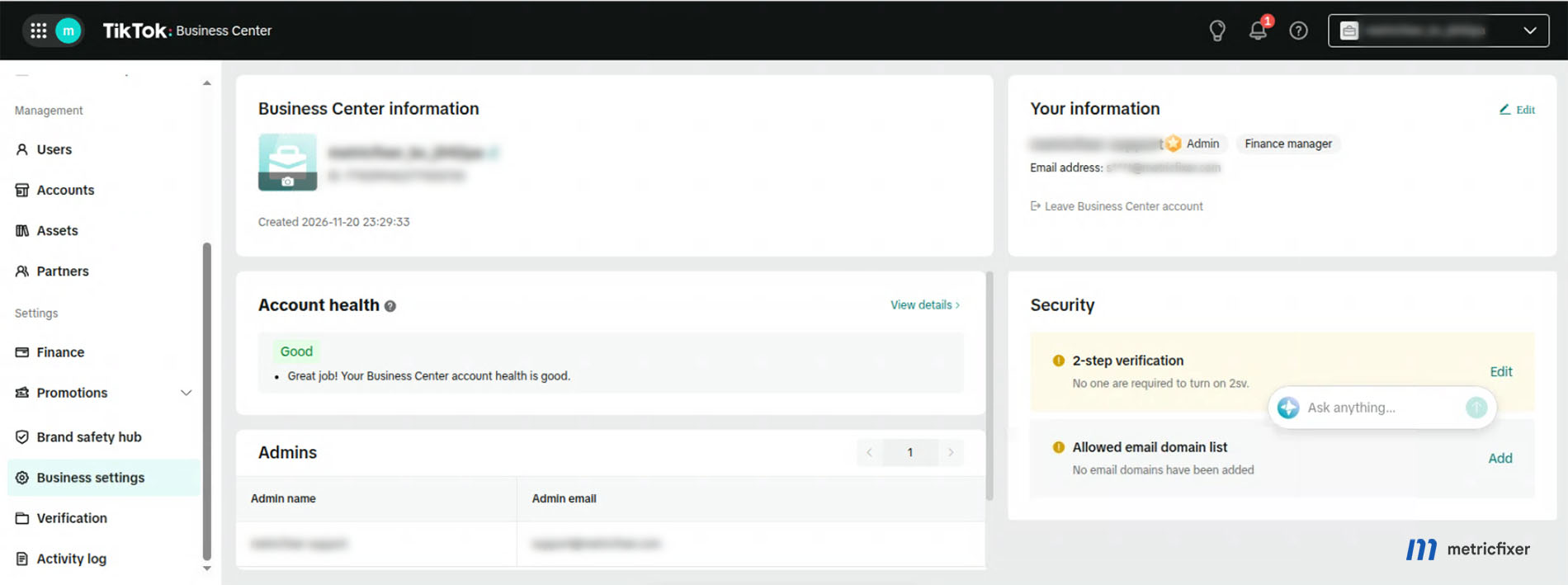
Use the email domain allowlist carefully
TikTok provides an email domain allowlist to limit membership to approved domains. Its setup instructions allow an Admin to apply the rule to administrators or all members. This is a useful control when the organization has a defined corporate identity policy.
Review existing members separately. The instructions describe an option to remove existing members outside the allowed domains; do not assume that enabling the rule automatically completes that cleanup. Confirm required domains and legitimate exceptions before changing the configuration.
Check the separate verification used for report downloads
A less obvious dependency is Data Security Verification. TikTok describes it as required for downloading advertising and audience data through the Analytics tab. Its contact details can differ from the details used to create the business login.
The documentation recommends adding both email and phone, requires the current method when changing contacts and says a successful verification remains active for ten days. A recent successful export can therefore conceal a contact problem until the next challenge.
Include report access in the handover. Confirm that an authorized reporting owner can complete any required verification without contacting the person on holiday. Treat a report-download code problem separately from a failed sign-in or a missing ad-account permission.
Test coverage before holidays and staff changes
A handover should demonstrate that another person can perform the necessary work. An invitation email and a list of role names are useful records, but they are not a completed test.
Remembered browsers can hide weaknesses. TikTok’s authorized-device guidance explains that selecting Don’t ask again for this device can remove the need to enter a verification code in that device and browser. A user who opens the dashboard daily may not have tested their current verification methods recently.
Use a separate approved browser profile or device for the drill, preserving a known, trusted working session. This avoids making the test itself the cause of a lockout. Complete only the checks the platform actually offers, and record any capability that remains untested.
- Confirm identity. The substitute signs in with their own account and completes any required challenge using their own available methods.
- Confirm the destination. Match the Business Center ID and advertiser account ID to the handover record.
- Confirm administrative scope. An authorized administrator checks the member, partner and asset assignments relevant to the cover arrangement.
- Confirm campaign responsibilities. The substitute can inspect active delivery and knows which actions they are authorized to take. If an action test is necessary, use an approved draft or inactive test item; do not pause live campaigns merely to prove a button works.
- Confirm reporting and finance cover. Check the required report export and billing visibility with the appropriate people. Viewing an invoice does not prove the ability to resolve every payment issue.
- Confirm escalation. Record who can approve urgent business decisions and how to reach the established TikTok support route or account manager.
- Record the result. Note the date, participants, tasks actually verified, remaining gaps and who will fix them before the absence starts.
Agree on decision boundaries as well as permissions. A technically capable substitute still needs to know the approved budget, what constitutes an urgent issue and when to pause affected activity. Those are business decisions; a platform role does not define them.
For larger teams, maintain an absence calendar for the small administrative group. Avoid scheduling every person capable of changing critical access to be unavailable at the same time. Test again after a change of phone, corporate domain, agency relationship or authentication setup.
Offboard people and agencies without losing control
For a planned departure, establish replacement capability before removing the old dependency. For a suspected compromise or an untrusted departure, prioritize immediate authorized containment and coordinate with the security owner. A routine handover sequence should not delay a necessary security response.
Planned offboarding workflow: inventory the departing person’s access and dependencies → establish and test replacement access → complete required handovers → remove individual and partner routes as applicable → rotate or revoke exposed credentials through their owning systems → verify remaining access, delivery and measurement → close the record.
Remove access through every relevant route
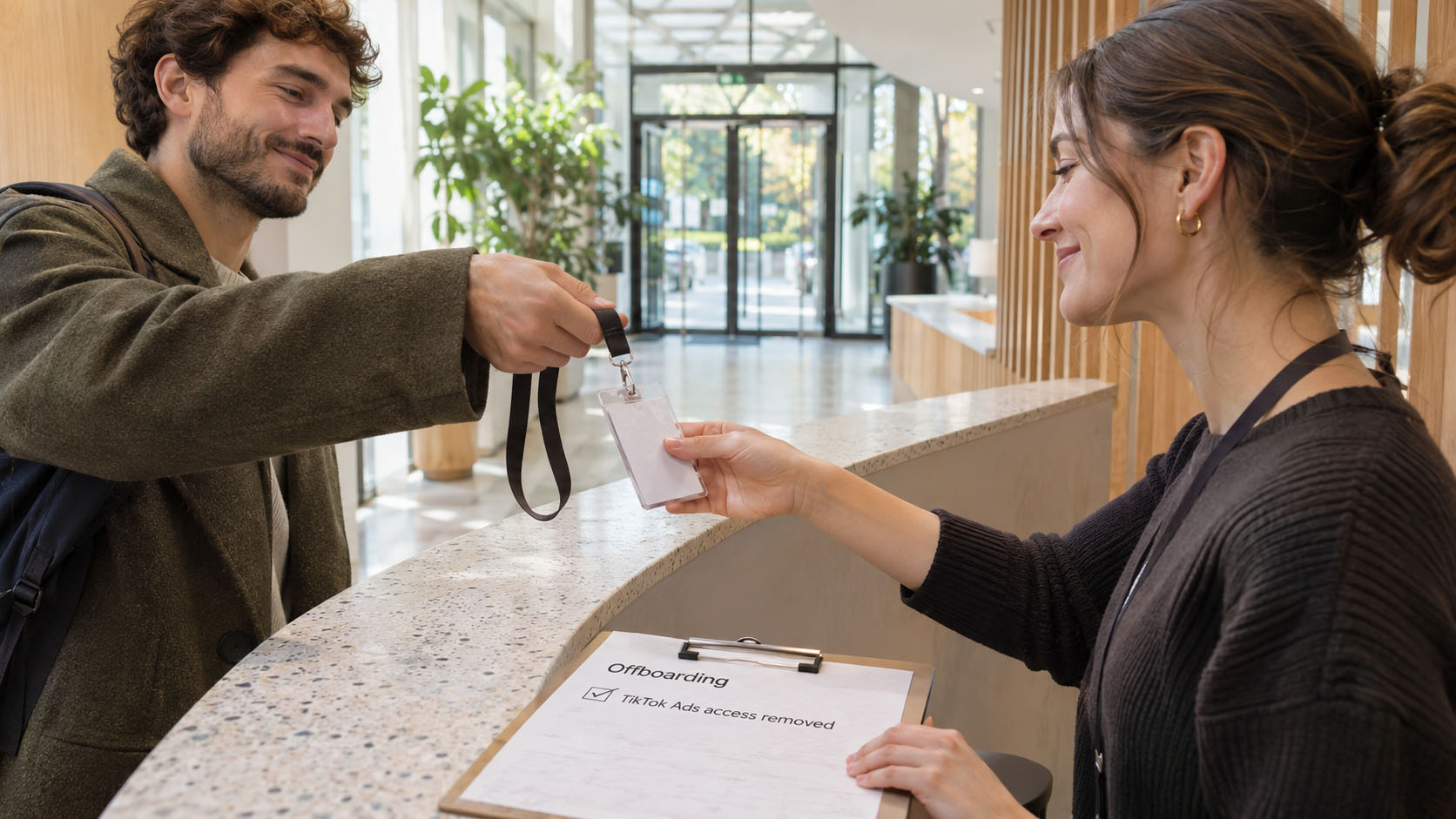
TikTok’s member-removal instructions use Users → Remove → Confirm, followed by a verification code. The stated effect covers that Business Center and the accounts or assets assigned through it. Review other independently granted access rather than assuming this action removes it everywhere.
An agency relationship also has its own partner-removal workflow. Removing a departing agency employee from one client’s direct member list is insufficient if that employee can still work through the agency’s Business Center. Conversely, removing the entire agency is usually unnecessary when the agency is retaining the contract and only one staff member is leaving.
Ask the agency to remove the individual from its organization, verify any direct client membership separately and record who now covers the work. At the end of the agency contract, the client should review and remove the relevant partner relationship and any additional direct permissions.
Plan for the effect on live campaigns
Access removal can affect delivery. TikTok says revoking a partner’s TikTok-account access immediately pauses that partner’s active campaigns using the account identity. Its pixel-sharing instructions also describe stopping affected campaigns before unsharing and warn that existing ads using the shared pixel will pause.
During an ordinary agency transition, map those dependencies and agree on the handover timing. Avoid indiscriminately unlinking pixels, profiles or catalogs as a cleanup exercise. If access must be revoked urgently, document the expected interruption and arrange the recovery of legitimate operations after containment.
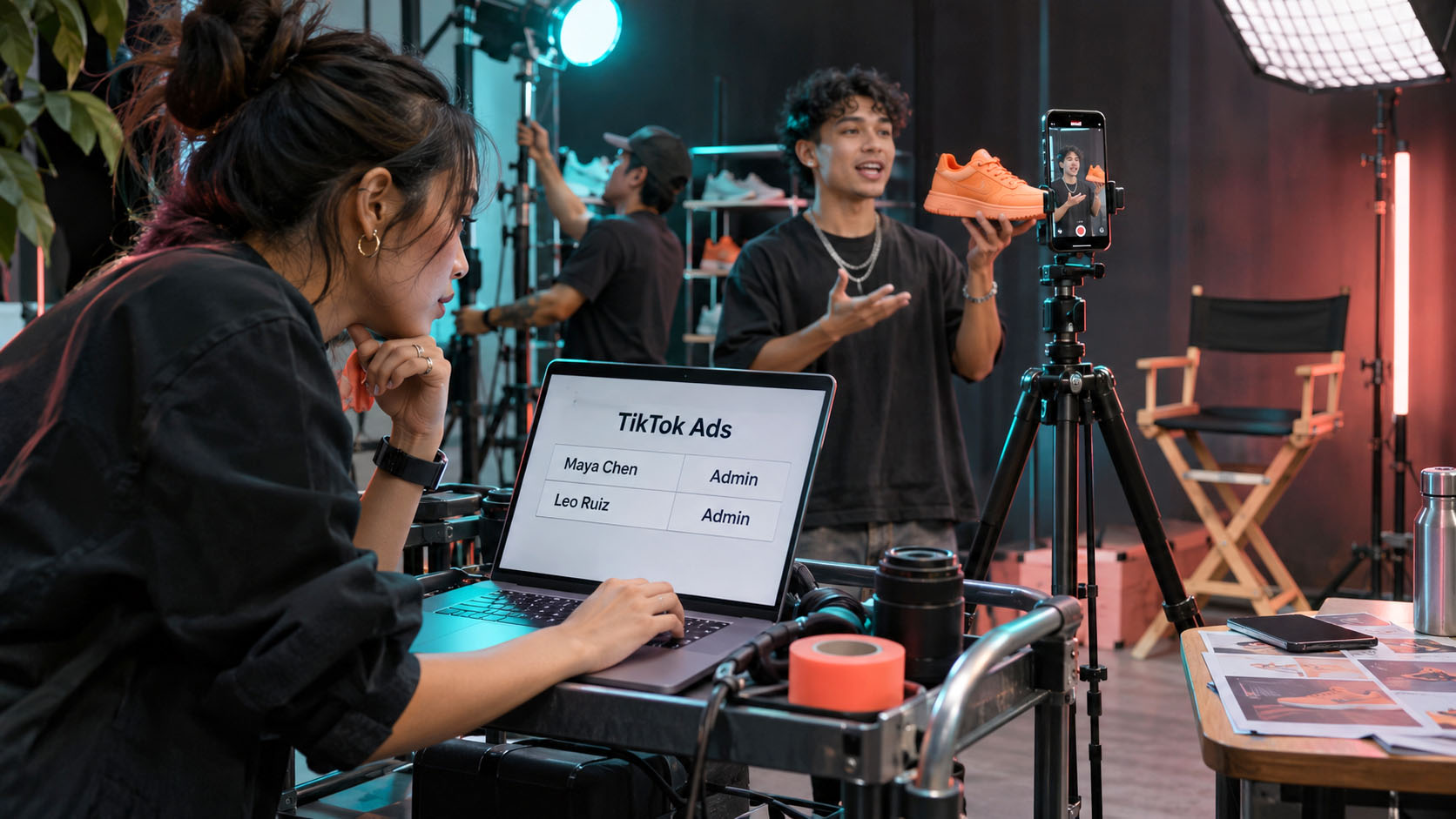
Close identity and integration dependencies
Review reporting tools, Events API connections, automation, password-manager records, company email and device access. Determine who owns each connection and whether the departing person held a credential that remains usable independently of Business Center membership.
Rotate or revoke affected credentials through the systems that issued them, following the agreed change process. Where an integration needs replacement credentials, coordinate the change so measurement does not silently stop. A token inventory should record the credential owner and secure storage location, without exposing the token.
TikTok documents removing authorized devices, but describes the feature as unavailable to some users. That documentation does not establish universal session or API-token revocation. Use the controls actually available and verify each separate access route.
Do not hand the departing person’s identity to their replacement. Transfer responsibilities and asset access to the replacement’s own identity, complete required contact changes while the existing methods can still be verified, and then finish the corporate account lifecycle under company policy.
What to do if the only administrator is unavailable
If the incident is already happening, start by identifying the failed layer. Keep a trusted session available when there is no sign of compromise, and record the exact error. Avoid repeated resets or destructive browser cleanup simply because the first attempt did not work.
| Observed situation | Useful next action | Boundary |
|---|---|---|
| Login works; the expected account or asset is missing | Have an available authorized administrator inspect the identity, membership and resource assignments. | A different password will not repair an asset assignment. |
| One configured verification method is unavailable | Use an already enrolled alternative when the challenge offers it. | A method cannot be assumed available merely because the user has another phone or email. |
| The person is locked out; another authorized user can work | Continue necessary business work through that person’s own access while handling identity recovery separately. | Another administrator is not a documented override for the locked user’s password or 2SV. |
| Login works; a report download asks for an inaccessible contact | Inspect the separate Data Security Verification dependency and use the supported assistance route if it cannot be changed. | A successful sign-in does not prove report-download verification is usable. |
| No usable method and no authorized administrator remain | Follow official business-login recovery and provide the requested account information. | There is no verified self-service shortcut in this review that replaces the missing authority. |
| Unknown administrators, changed contacts or unauthorized activity appear | Treat the situation as a possible compromise; involve the security owner and official support immediately. | Routine continuity procedures must not preserve suspicious access. |
A password reset is not a general bypass. TikTok’s Business Center reset instructions include a 2SV prompt. If email verification succeeds but the later verification step blocks completion, see metricfixer’s detailed guide to TikTok password resets blocked by 2FA.
For support, begin with TikTok’s official business-support instructions. They describe Ad Assistant and Get support for signed-in users, plus a Feedback and Help route for login issues. An already authorized colleague can report the situation through their own access, clearly identifying the affected user. Managed advertisers can also use their established account-manager relationship.
The login troubleshooting guide lists information to prepare when both email and phone access are lost: the inaccessible email, Ads Manager or Business Center ID, signup date, last known login location and a new email not previously registered. Provide accurate known information; identify an unknown date as unknown instead of inventing it.
If the published contact route redirects to login or otherwise fails, record that additional problem and use an available authorized business contact or established account manager. Public documentation does not guarantee that every user can complete the same form or recover access within a fixed time. A restriction or suspension also needs its own official resolution process.
For the fuller evidence checklist and recovery-request preparation, use metricfixer’s TikTok for Business emergency recovery guide. Keep passwords, verification codes and authenticator secrets out of the support narrative. TikTok’s anti-phishing guidance says it will not request a password or multifactor code.
Keep an access register and review it regularly
A short, accurate register is more useful than a long handover document that nobody maintains. Store it where authorized colleagues can reach it without needing the very TikTok login they might be trying to recover. Restrict access because identities, asset IDs and business relationships still deserve protection.
| Record | What to keep | Why it matters |
|---|---|---|
| Organization and ownership | Business Center name and ID, advertiser account IDs, owning organization and billing responsibility. | Directs the team to the correct account and approval authority. |
| People and permissions | Named administrators, substitutes, roles, assigned resources and agency partner IDs. | Shows who can act and through which route. |
| Authentication dependencies | Method types, responsible person, masked contact reference and secure record location. | Reveals a common phone, inbox or external identity dependency without copying secrets. |
| Operational dependencies | Required profiles, pixels, catalogs, integrations, report-verification owner and finance cover. | Extends the plan beyond basic campaign visibility. |
| Evidence and escalation | Approved business records, support-case references, established contacts and internal decision authority. | Reduces the need to reconstruct basic facts during an incident. |
| Validation | Last successful independent-access test, tested capabilities, gaps, action owner and review date. | Distinguishes a configured arrangement from a demonstrated one. |
Use a simple record for each important test. The example below is a documentation template, not a TikTok configuration file.
Review date: [YYYY-MM-DD]
Business Center ID: [ID]
Advertiser account ID: [ID]
Business owner: [organization]
Primary administrator: [named person]
Backup administrator: [named person]
Independent sign-in tested: [date, person, result]
Required asset access checked: [result]
Reporting and finance cover: [named owners, result]
Remaining shared dependency: [description or none identified]
Next action: [owner and due date]
Secure credential record: [reference only; no secret]
metricfixer recommends a review after every material access change, a check before planned administrator absences and a quarterly full review as a practical starting cadence. These intervals are our operating recommendation, not a TikTok-prescribed schedule. Teams with frequent personnel changes or more demanding risk requirements may need shorter intervals.
At each review, inspect current members, partners, asset assignments and available activity records. Reconcile them with the people and agencies still authorized to work. Investigate unexplained changes and remove obsolete access through the appropriate process.
Keep the review focused on capability: “Can the substitute complete the required work today?” A copied screenshot from last year or a statement that 2FA was once enabled cannot answer that question.
A practical security checklist for teams and agencies
Use this checklist at onboarding, before an important absence and during an agency handover. Record an owner and a completion date for every unresolved item.
- [ ] Ownership is known. Each advertiser account is mapped to its actual owning Business Center or documented current arrangement.
- [ ] Administrative cover is real. Two appropriate, trusted administrators can use their own identities independently, or the residual single-person risk is documented.
- [ ] Roles match responsibilities. Business Center, ad-account, asset and finance permissions have been reviewed separately.
- [ ] Agency access is explicit. The correct partner identity, resources, permissions and exit responsibilities are recorded.
- [ ] Company identities are maintained. Corporate email and phone changes are coordinated before existing verification methods are retired.
- [ ] Verification has alternatives. Supported methods are enrolled, usable and checked for a common person or device dependency.
- [ ] Security enforcement is understood. Personal enrollment and the Business Center requirement have both been checked.
- [ ] Coverage has been tested. A substitute has used their own sign-in and verified the relevant accounts without relying only on a remembered session.
- [ ] Reporting and finance are covered. Required export verification and payment responsibilities do not depend on the absent person.
- [ ] Connected assets are mapped. Profiles, pixels, catalogs and integrations have named owners and an understood handover path.
- [ ] Offboarding covers all routes. Member access, partner access, external services and affected credentials are reviewed separately.
- [ ] Support information is accessible. Account IDs, known recovery information and established contacts are available without exposing secrets.
If there is only one usable administrator today, prioritize establishing suitable administrative cover and testing independent access. Then repair verification dependencies, confirm ownership and partner scope, and complete the wider asset and offboarding inventory. Sequence changes while legitimate access is still available.
The practical success criterion is that an ordinary holiday, device replacement or staff departure can be handled through the planned access model. The organization should know who can continue the work, what that person is allowed to do and which recovery route remains available if an individual login fails.
Methodology and sources
This review was checked on November 26, 2026 using public TikTok for Business documentation on organizational security, roles, partner access, ownership transfer, verification, recovery, member removal and connected-asset permissions. Official sources are linked beside the claims they support. Existing metricfixer guides provide related reading and editorial context; they do not substitute for current platform documentation.
The opening vacation scenario was supplied as a brief reported situation. No incident logs, account configuration, recovery correspondence or confirmed outcome were provided. The alternative failure paths are explanatory possibilities. The proposed access model, independence checks, handover workflow, register and review cadence are metricfixer’s operational recommendations.
Some official pages describe different scopes or contain simplified instructions. For finance-role assignment, this review uses the September 2026 member invitation flow alongside the relevant role matrices. For ownership transfer, it uses the dedicated September 2026 procedure. For contact changes, it retains the current-method verification requirement stated in the detailed User Settings instructions rather than assuming that a shorter troubleshooting summary removes it.
No live advertising account was accessed, no recovery request was submitted and no transfer, permission change or campaign interruption was tested for this article. Screenshot slots are editorial assignments for genuine authorized captures. Interfaces, available methods, account structures and support routes can vary. The documentation reviewed does not establish a universal administrator override for another person’s 2SV, a guaranteed recovery time or automatic revocation across all independent integrations.
This article provides general technical and operational guidance. It does not guarantee account recovery, uninterrupted advertising or the availability of a particular TikTok feature. Apply changes through authorized account owners and your organization’s access and incident procedures. metricfixer is not affiliated with TikTok or ByteDance. Product interfaces and requirements may change after the review date.
Expert help with this topic
 TikTok Ads Full Setup
Launch TikTok Ads from an agreed strategy with ready standard measurement and 30 calendar days of initial management.
 TikTok Ads Management
Manage TikTok Ads around one primary objective with representative business-outcome measurement and usable approved creative inputs.
 TikTok Pixel and Events API Tracking Setup
Measure meaningful customer actions with TikTok Pixel and a suitable Events API path, including browser/server overlap checks.
 Expert-Led TikTok Ads Account Audit
Get a TikTok Ads diagnosis led by a specialist with at least 8 years of PPC experience and delivered as a PDF report.